Plugin
Updated
TFTabs Addon For Elementor
TFTabs Addon For Elementor is a WordPress plugin that adds a tabs widget to the Elementor page builder. It lets you group content into tabbed sections so visitors can switch between topics without scrolling through a long page.
- Version
- 1.0.2
- Released
- May 2, 2023
- Type
- WordPress plugin
- Requires
- Elementor
- Licence
- GPL
- Included in
- Every plan, or $3.99 on its own
What’s new in TFTabs Addon For Elementor 1.0.2
Version 1.0.2 · May 2, 2023
Latest
What it does
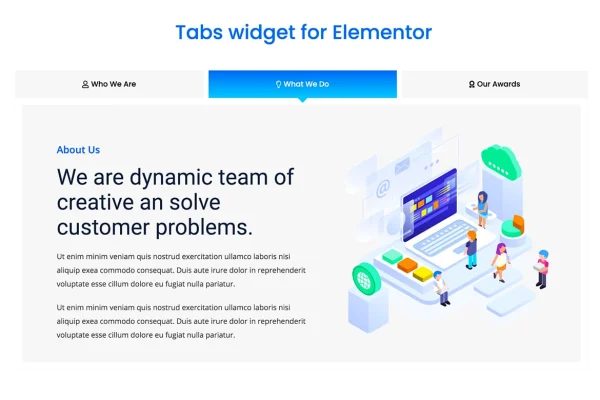
Long pages packed with product details, FAQs, service descriptions or media can be hard for visitors to scan. A tabbed layout solves this by placing each section behind its own tab, so only one block of content shows at a time. This widget brings that layout into Elementor, where you add as many tabs as you need and fill each one with your own content using the familiar drag-and-drop editor.
Each tab can hold regular editor content or an Elementor template, which makes it easy to reuse designs you have already built. You can place the navigation at the top, left or right, add icons, SVGs or images to tab labels, and choose which tab opens first. Styling controls cover colors, typography, spacing, borders, gradients, hover effects and entrance animations, and the layout adapts to desktop, tablet and mobile screens. The plugin requires Elementor.
Best for
- Elementor users organizing long pages into tabs
- Product, service and FAQ pages with several sections
- Agencies and freelancers building client sites in Elementor
Features
Unlimited tabs
Add as many tabs as your content needs, building and arranging them through Elementor's drag-and-drop interface.
Flexible navigation placement
Position the tab navigation at the top, left or right of the content area to suit the layout of each page.
Icons, SVGs and images
Attach a custom icon, SVG or image to each navigation tab so visitors can recognize sections at a glance.
Default active tab
Choose which tab is open when the page loads, so the content you want seen first appears right away.
Template or editor content
Fill each tab with standard editor content or pull in an Elementor template to reuse layouts you have already designed.
Detailed tab styling
Adjust colors, typography, padding, margins, borders and hover effects on the tabs to match your brand's look.
Content area styling
Style the tab content with background colors, gradients and borders, and add entrance animations when a tab opens.
Responsive, retina-ready layout
Tabs adapt to desktop, tablet and mobile screens, with settings for alignment, text style and spacing between navigation items.
Questions about TFTabs Addon For Elementor
Do I need Elementor to use this plugin?
Yes. The plugin is an Elementor addon and requires Elementor to be active. The tabs widget appears inside the Elementor editor, where you build and style tabs with the same drag-and-drop workflow you use for the rest of your pages.
Can I put an Elementor template inside a tab?
Yes. Each tab can show either content written in the editor or an Elementor template. Using templates lets you design rich sections once, then place them inside tabs on different pages.
Can the tabs appear on the side instead of the top?
Yes. You can place the navigation at the top, left or right. You can also fine-tune its alignment, text style and the spacing between tab items to fit your design.
Will the tabs work on phones and tablets?
The widget is responsive and retina-ready, with settings for desktop, tablet and mobile. This helps the tabs stay readable and usable on smaller screens as well as large displays.
Is TFTabs Addon For Elementor free?
The code of TFTabs Addon For Elementor is licensed under the GPL, so anyone may use, change and share it. GPL Feast is a paid service: a plan or a single purchase gives you the download and automatic updates. The developer's own support, licence key and online services are not included.
Which version of TFTabs Addon For Elementor is this?
Version 1.0.2, released May 2, 2023. New versions appear here when the developer publishes them, and members get them as automatic updates.
How do I update TFTabs Addon For Elementor?
Install the free GPL Feast Updater on your site and connect it with your API key. It installs new versions of TFTabs Addon For Elementor automatically and keeps a backup, so you can roll back.
What does TFTabs Addon For Elementor need?
TFTabs Addon For Elementor needs Elementor installed and active.
You might also like