Plugin
Updated
User Registration LearnDash
User Registration LearnDash is a WordPress add-on by WPEverest that connects your registration forms to the LearnDash learning platform. When someone signs up, they can be enrolled in the LearnDash courses you specify, so new learners get course access right away without manual steps from you.
- Version
- 1.1.13
- Released
- Aug 11, 2026
- Developer
- WPEverest
- Type
- WordPress plugin
- Licence
- GPL
- Included in
- Every plan, or $4.79 on its own
What’s new in User Registration LearnDash 1.1.13
Version 1.1.13 · Aug 11, 2026
Latest
- FixedConditional LearnDash course assignment not respecting the conditions.
What it does
Running a course site on LearnDash usually means two separate jobs: getting people registered and then putting them into the right courses. Doing the second part by hand takes time and invites mistakes. This add-on joins those steps together. You build a registration form, choose which LearnDash courses it should assign, and new users are enrolled at the moment they sign up. Course assignment can also follow conditions, so different signups can land in different courses based on the rules you set.
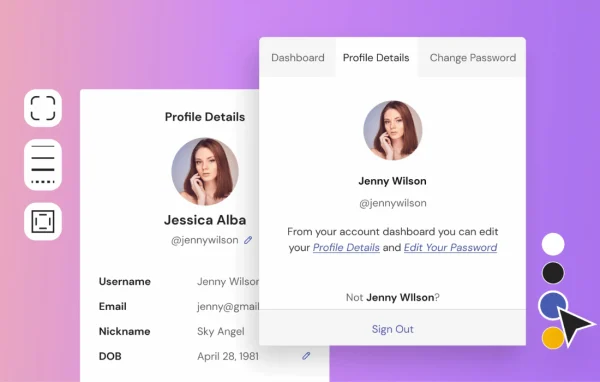
The form side uses a drag-and-drop builder with multiple field types, which lets you put together custom registration pages that match your site. Forms and pages are responsive, so they work on phones and tablets as well as desktops. After signing up, learners get an account page where they can see their enrolled courses and follow their progress. On the admin side, registration records and course assignments are available from the WordPress dashboard, which keeps user management in one place for educators and training businesses.
Best for
- Online course sites built on LearnDash
- Educators who want instant course access after signup
- Training businesses managing many learner enrollments
Features
Automatic course enrollment
New users are enrolled in the LearnDash courses you specify as soon as they register, which removes the manual enrollment step and the errors that come with it.
Conditional course assignment
Set conditions that decide which LearnDash course a user is assigned to, so different registrations can lead to different course access.
Custom registration pages
Create dedicated LearnDash registration pages with your own layout and fields, giving prospective students a signup page that fits the look of your site.
Drag-and-drop form builder
Build WordPress registration forms by dragging fields into place, with multiple field types available to collect the information your courses need.
Learner account page
Registered users can open their account page to view the courses they are enrolled in and track their progress through each one.
Dashboard user management
Review detailed registration records and course assignments from the WordPress dashboard, keeping user and enrollment data in one familiar place.
Responsive forms and pages
Registration forms and pages adjust to different screen sizes, so learners can sign up comfortably on smartphones, tablets and desktop computers.
User Registration LearnDash older versions
- 1.1.12Nov 13, 20253 fixes
- 1.1.11Oct 11, 20251 fix
- 1.1.10Nov 22, 20241 improvement
- 1.1.9.1Apr 16, 2024
- 1.1.8Dec 16, 2023
- 1.1.7Aug 12, 2023
- 1.1.6Jun 1, 2023
- 1.1.4Apr 18, 2023
Members and buyers of this product can download older versions.
Questions about User Registration LearnDash
Does this plugin need LearnDash to work?
Yes. It is an add-on built to connect WordPress user registration with LearnDash. Its main job is enrolling registered users into LearnDash courses, so you need LearnDash running on your site to use those enrollment features.
Can different users be put into different courses?
Yes. The add-on supports conditional course assignment, so you can set rules that decide which LearnDash course a new user is enrolled in. You can also specify the courses each registration should assign automatically.
Can students see their courses after they register?
They can. The add-on adds course details to the user account page, where learners can view the courses they are enrolled in and track their progress without hunting around your site.
How much control do I have over the registration form?
You build forms with a drag-and-drop builder that offers multiple field types, and you can create custom LearnDash registration pages. The forms and pages are responsive, so they display properly on phones, tablets and desktops.
Is User Registration LearnDash free?
The code of User Registration LearnDash is licensed under the GPL, so anyone may use, change and share it. GPL Feast is a paid service: a plan or a single purchase gives you the download and automatic updates. The developer's own support, licence key and online services are not included.
Which version of User Registration LearnDash is this?
Version 1.1.13, released Aug 11, 2026. New versions appear here when the developer publishes them, and members get them as automatic updates.
How do I update User Registration LearnDash?
Install the free GPL Feast Updater on your site and connect it with your API key. It installs new versions of User Registration LearnDash automatically and keeps a backup, so you can roll back.
More from WPEverest