
Plugin
Updated
WP Scheduled Posts Pro
WP Scheduled Posts Pro, now branded as SchedulePress Pro, is a WordPress plugin by WPDeveloper for planning and automating your publishing. It gives you a visual content calendar, schedules posts at set times, catches missed schedules and shares new posts to your social profiles.
- Version
- 5.3.3
- Released
- Sep 15, 2026
- Developer
- WPDeveloper
- Type
- WordPress plugin
- Requires
- WP Scheduled Posts
- Licence
- GPL
- Included in
- Every plan, or $5.59 a year on its own
What’s new in WP Scheduled Posts Pro 5.3.3
Version 5.3.3 · Sep 15, 2026
Latest
- ImprovedExpired Social profile connection process.
- ImprovedFew minor bug fixes & improvements.
What it does
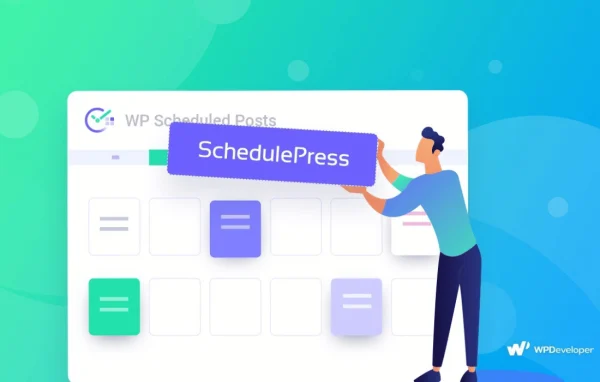
Keeping a steady publishing rhythm on WordPress usually means juggling dates in the post editor, checking that scheduled posts actually went live and then sharing each one by hand on social media. This plugin pulls those jobs into one place. A drag and drop calendar shows your whole content schedule, so you can move posts around, spot gaps and start new drafts right from the calendar view.
Automation handles the repetitive parts. The Auto Scheduler places posts at your preferred times, and the Missed Schedule Handler detects scheduled posts that failed to publish and publishes them. On the social side, posts can go out to Twitter, Facebook, LinkedIn, Instagram, Medium, Pinterest and Threads, either right after publishing or at a scheduled time, using editable share templates, automatic hashtags and custom banners.
Best for
- Bloggers who publish on a regular schedule
- Content teams managing an editorial calendar
- Site owners who share every post on social media
Features
Drag and drop schedule calendar
See your full content schedule on a calendar, drag posts to new dates and create new content directly from the calendar interface.
Auto scheduler
Set your preferred publishing times and let the plugin schedule posts into those slots, so your site keeps a consistent posting pattern without manual date picking.
Missed schedule handler
Automatically detects scheduled posts that did not go live because of a scheduling glitch and publishes them, keeping your calendar on track.
Auto social sharing
Share WordPress posts automatically to Twitter, Facebook, LinkedIn, Instagram, Medium, Pinterest and Threads from your connected social profiles.
Instant or scheduled social posts
Choose whether each post is shared to social networks immediately after publishing or at a scheduled time that suits your audience.
Customizable share templates
Edit templates that control how your posts appear on social media, so the wording and layout of each share match your style.
Hashtag and tag automation
Automatically add hashtags and category tags to your social posts, saving you from typing them for every share.
Custom social banners
Upload unique banner images for platforms such as Medium, Pinterest and Threads so shared posts carry visuals made for each network.
WP Scheduled Posts Pro older versions
- 5.3.2Jul 301 improvement, 2 fixes
- 5.3.1Jul 212 improvements
- 5.3.0May 191 new, 2 improvements, 1 fix
- 5.2.5Apr 17
- 5.2.4Mar 17
- 5.2.3Feb 19
- 5.2.1Aug 26, 2025
- 5.1.3May 24, 2025
- 5.1.2Feb 24, 2025
- 5.1.1Jan 27, 2025
Members and buyers of this product can download older versions.
28 older versions in all. If you need one that is not listed, ask support.
Questions about WP Scheduled Posts Pro
Which social networks can it post to?
The plugin can share your WordPress posts to Twitter, Facebook, LinkedIn, Instagram, Medium, Pinterest and Threads. You can send posts out as soon as they publish or schedule the social shares for a later time.
What happens if a scheduled post fails to publish?
The Missed Schedule Handler watches for scheduled posts that did not go live because of a scheduling glitch. When it finds one, it publishes the post automatically so your content calendar stays on track.
Can I control how my posts look when they are shared?
Yes. Customizable social share templates let you edit how posts appear on social media, hashtags and category tags can be added automatically, and you can upload custom banners for platforms like Medium, Pinterest and Threads.
Can I write new posts from the calendar?
Yes. The Schedule Calendar lets you create new content directly from the calendar interface, and you can drag existing posts to different dates to reorganize your publishing plan.
Is WP Scheduled Posts Pro free?
The code of WP Scheduled Posts Pro is licensed under the GPL, so anyone may use, change and share it. GPL Feast is a paid service: a plan or a single purchase gives you the download and automatic updates. The developer's own support, licence key and online services are not included.
Which version of WP Scheduled Posts Pro is this?
Version 5.3.3, released Sep 15, 2026. New versions appear here when the developer publishes them, and members get them as automatic updates.
How do I update WP Scheduled Posts Pro?
Install the free GPL Feast Updater on your site and connect it with your API key. It installs new versions of WP Scheduled Posts Pro automatically and keeps a backup, so you can roll back.
What does WP Scheduled Posts Pro need?
WP Scheduled Posts Pro needs WP Scheduled Posts installed and active.
More from WPDeveloper


Plugin

