Plugin
Updated
WP User Frontend Pro
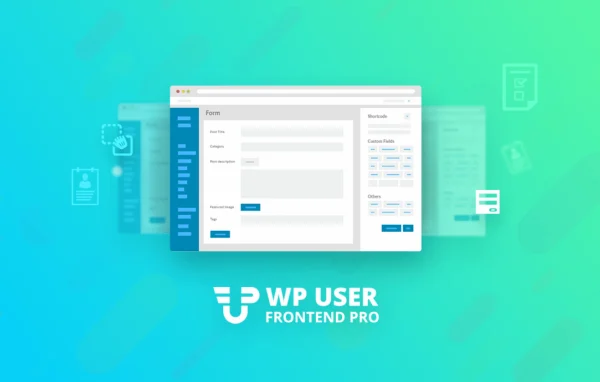
WP User Frontend Pro by weDevs is a WordPress plugin that moves content submission, registration and profile editing to the front end of your site. Users can post, manage their content and update their accounts without ever opening the WordPress dashboard.
- Version
- 4.2.19
- Released
- Oct 1, 2026
- Developer
- weDevs
- Type
- WordPress plugin
- Requires
- WP User Frontend
- Licence
- GPL
- Included in
- Every plan, or $10.39 a year on its own
What’s new in WP User Frontend Pro 4.2.19
Version 4.2.19 · Oct 1, 2026
Latest
- FixedEach prompt on the Create Form with AI screen now shows once instead of twice; the WooCommerce, Events Calendar and default registration prompts come from WP User Frontend, and Pro keeps its own prompt text for them
What it does
Many sites want visitors to contribute content or manage an account, but giving them access to the WordPress admin area is awkward and often unwanted. This plugin solves that by letting you build frontend forms for posting, registration, profiles and contact. A drag-and-drop form builder handles layout, and forms can target custom post types and taxonomies using more than 25 custom field types, so submissions land in the right place with the right categories.
It fits membership sites, online communities, marketplaces and directories. Subscription packs, pay-per-post options and coupon support let you charge for posting, while content restriction hides pages and menu items based on user role or subscription status. Users get a frontend dashboard for their posts, payments, comments and profile. It works alongside the free WP User Frontend plugin, and with WooCommerce it also lets users submit and manage products from the front end.
Best for
- Membership sites with paid or restricted content
- Directories and communities built on user submissions
- WooCommerce marketplaces where users list products
Features
Drag and drop form builder
Build registration, profile, post, subscription, contact and event forms with a visual builder, choosing from more than 25 custom field types without writing code.
Custom post types and taxonomies
Point any form at a custom post type and its taxonomies so user submissions are stored and categorized to match how your site is organized.
Subscriptions and pay-per-post
Sell subscription packs or charge per post, with coupon support, to control how much content users can submit and what they pay for it.
Content and menu restriction
Limit content visibility and menu items by user role or subscription status to set up member-only areas on your site.
Frontend user dashboard
Give users a dashboard on the front end where they can view and manage their posts, payments, comments and profile details.
Guest posting
Let anonymous visitors submit content through your forms without creating an account first, useful for open submissions and community contributions.
WooCommerce product submission
Allow users to add and manage WooCommerce products from frontend forms, which suits marketplace setups where vendors list their own items.
User directory
Build a searchable directory of registered users with custom profile fields, handy for member listings, communities or business directories.
WP User Frontend Pro older versions
- 4.2.18Sep 231 improvement, 3 fixes, 4 security fixes
- 4.2.17Aug 263 improvements, 1 fix, 1 security fix
- 4.2.16Aug 111 improvement
- 4.2.15Aug 7
- 4.2.14Jul 21
- 4.2.13Apr 25
- 4.2.12Apr 9
- 4.2.11Mar 12
- 4.2.10Feb 28
- 4.2.9Feb 25
Members and buyers of this product can download older versions.
41 older versions in all. If you need one that is not listed, ask support.
Questions about WP User Frontend Pro
Does this work on its own or do I need another plugin?
It requires the free WP User Frontend plugin, which it builds on. WooCommerce is only needed if you want users to submit and manage products from the front end.
Can visitors submit posts without registering?
Yes. Guest posting support lets anonymous users send content through your frontend forms without creating an account. You can also require registration and use the registration and profile forms instead.
Can I charge users to post content?
Yes. You can set up subscription packs or pay-per-post options, and coupons are supported. Content restriction can also hide pages and menu items from users who lack the right role or subscription.
Will it work with my custom post types?
Yes. Forms can be built for custom post types and their taxonomies, and you can add any of more than 25 custom field types so submissions match your site's content structure.
Is WP User Frontend Pro free?
The code of WP User Frontend Pro is licensed under the GPL, so anyone may use, change and share it. GPL Feast is a paid service: a plan or a single purchase gives you the download and automatic updates. The developer's own support, licence key and online services are not included.
Which version of WP User Frontend Pro is this?
Version 4.2.19, released Oct 1, 2026. New versions appear here when the developer publishes them, and members get them as automatic updates.
How do I update WP User Frontend Pro?
Install the free GPL Feast Updater on your site and connect it with your API key. It installs new versions of WP User Frontend Pro automatically and keeps a backup, so you can roll back.
What does WP User Frontend Pro need?
WP User Frontend Pro needs WP User Frontend installed and active.
More from weDevs