Theme
Updated
Allura
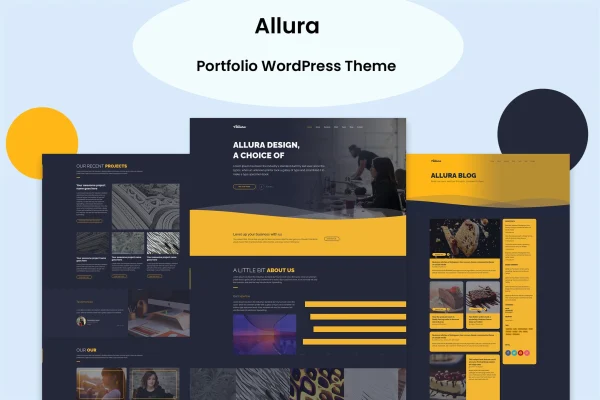
Allura is a portfolio WordPress theme by vergatheme, made for photographers, designers, artists and other creative professionals. It runs on the Elementor drag-and-drop page builder and gives you a set of homepage layouts, color skins and slideshows for presenting your work without writing code.
- Version
- 2.0
- Released
- Jan 5, 2025
- Developer
- vergatheme
- Type
- WordPress theme
- Licence
- GPL
- Included in
- Every plan, or $3.99 on its own
What’s new in Allura 2.0
Version 2.0 · Jan 5, 2025
Latest
What it does
Creative people need a site that puts their work front and center, and building one from scratch takes time. This theme gives you a starting point with more than 12 homepage styles plus several one-page options, so you can pick a layout that suits a portfolio, an agency, a business site or a blog. A one click demo importer loads sample content, which lets you see the structure in place and then swap in your own images and text.
Pages are built and edited in Elementor, so layout changes happen by dragging and dropping elements. You can choose between full-width and boxed layouts, switch among predefined color skins and add slideshows to feature projects. The design is responsive and retina ready, so it adapts to desktops, tablets and phones and keeps graphics sharp on high-resolution screens. It works with WooCommerce if you want to sell products and with WPML for multilingual sites, and it is compatible with the Bootstrap framework.
Best for
- Photographers, designers and artists presenting their portfolios
- Creative agencies needing a clean, layout-flexible website
- Creatives who want to sell products or run multilingual sites
Features
Over 12 homepage styles
Choose from more than 12 homepage designs plus multiple one-page options, covering portfolios, agencies, businesses and blogs.
Elementor page building
Build and edit pages with the Elementor drag-and-drop page builder, so you can adjust layouts and content without touching code.
Full-width and boxed layouts
Set your site to a full-width or boxed layout to match the look you want for your portfolio or brand.
Predefined color skins
Switch between ready-made color palettes to quickly change the overall look of the site and match your brand colors.
One click demo importer
Import the demo content in one step to get a working site structure, then replace the sample material with your own work.
Responsive and retina ready
Layouts adapt to desktops, tablets and smartphones, and graphics stay crisp on high-resolution displays.
WooCommerce and WPML compatible
Add an online store with WooCommerce or translate your site into several languages with WPML.
Slideshows for featured work
Use built-in slideshows to present projects, photos or highlights prominently on your pages.
Questions about Allura
Do I need to know how to code to customize this theme?
No. The theme is built on the Elementor drag-and-drop page builder, so you can arrange sections, edit content and change layouts visually. Predefined color skins and full-width or boxed layout options also let you change the look without editing code.
Can I use Allura for something other than a portfolio?
Yes. Its more than 12 homepage styles and multiple one-page options cover portfolios, creative agencies, business sites, corporate sites and blogs, so you can pick the layout that fits your project.
Can I sell products or run a site in more than one language?
The theme is compatible with WooCommerce, so you can set up an online store, and it supports WPML for building multilingual sites. Both can be used alongside the portfolio layouts.
Will my site look the same as the demo when I start?
You can use the one click demo importer to load the demo content, which gives you the same structure and sample material as a starting point. From there you replace the content with your own and adjust colors and layouts.
Is Allura free?
The code of Allura is licensed under the GPL, so anyone may use, change and share it. GPL Feast is a paid service: a plan or a single purchase gives you the download and automatic updates. The developer's own support, licence key and online services are not included.
Which version of Allura is this?
Version 2.0, released Jan 5, 2025. New versions appear here when the developer publishes them, and members get them as automatic updates.
How do I update Allura?
Install the free GPL Feast Updater on your site and connect it with your API key. It installs new versions of Allura automatically and keeps a backup, so you can roll back.