Theme
Updated
BlackVideo Pro
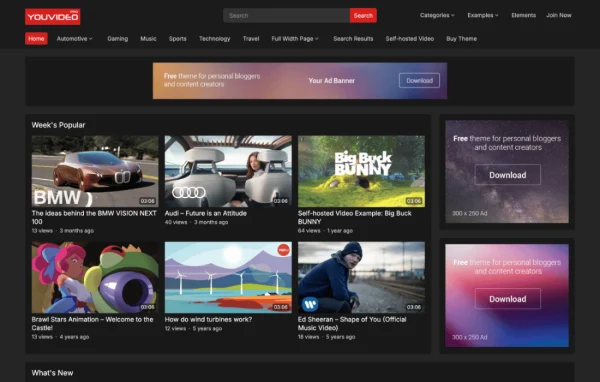
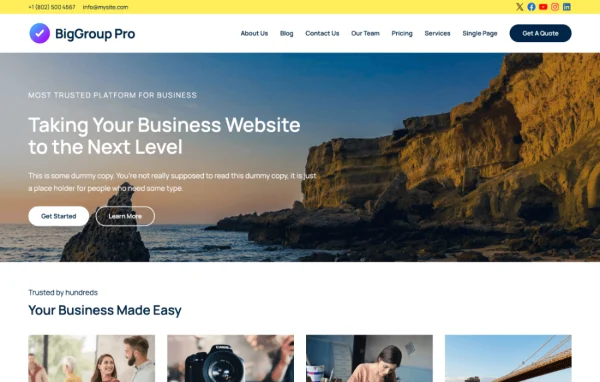
BlackVideo Pro by WPEnjoy is a WordPress theme built for video blogs and video sharing sites. It lets you upload videos or embed them from YouTube, Vimeo and DailyMotion, then present them in a responsive layout you can adjust to match your brand.
- Version
- 1.0.4
- Released
- Feb 4, 2025
- Developer
- WPEnjoy
- Type
- WordPress theme
- Licence
- GPL
- Included in
- Every plan, or $3.99 a year on its own
What’s new in BlackVideo Pro 1.0.4
Version 1.0.4
Latest
- ImprovedUpdated theme framework.
- ImprovedPHP 8.x compatible.
- FixedBug fixes.
What it does
Running a video site on a general blog theme often means fighting layouts that were never meant for players, durations and view counts. BlackVideo Pro is designed around video posts from the start. You can upload files directly or embed clips from YouTube, Vimeo and DailyMotion, and an extra embed field lets a single post or page hold more than one video source. The responsive layout adapts to desktops, tablets and phones, so viewers get a consistent experience wherever they watch.
The theme gives you a theme options panel for shaping the look of the site, with over 1000 Google Fonts and unlimited color choices. Video views, duration and related posts can appear in several places to help visitors find more to watch. Navigation includes a scrollbar for the left menu and a mobile-friendly header search. There is also a footer editor, featured content options, customizable post lists, extended single post layouts and social share icons, plus one-click demo import and options import and export for faster setup.
Best for
- Video bloggers and YouTube creators
- Media companies publishing video content
- Hobbyist sites collecting embedded videos from several platforms
Features
Upload or embed videos
Add videos by uploading them directly or embedding them from YouTube, Vimeo and DailyMotion, so you can publish content from whichever source you use.
Additional video embed field
An extra embed field lets you place multiple video sources inside a single post or page, which is handy for playlists, comparisons or alternate versions.
Fonts and color choices
Pick from over 1000 Google Fonts and unlimited color options in the theme settings to match the site to your brand identity.
Views, duration and related posts
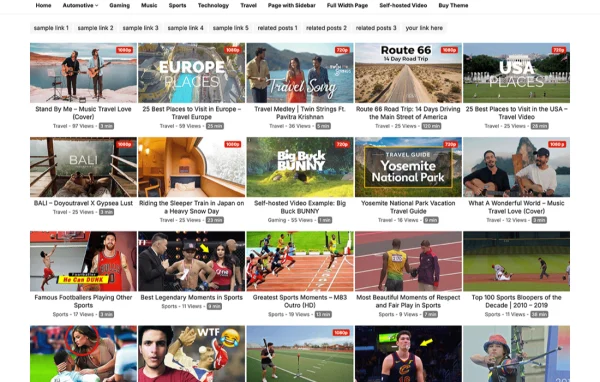
Show video view counts, durations and related posts in multiple locations around the site to help visitors find their next video.
Easier site navigation
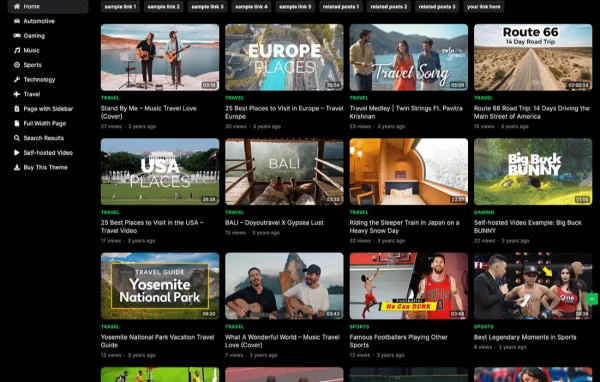
A scrollbar for the left menu and a mobile-friendly header search help visitors move through your library and find specific content.
Footer text editor
Change the footer text and copyright information from the theme settings without touching any code.
Demo and settings import
Use one-click demo import to start from a ready layout, and import or export theme options to reuse your settings on another site.
Layouts and sharing options
Featured content options, customizable post lists, extended single post layouts and built-in social share icons give you more control over how posts appear.
BlackVideo Pro older versions
- 1.0.3Jun 14, 2024
- 1.0.0May 21, 2024
Members and buyers of this product can download older versions.
Questions about BlackVideo Pro
Can I use videos hosted on YouTube or Vimeo?
Yes. The theme supports embedding videos from YouTube, Vimeo and DailyMotion, and you can also upload video files directly. An additional embed field lets you include more than one video source in the same post or page.
Will my video site work well on phones?
The theme uses a responsive design that adapts to desktops, tablets and smartphones. It also includes a mobile-friendly header search so visitors on small screens can find videos easily.
How much can I change the design?
A theme options panel lets you adjust the look of the site, including over 1000 Google Fonts and unlimited color choices. You also get featured content options, customizable post lists, extended single post layouts and a footer editor for custom text and copyright details.
Can I show view counts and video length?
Yes. BlackVideo Pro can display video views, duration and related posts in multiple places on your site, giving visitors quick information about each video and pointing them toward more content.
Is BlackVideo Pro free?
The code of BlackVideo Pro is licensed under the GPL, so anyone may use, change and share it. GPL Feast is a paid service: a plan or a single purchase gives you the download and automatic updates. The developer's own support, licence key and online services are not included.
Which version of BlackVideo Pro is this?
Version 1.0.4, released Feb 4, 2025. New versions appear here when the developer publishes them, and members get them as automatic updates.
How do I update BlackVideo Pro?
Install the free GPL Feast Updater on your site and connect it with your API key. It installs new versions of BlackVideo Pro automatically and keeps a backup, so you can roll back.
More from WPEnjoy