Theme
Updated
CompanyOne
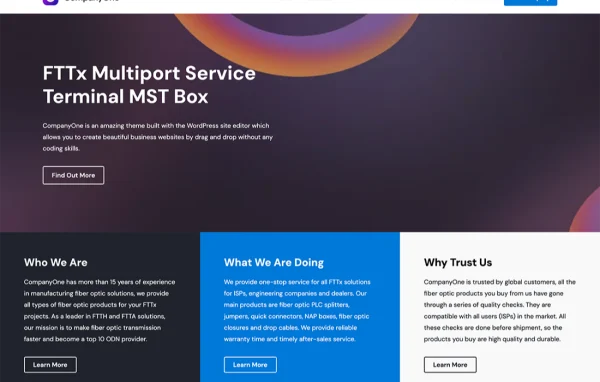
CompanyOne by WPEnjoy is a WordPress theme built for business websites. It gives companies, startups and freelancers a clean, modern layout that you can adjust to match your brand, with no coding needed for colors, fonts or layouts.
- Version
- 1.0.0
- Released
- Jun 12, 2024
- Developer
- WPEnjoy
- Type
- WordPress theme
- Licence
- GPL
- Included in
- Every plan, or $3.99 a year on its own
What’s new in CompanyOne 1.0.0
Version 1.0.0 · Jun 12, 2024
Latest
- NewFirst release
What it does
Many business owners want a professional site that presents their services clearly without hiring a developer for every change. This theme answers that need with a minimal design that keeps attention on your content. You can change colors, fonts and layouts from the theme options, pick a header style, and place your logo, menus and call-to-action buttons where they work best for your brand.
The layout is responsive, so pages adapt to desktops, tablets and phones. Multiple widget areas let you add elements such as recent posts, testimonials and contact forms. The theme is WooCommerce compatible if you want to sell products, and it is translation ready with right-to-left language support for sites in other languages. It suits small firms, established companies and solo professionals alike.
Best for
- Small and growing business websites
- Freelancers presenting their services online
- Companies adding a WooCommerce store to their site
Features
Responsive layout
Pages adjust to fit desktops, tablets and smartphones, so visitors get a usable layout on whatever screen size they happen to use.
Color, font and layout options
Change colors, fonts and layouts to match your brand style through the theme settings, without editing any code yourself.
Multiple header styles
Choose from several header layouts and add your logo, navigation menus and call-to-action buttons to the top of your site.
Several widget areas
Place widgets such as recent posts, testimonials and contact forms in multiple areas of the theme to add content and functions.
Semantic code structure
The theme is built with clean, semantic code, giving search engines and browsers a well-organized page structure to read.
WooCommerce compatibility
Set up an online store using WooCommerce, with the theme designed to work alongside it for selling products from your business site.
Translation and RTL support
The theme is translation ready and supports right-to-left languages, so you can run your site in the language your audience reads.
Questions about CompanyOne
Can I change the look of the theme without coding?
Yes. You can customize colors, fonts and layouts through the theme options, and choose among multiple header styles. These changes are made without touching code, so you can match the site to your brand on your own.
Will this theme work for an online store?
The theme is compatible with WooCommerce, so you can add a store to your business site and sell products. It keeps the same clean design across your regular pages and your shop pages.
Does it support languages other than English?
Yes. The theme is translation ready, which lets you translate its text into other languages. It also supports right-to-left languages, which is helpful for sites written in languages such as Arabic or Hebrew.
What kinds of content can I add through widgets?
The theme includes multiple widget areas where you can place items like recent posts, testimonials and contact forms. This gives you options for adding useful content to pages beyond the main text.
Is CompanyOne free?
The code of CompanyOne is licensed under the GPL, so anyone may use, change and share it. GPL Feast is a paid service: a plan or a single purchase gives you the download and automatic updates. The developer's own support, licence key and online services are not included.
Which version of CompanyOne is this?
Version 1.0.0, released Jun 12, 2024. New versions appear here when the developer publishes them, and members get them as automatic updates.
How do I update CompanyOne?
Install the free GPL Feast Updater on your site and connect it with your API key. It installs new versions of CompanyOne automatically and keeps a backup, so you can roll back.
More from WPEnjoy