Theme
Updated
Kidscamp
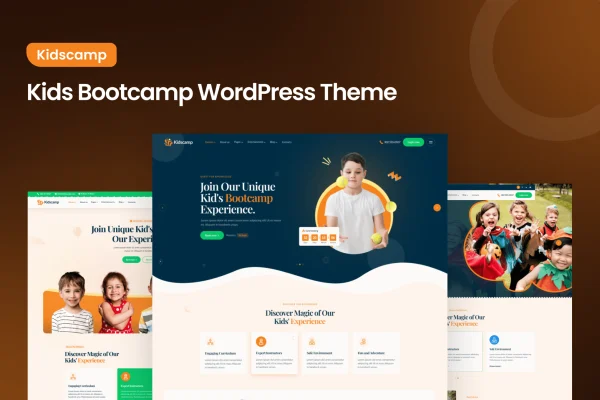
Kidscamp is a WordPress theme by themeim built for kids' bootcamps, camps and educational programs. It gives organizers a bright, playful site where parents can find programs, schedules, instructors and upcoming events without hunting around.
- Version
- 1.0
- Released
- Aug 13, 2024
- Developer
- themeim
- Type
- WordPress theme
- Licence
- GPL
- Included in
- Every plan, or $3.99 on its own
What’s new in Kidscamp 1.0
Version 1.0 · Aug 13, 2024
Latest
What it does
Running a camp or after-school program means answering the same questions from parents again and again: what activities you offer, when sessions run, who teaches them and when registration closes. This theme puts that information into clear layouts so visitors can find it quickly. The colorful, playful design suits the energy of a children's program, and it is meant to appeal to kids while still looking organized enough for parents who are deciding where to enroll their children.
The theme includes customizable program pages for schedules, activities and instructors, along with calendar and event display options for promoting camp dates and deadlines. It supports drag-and-drop page builders, so you can adjust pages to match your branding without writing code. Layouts are responsive across desktops, tablets and phones, and the theme is translation ready for families who speak other languages. WooCommerce compatibility lets you sell camp merchandise, tickets or materials from the same site.
Best for
- Summer camps and activity bootcamps for children
- After-school programs and kids' educational centers
- Camp organizers selling tickets or merchandise online
Features
Bright and playful design
Colorful, themed visual elements reflect the fun of a kids' bootcamp and are aimed at catching the interest of both children and their parents.
Customizable program pages
Dedicated layouts present bootcamp schedules, activities and instructors clearly, so parents can compare sessions and see who will be working with their kids.
Event and calendar displays
Built-in calendar and event display options help you promote upcoming camp events and keep registration deadlines visible to families.
Page builder support
Drag-and-drop page builder support lets you build and adjust pages to match your camp's branding without touching any code.
Responsive layout
Pages adapt to desktops, tablets and smartphones, so parents browsing on a phone see the same programs and schedules as those on a computer.
Translation ready
The theme is prepared for translation and multilingual use, which helps you reach parents and communities who do not speak English.
WooCommerce compatibility
Works with WooCommerce so you can set up a store for camp merchandise, event tickets or learning materials directly on your site.
Included documentation
Detailed guides walk you through setting up the theme and getting your bootcamp website ready for visitors.
Questions about Kidscamp
Can I list my camp schedules and instructors on this theme?
Yes. Kidscamp includes customizable program pages designed to present bootcamp schedules, activities and instructors in clear layouts, so parents can see what each program involves and who runs it.
Does it have a way to show upcoming events?
The theme offers calendar and event display options. You can use them to promote upcoming camp events and highlight registration deadlines so families know when to sign up.
Can I sell tickets or camp merchandise?
The theme is compatible with WooCommerce, so you can set up an online store on your site to sell camp merchandise, tickets or materials alongside your program information.
Will it work for families who speak other languages?
Yes, the theme is multilingual and translation ready. That lets you translate your site's content for non-English speaking parents and communities in your area.
Is Kidscamp free?
The code of Kidscamp is licensed under the GPL, so anyone may use, change and share it. GPL Feast is a paid service: a plan or a single purchase gives you the download and automatic updates. The developer's own support, licence key and online services are not included.
Which version of Kidscamp is this?
Version 1.0, released Aug 13, 2024. New versions appear here when the developer publishes them, and members get them as automatic updates.
How do I update Kidscamp?
Install the free GPL Feast Updater on your site and connect it with your API key. It installs new versions of Kidscamp automatically and keeps a backup, so you can roll back.