Theme
Updated
Manggis
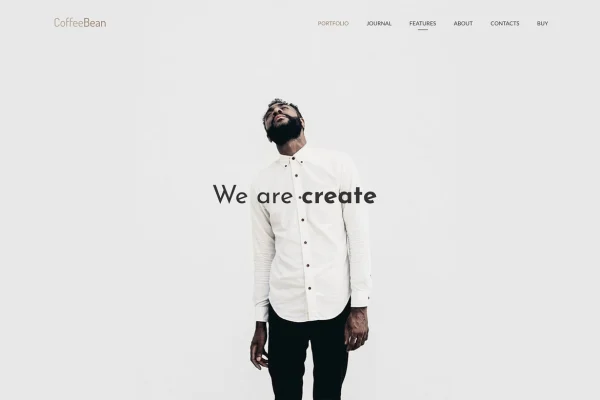
Manggis is a WordPress theme built for creative portfolios and blogs. It gives photographers, videographers, freelancers, agencies and studios a minimal, modern design for presenting photos, videos and blog posts in clean, organized layouts.
- Version
- 2.0.3
- Released
- Aug 18, 2026
- Developer
- mallini
- Type
- WordPress theme
- Licence
- GPL
- Included in
- Every plan, or $3.99 on its own
What’s new in Manggis 2.0.3
Version 2.0.3 · Aug 18, 2026
Latest
What it does
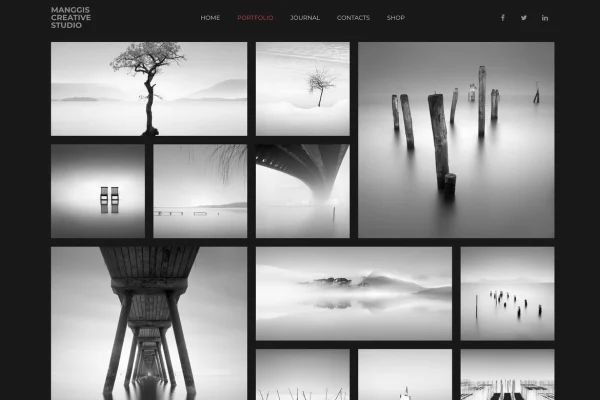
Creative work needs room to breathe, and a generic theme often crowds images and videos into rigid layouts. This theme focuses on presentation. Portfolio items can sit in grids of two to six columns, using Masonry or Packery styles, with full-width options when you want the work to fill the screen. Video projects get dedicated support, with YouTube and Vimeo clips opening in a lightbox so visitors can watch without leaving the page.
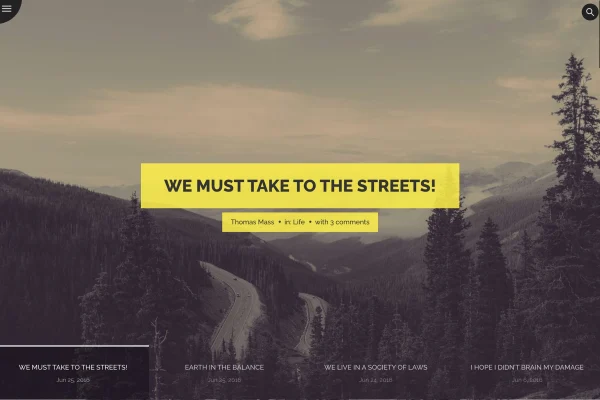
On the blog side, a Timeline layout lets you present posts in a structured sequence, which suits project diaries and personal stories. Colors, fonts and layouts are adjusted through the Options Tree plugin, so changes do not require code. The design is responsive and retina-ready, and the theme works with Gutenberg for editing and WooCommerce if you want to sell prints, products or services alongside your portfolio.
Best for
- Photographers and videographers presenting image or video portfolios
- Freelancers, agencies and studios displaying client work
- Creative bloggers who want a timeline-style blog
Features
Two to six column grids
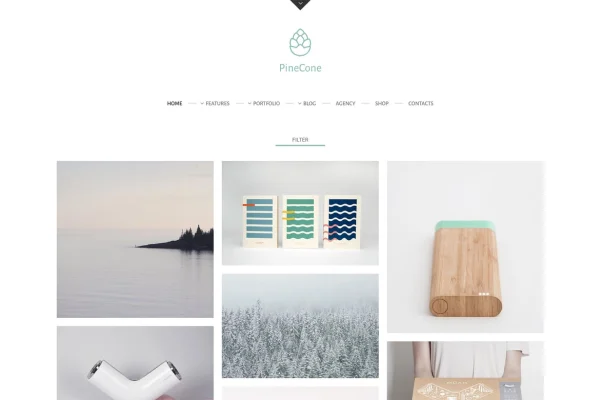
Arrange portfolio items in 2, 3, 4, 5 or 6 columns, picking the density that suits your images and the amount of work you show.
Masonry and Packery styles
Choose Masonry or Packery grid styles, including full-width versions, to display pieces of different sizes in a tidy, flowing arrangement.
Video portfolio with lightbox
Add YouTube and Vimeo videos to your portfolio and let visitors play them in a lightbox overlay right on the page.
Timeline blog layout
Present blog posts along a timeline, a structured format that works well for sharing a creative journey or documenting projects over time.
Options Tree customization
Adjust colors, fonts, layouts and other design elements through the Options Tree plugin without needing to write or edit code.
Gutenberg and WooCommerce compatibility
Build content with the Gutenberg block editor and add a WooCommerce store when you want to sell products next to your portfolio.
Responsive, retina-ready design
Layouts adapt to desktops, tablets and phones, and graphics are retina-ready so visuals stay sharp on high-resolution screens.
Manggis older versions
- 2.0.2Nov 16, 2025
Members and buyers of this product can download older versions.
Questions about Manggis
Can I show videos in my portfolio?
Yes. The theme includes dedicated video portfolio support for YouTube and Vimeo. Videos open in a lightbox, so visitors can watch your clips on top of the page without being sent away to another site.
What portfolio layouts are available?
You can display your portfolio in grids of two, three, four, five or six columns. Masonry and Packery grid styles are available, along with full-width options, so you can match the layout to your work and branding.
Do I need coding skills to customize the design?
No. Manggis uses the Options Tree plugin for customization, letting you change colors, fonts, layouts and other elements through settings panels instead of editing theme files.
Can I sell products with this theme?
The theme is compatible with WooCommerce, so you can add a shop to your portfolio site. That suits creatives who want to sell prints, digital goods or services alongside their work.
Is Manggis free?
The code of Manggis is licensed under the GPL, so anyone may use, change and share it. GPL Feast is a paid service: a plan or a single purchase gives you the download and automatic updates. The developer's own support, licence key and online services are not included.
Which version of Manggis is this?
Version 2.0.3, released Aug 18, 2026. New versions appear here when the developer publishes them, and members get them as automatic updates.
How do I update Manggis?
Install the free GPL Feast Updater on your site and connect it with your API key. It installs new versions of Manggis automatically and keeps a backup, so you can roll back.
You might also like