Theme
Updated
Wheats
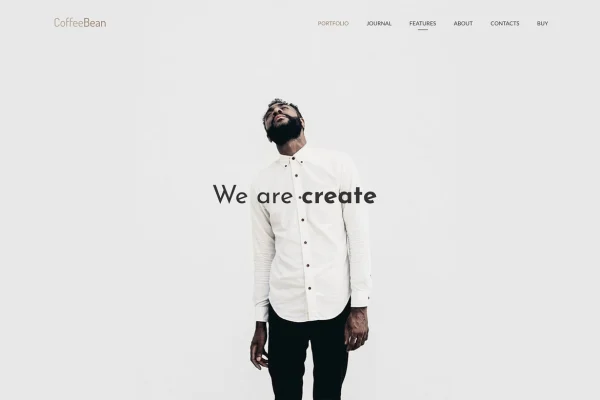
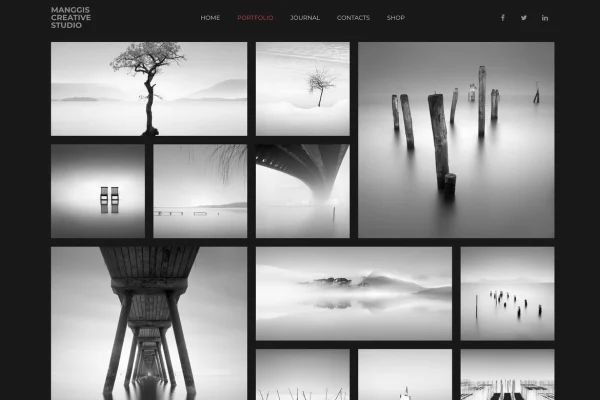
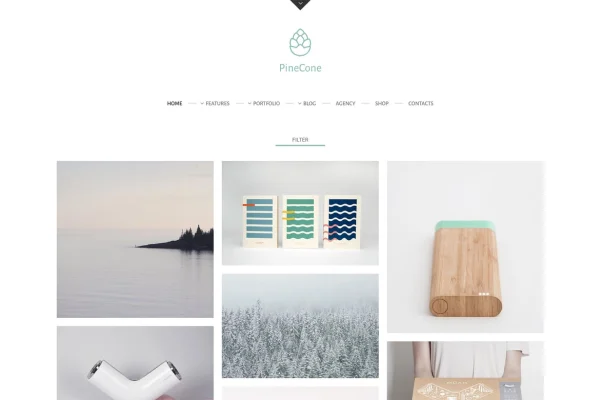
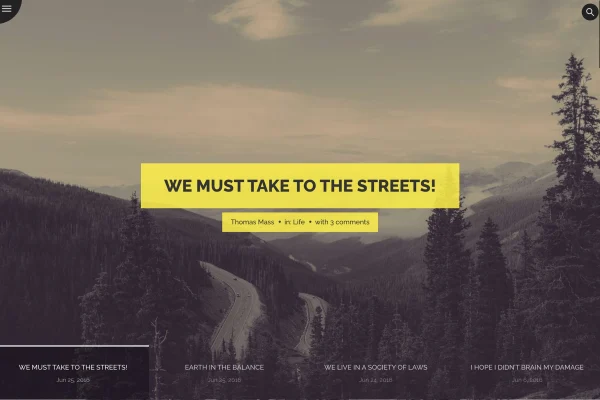
Wheats is a minimal WordPress blogging theme built around clean grid and masonry post layouts. It suits freelancers, travelers and personal bloggers who want a simple, tidy site where the writing stays in front, with styling options that need no coding.
- Version
- 1.9.0
- Released
- Nov 16, 2025
- Developer
- mallini
- Type
- WordPress theme
- Licence
- GPL
- Included in
- Every plan, or $3.99 on its own
What’s new in Wheats 1.9.0
Version 1.9.0 · Nov 16, 2025
Latest
What it does
Many blog themes pile on sliders, banners and widgets until the posts get lost. This theme takes a quieter approach. Posts appear in a responsive grid of 2 or 3 columns or in a masonry layout, and the design adapts to phones, tablets and desktops. Retina ready icons keep small details sharp on high resolution screens, and infinite scroll loads more posts as readers move down the page, so they can keep browsing without clicking through numbered pages.
Setup runs through Options Tree, a settings panel where you adjust the look of the site without editing code. You can pick color schemes, choose from Google Fonts with multilingual support and add Font Awesome icons. Social service icon widgets link readers to your profiles, and the theme works with Contact Form 7 for contact pages. You can create unlimited blog pages with different column layouts, and PDF documentation covers setup and customization.
Best for
- Personal bloggers and online journal writers
- Travel bloggers who post often
- Freelancers running a simple blog alongside their work
Features
Grid and masonry layouts
Display posts in a responsive grid with 2 or 3 columns, or in a masonry layout, and build unlimited blog pages with flexible column settings.
Infinite scroll
New posts load automatically as visitors scroll down, so readers can keep browsing your archive without clicking through numbered pagination.
Options Tree customization
Adjust the theme's settings through an Options Tree panel, changing the look and feel of your blog without writing any code.
Multi-color schemes
Customize the color palette to match your personal style or brand, giving the minimal design a look that feels like your own.
Google Fonts and Font Awesome
Choose typography from multilingual Google Fonts and add Font Awesome icons to headings, menus and other parts of your blog.
Social icon widgets
Use the social service icon widgets to place links to your social profiles in your sidebar or other widget areas.
Contact Form 7 compatibility
The theme works with Contact Form 7, so you can add a contact form where readers or clients can reach you.
Responsive and retina ready
Layouts adapt to different screen sizes, icons stay crisp on high resolution displays, and the theme is built for cross-browser compatibility.
Wheats older versions
- 1.8Apr 29, 2023
Members and buyers of this product can download older versions.
Questions about Wheats
Can I change the number of columns on my blog page?
Yes. The grid layout supports 2 or 3 columns, and there is also a masonry option. You can create unlimited blog pages, each with its own column layout, so different sections of your site can be arranged differently.
Do I need coding skills to customize the theme?
No. Customization happens through Options Tree, a settings panel where you can change colors, fonts and other display options. PDF documentation is included to walk you through setup and the available customization settings.
Can I add a contact form to my blog?
Yes. Wheats is compatible with Contact Form 7, so you can build a contact form with that plugin and place it on a page where readers or clients can send you messages.
Will my blog look right on phones and tablets?
The theme is fully responsive, so the grid and masonry layouts adjust to smaller screens. Icons are retina ready for sharp display on high resolution devices, and the theme is built to work across different browsers.
Is Wheats free?
The code of Wheats is licensed under the GPL, so anyone may use, change and share it. GPL Feast is a paid service: a plan or a single purchase gives you the download and automatic updates. The developer's own support, licence key and online services are not included.
Which version of Wheats is this?
Version 1.9.0, released Nov 16, 2025. New versions appear here when the developer publishes them, and members get them as automatic updates.
How do I update Wheats?
Install the free GPL Feast Updater on your site and connect it with your API key. It installs new versions of Wheats automatically and keeps a backup, so you can roll back.
You might also like