
Theme
Updated
Monochrome Pro Theme
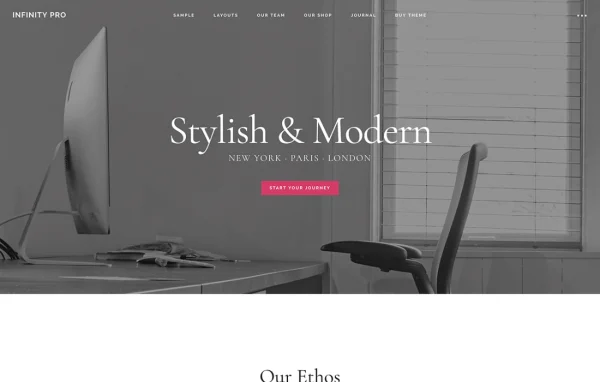
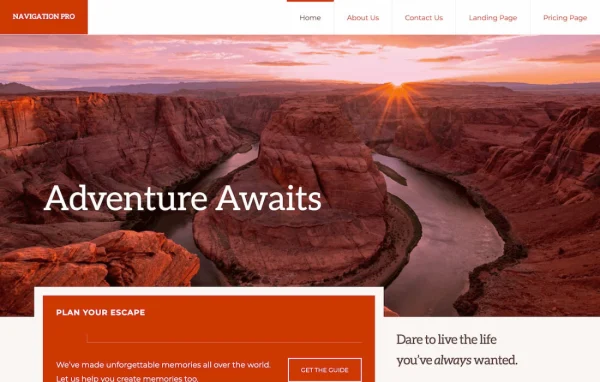
Monochrome Pro Theme is a minimalist WordPress theme by StudioPress, built on the Genesis Framework. It gives blogs, portfolios and business sites a clean layout with stylish typography, and it works with the block editor and comes pre-styled for WooCommerce.
- Version
- 1.6.2
- Released
- Jun 4, 2025
- Developer
- StudioPress
- Type
- WordPress theme
- Licence
- GPL
- Included in
- Every plan, or $4.79 a year on its own
What’s new in Monochrome Pro Theme 1.6.2
Version 1.6.2 · Jun 4, 2025
Latest
What it does
Many site owners want a site that looks clean and puts their writing, photos or products first, without hand-coding a design. This theme answers that with a minimalist layout, clean lines and careful typography. Because it runs on the Genesis Framework, you get a well-known foundation that many developers and designers already use, and the theme sits on top of it as the visual layer for your content.
Setup starts with a one-click import of demo content, plugins and custom blocks, so you have a working starting point to edit. From there, the real-time Customizer lets you change colors, layouts and content with live previews, and you can upload your own logo. The block editor handles page layouts, while WooCommerce styling covers stores. The design is responsive and accessibility ready, which suits blogs, portfolios and small shops alike.
Best for
- Bloggers who want a clean, typography-focused design
- Creative professionals building a minimalist portfolio site
- Small businesses and online shops using WooCommerce
Features
Genesis Framework foundation
The theme is built on the Genesis Framework by StudioPress, giving your site a structured, secure base that many WordPress developers and designers already know.
Block editor support
Build and adjust page layouts and content blocks in the WordPress block editor, arranging sections visually without writing code.
WooCommerce styling included
Shop pages come pre-styled for WooCommerce, so product listings and store pages match the rest of the minimalist design from the start.
One-click demo setup
Import demo content, plugins and custom blocks in one step, giving you a complete sample site to replace with your own content.
Live theme Customizer
Change colors, layouts and content in the Customizer and see each adjustment in an instant preview before you publish it.
Custom logo upload
Add your own logo through the theme settings so your branding appears consistently across the header and pages of your site.
Responsive, accessible design
Layouts adapt to phones, tablets and desktops, and the theme is built to be accessibility ready for a wider range of visitors.
Monochrome Pro Theme older versions
- 1.6.1Apr 18, 2023
Members and buyers of this product can download older versions.
Questions about Monochrome Pro Theme
Do I need the Genesis Framework to use this theme?
Yes. Monochrome Pro Theme is built on the Genesis Framework by StudioPress, so it runs on top of Genesis as its foundation. Genesis handles the underlying structure while this theme supplies the minimalist design, layouts and styling.
Can I run an online store with it?
Yes. The theme comes pre-styled for WooCommerce, so your product and shop pages follow the same clean, minimalist look as the rest of the site. You can run a store alongside a blog or portfolio.
Will my site look like the demo after setup?
The one-click setup imports demo content, plugins and custom blocks, giving you a site that closely resembles the demo. You can then replace the sample content with your own and adjust colors and layouts in the Customizer.
Can I change the design without coding?
Yes. The real-time Customizer lets you adjust colors, layouts and content with live previews, you can upload your own logo, and the block editor lets you arrange page content visually.
Is Monochrome Pro Theme free?
The code of Monochrome Pro Theme is licensed under the GPL, so anyone may use, change and share it. GPL Feast is a paid service: a plan or a single purchase gives you the download and automatic updates. The developer's own support, licence key and online services are not included.
Which version of Monochrome Pro Theme is this?
Version 1.6.2, released Jun 4, 2025. New versions appear here when the developer publishes them, and members get them as automatic updates.
How do I update Monochrome Pro Theme?
Install the free GPL Feast Updater on your site and connect it with your API key. It installs new versions of Monochrome Pro Theme automatically and keeps a backup, so you can roll back.
More from StudioPress