Theme
Updated
Norge
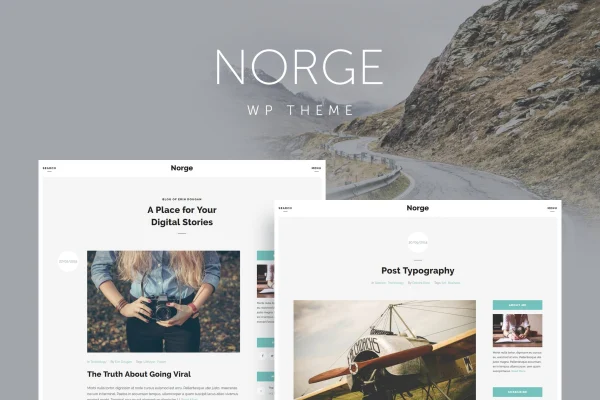
Norge is a responsive WordPress blog theme by QuanticaLabs, built for bloggers and creatives who want a clean, minimal home for their writing. It gives you sidebar and full width layouts, several post types and visual panels for adjusting colors and typography without code.
- Version
- 2.0
- Released
- Jan 2, 2024
- Developer
- QuanticaLabs
- Type
- WordPress theme
- Licence
- GPL
- Included in
- Every plan, or $3.99 on its own
What’s new in Norge 2.0
Version 2.0 · Jan 2, 2024
Latest
- ImprovedImproved code.
- FixedFixed few minor bugs.
- NewUpdated plugin: Page Builder.
- NewUpdated plugin: Theme Fonts.
- NewUpdated plugin: Theme Styles.
- NewUpdated plugin: Widget Area.
- NewUpdated plugin: Theme Demo Data Installer.
What it does
Many bloggers want a site that puts articles and images first, without spending hours on design or code. This theme takes a minimalist approach, with a clean interface that keeps attention on your content. It is responsive and retina ready, so text and images display clearly on phones, tablets and high resolution screens. Images with different aspect ratios are shown uncropped, which helps photo-heavy posts keep their original framing.
You can choose a classic sidebar layout or a full width reading view, then shape the look through dedicated panels for theme options, styles and fonts. The styles panel lets you change the color of almost any component, and the fonts panel covers headings through body text. Five post types and more than 15 content elements give you different ways to present posts and pages. A demo data installer helps you start from a finished layout, and WPML compatibility supports multilingual blogs.
Best for
- Personal bloggers who prefer a clean, minimal design
- Photographers and creatives sharing image-rich posts
- Multilingual blogs built with WPML
Features
Sidebar and full width layouts
Pick a classic layout with a sidebar or a full width view for a more open reading experience, depending on the kind of content you publish.
Five post types
The theme supports 5 different post types, so you can vary how articles, media and other entries are presented across your blog.
Blog widgets
Includes customizable widgets such as Most Liked, Most Commented and Latest Posts to help readers find more of your content.
Styles and fonts panels
Change the color of virtually any theme component and set typography from headings to body text through dedicated panels, without editing code.
Uncropped image display
Images with different aspect ratios are displayed uncropped, keeping your photos and graphics in their original proportions.
Over 15 content elements
More than 15 content elements give you extra ways to build out posts and pages beyond plain text and images.
Sticky navigation option
Turn a sticky menu on or off, so visitors can keep the navigation in reach as they scroll through long posts.
Demo data and WPML support
Import demo content to start from a ready layout, and run a multilingual blog thanks to compatibility with WPML.
Questions about Norge
Can I change colors and fonts without writing code?
Yes. Norge includes a theme options panel, a styles panel that changes the color of virtually any component, and a fonts panel covering headings through body text. These let you match the blog to your brand visually.
Will my photos get cropped in post layouts?
The theme supports images with different aspect ratios and displays them uncropped. That keeps your original framing intact, which is helpful if you publish photography or mixed image sizes.
Does the theme work for a blog in more than one language?
It is compatible with WPML, so you can use that multilingual plugin to publish your posts and pages in several languages.
Can I start from the demo design instead of a blank site?
Yes. A demo data installer lets you import demo content, giving you a working layout that you can then adjust with your own posts, colors and fonts.
Is Norge free?
The code of Norge is licensed under the GPL, so anyone may use, change and share it. GPL Feast is a paid service: a plan or a single purchase gives you the download and automatic updates. The developer's own support, licence key and online services are not included.
Which version of Norge is this?
Version 2.0, released Jan 2, 2024. New versions appear here when the developer publishes them, and members get them as automatic updates.
How do I update Norge?
Install the free GPL Feast Updater on your site and connect it with your API key. It installs new versions of Norge automatically and keeps a backup, so you can roll back.
More from QuanticaLabs