Theme
Updated
PhotoBooth
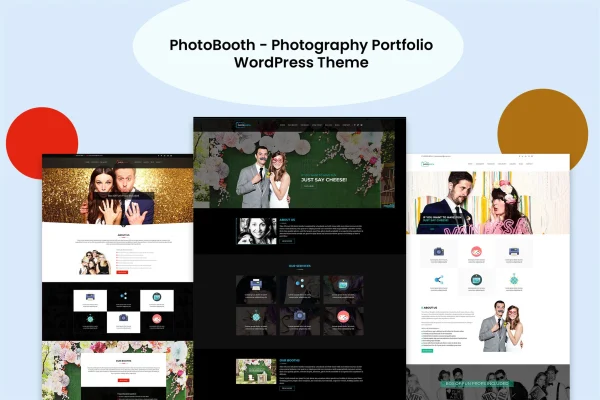
PhotoBooth is a WordPress theme built for photographers who want to present their work in a clean, modern portfolio. It gives you several gallery layouts, a no-code customizer and contact and booking forms, so your photos stay at the center of the site.
- Version
- 1.0
- Released
- Feb 11, 2025
- Developer
- vergatheme
- Type
- WordPress theme
- Licence
- GPL
- Included in
- Every plan, or $3.99 on its own
What’s new in PhotoBooth 1.0.0
Version 1.0.0 · Jul 4, 2014
Latest
- NewFirst release.
What it does
A photography site has one main job: show the pictures well and make it easy for visitors to get in touch. This theme is designed around that idea. Your images take center stage, with support for high-resolution display and portfolio layouts such as grid, masonry and slideshow. Responsive layouts adjust to the screen, so galleries work on desktop monitors as well as phones. Visitors can move from a gallery to a contact or booking form without leaving the site, which suits photographers who take on client work.
You can adjust colors, fonts and layouts through the customizer without writing code, which makes the theme approachable for beginners and practical for working professionals. If you want to sell prints, digital files or photography services, the theme is compatible with WooCommerce. Social media integration lets visitors share galleries and blog posts on networks like Facebook, Instagram and Twitter. The theme is also translation ready and supports right-to-left languages, so it can serve multilingual sites and audiences outside English-speaking regions.
Best for
- Professional photographers building a client-facing portfolio
- Hobbyist and beginner photographers wanting an easy setup
- Photographers selling prints or services online
Features
Multiple portfolio layouts
Display your photographs in grid, masonry or slideshow layouts, among others, and pick the presentation that fits each body of work.
High-resolution image support
Photos are shown in high resolution so detail and color come through clearly, which matters for portfolios where image quality is the point.
No-code customizer
Change colors, fonts, layouts and other settings through the customizer without editing code, so you can match the site to your own style.
Responsive design
Layouts adapt to different screen sizes, so your galleries and pages display properly on large desktop monitors, tablets and mobile phones.
Contact and booking forms
Built-in contact and booking forms let clients reach you and schedule appointments directly through your website.
WooCommerce compatibility
Works with WooCommerce, so you can sell prints, digital files or photography services from the same site that hosts your portfolio.
Social media integration
Connect galleries and blog posts to Facebook, Instagram, Twitter and other networks so visitors can share your work.
Translation and RTL support
The theme is translation ready and supports right-to-left languages, which helps when building multilingual sites for a wider audience.
Questions about PhotoBooth
Can I take bookings from clients through the theme?
Yes. The theme includes integrated contact and booking forms, so potential clients can get in touch and schedule appointments directly from your website instead of arranging everything by email or phone.
Can I sell my photos with this theme?
The theme is compatible with WooCommerce, so you can set up a shop to sell prints, digital files or photography services alongside your portfolio. You will need WooCommerce installed on your site to use the store features.
Do I need coding skills to customize the design?
No. The customizer lets you change colors, fonts, layouts and more without touching code. That makes it workable for beginners while still giving experienced users control over how the portfolio looks.
Which gallery styles are available?
PhotoBooth offers multiple portfolio layouts, including grid, masonry and slideshow. You can choose the style that suits how you want each set of photos presented, and all layouts respond to different screen sizes.
Is PhotoBooth free?
The code of PhotoBooth is licensed under the GPL, so anyone may use, change and share it. GPL Feast is a paid service: a plan or a single purchase gives you the download and automatic updates. The developer's own support, licence key and online services are not included.
Which version of PhotoBooth is this?
Version 1.0, released Feb 11, 2025. New versions appear here when the developer publishes them, and members get them as automatic updates.
How do I update PhotoBooth?
Install the free GPL Feast Updater on your site and connect it with your API key. It installs new versions of PhotoBooth automatically and keeps a backup, so you can roll back.