Theme
Updated
RubyBuild
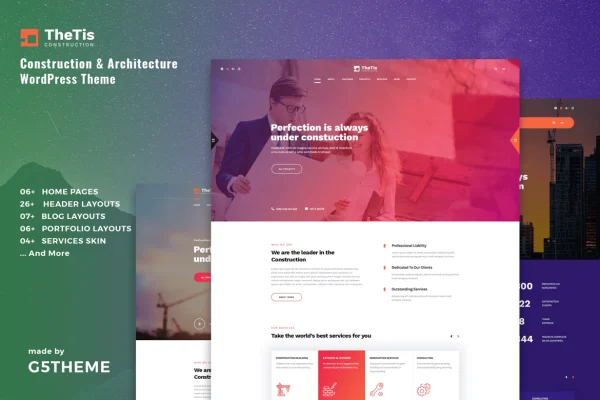
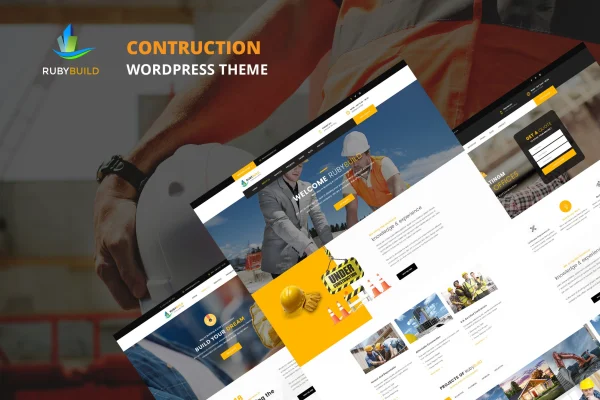
RubyBuild is a WordPress theme by G5Theme made for construction companies, building firms and trade professionals. It gives you ready layouts, header styles and a drag-and-drop page builder so you can present your services and projects without writing code.
- Version
- 2.7
- Released
- Aug 11, 2026
- Developer
- G5Theme
- Type
- WordPress theme
- Licence
- GPL
- Included in
- Every plan, or $3.99 on its own
What’s new in RubyBuild 2.7
Version 2.7 · Aug 11, 2026
Latest
What it does
Construction and renovation businesses need a site that explains their services, shows finished projects and looks trustworthy to potential clients. This theme is built around that need. It targets construction companies and building firms along with trades such as plumbers, painters, tilers and architects. You start from one of 3 home page layouts, pick one of 3 header styles, and adjust colors, fonts and layouts through theme options instead of code.
Setup begins with a one-click demo import that brings in pages, posts, Revolution Slider content, widgets and theme settings, giving you a working site to edit. Pages are built with WPBakery Page Builder (Visual Composer) using drag-and-drop content elements, on top of the Bootstrap framework. The built-in XMENU mega menu handles larger navigation, and WooCommerce compatibility lets you add a shop for materials, tools or services.
Best for
- Construction companies and building firms
- Trades such as plumbers, painters and tilers
- Architects presenting services and past projects
Features
Three home page layouts
Choose from 3 home page designs aimed at different building and construction business needs, then adapt the one that fits your company best.
Boxed and wide layouts
Switch between boxed and full-width layouts across the whole site or set the layout individually on a per-page basis.
One-click demo import
Import the demo content in one step, including pages, posts, Revolution Slider content, widgets and theme settings, so you can start editing right away.
Built-in XMENU mega menu
Build large navigation menus with the included XMENU mega menu, useful when you have many services or project categories to list.
Three header styles
Pick from 3 header styles to match your branding and the way you want visitors to see your menu and contact details.
WPBakery page building
Create and edit pages with WPBakery Page Builder (Visual Composer) using drag-and-drop controls and pre-built content elements.
WooCommerce compatible
Add an online store with WooCommerce to sell building materials, tools or services directly from your construction website.
Responsive and retina ready
Layouts adapt to desktops, tablets and phones, and the theme is retina ready for sharp images on high-resolution screens.
RubyBuild older versions
- 2.3Oct 17, 2023
- 2.2May 5, 2023
Members and buyers of this product can download older versions.
Questions about RubyBuild
Can I build pages without knowing how to code?
Yes. The theme works with WPBakery Page Builder (Visual Composer), so you arrange pages with drag-and-drop elements. Colors, fonts, layouts and other elements can be changed through the customization options without editing code.
Can I sell products like materials or tools on my site?
The theme is compatible with WooCommerce, so you can set up an online store to sell materials, tools or services alongside your regular company pages.
How quickly can I get a site that looks like the demo?
A one-click demo import brings in the demo pages, posts, Revolution Slider content, widgets and theme settings. From there you replace the sample text and images with your own business details.
How much control do I have over the layout?
You can choose from 3 home page layouts and 3 header styles, and switch between boxed and wide layouts globally or per page. The built-in XMENU mega menu handles larger navigation structures.
Is RubyBuild free?
The code of RubyBuild is licensed under the GPL, so anyone may use, change and share it. GPL Feast is a paid service: a plan or a single purchase gives you the download and automatic updates. The developer's own support, licence key and online services are not included.
Which version of RubyBuild is this?
Version 2.7, released Aug 11, 2026. New versions appear here when the developer publishes them, and members get them as automatic updates.
How do I update RubyBuild?
Install the free GPL Feast Updater on your site and connect it with your API key. It installs new versions of RubyBuild automatically and keeps a backup, so you can roll back.