Theme
Updated
Vio
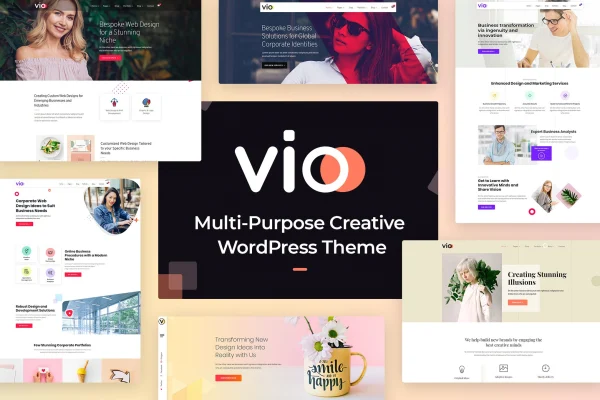
Vio is a multi-purpose WordPress theme built for creative studios, digital agencies and similar businesses. It pairs WPBakery Page Builder with a set of pre-made homepages, portfolio, blog and shop layouts, so you can put together an agency site and present your work and services without writing code.
- Version
- 1.0.1
- Released
- Sep 1, 2025
- Developer
- radiantthemes
- Type
- WordPress theme
- Licence
- GPL
- Included in
- Every plan, or $3.99 on its own
What’s new in Vio 1.0.1
Version 1.0.1 · Sep 1, 2025
Latest
What it does
Agencies often need a site that can show portfolio pieces, explain services, introduce the team and publish articles, all with a consistent look. Vio covers those needs with ready-made layouts: 6 homepages, service, team and testimonial layouts, plus 6 blog layouts with single post variations. A one-click demo import brings in complete demo content, so you start from a finished design and swap in your own text, images and branding instead of building every page from scratch.
Page editing runs through WPBakery Page Builder and its drag-and-drop interface. You can pick from 18 preset header styles, turn on a sticky header, and use the footer builder to set up footer configurations. If you sell products, WooCommerce compatibility adds 4 shop layouts and 6 preset shop styles. The theme is built on the Bootstrap 3.x framework, is responsive and retina ready, and supports WPML for multilingual sites, which suits agencies that serve clients in more than one language.
Best for
- Creative studios and design agencies
- Digital marketing and web development firms
- Agencies building multilingual or shop-enabled sites
Features
WPBakery Page Builder included
Build and adjust pages with WPBakery Page Builder's drag-and-drop interface, so layout changes happen visually without editing code.
One-click demo import
Import complete demo content in one step to get a finished starting design, then replace the sample content with your own material.
Pre-made page layouts
Choose from 6 homepages, service, team and testimonial layouts, and 6 blog layouts with single post variations for different content needs.
Header and footer options
Pick from 18 preset header styles and use the footer builder to set up footer configurations that match your branding.
Sticky header
Keep the main navigation visible as visitors scroll, so menu links stay within reach on long pages like portfolios and service overviews.
WooCommerce shop layouts
Add an online store using WooCommerce, with 4 shop layouts and 6 preset shop styles that follow the rest of the site's design.
Responsive and retina ready
Layouts adapt to phones, tablets and desktops, and graphics are prepared for high-resolution screens.
WPML multilingual support
Works with the WPML plugin, so you can run your agency site in several languages for clients in different regions.
Questions about Vio
Which page builder does Vio use?
Vio is built around WPBakery Page Builder, which gives you a drag-and-drop interface for creating and customizing pages. The pre-made homepages and inner page layouts are set up for it, so you edit them visually rather than through code.
Can I sell products with this theme?
Yes. The theme is compatible with WooCommerce and includes 4 shop layouts and 6 preset shop styles. That lets an agency or studio add a store for products alongside its portfolio and service pages while keeping a consistent design.
How many layouts and header styles come with it?
You get 6 homepages, service, team and testimonial layouts, and 6 blog layouts with single post variations. For headers there are 18 preset styles plus a sticky header option, and a footer builder handles footer configurations.
Does Vio work for a multilingual website?
It supports the WPML plugin, which is used to translate WordPress sites into multiple languages. With WPML in place, you can offer your pages, posts and services in the languages your clients speak.
Is Vio free?
The code of Vio is licensed under the GPL, so anyone may use, change and share it. GPL Feast is a paid service: a plan or a single purchase gives you the download and automatic updates. The developer's own support, licence key and online services are not included.
Which version of Vio is this?
Version 1.0.1, released Sep 1, 2025. New versions appear here when the developer publishes them, and members get them as automatic updates.
How do I update Vio?
Install the free GPL Feast Updater on your site and connect it with your API key. It installs new versions of Vio automatically and keeps a backup, so you can roll back.