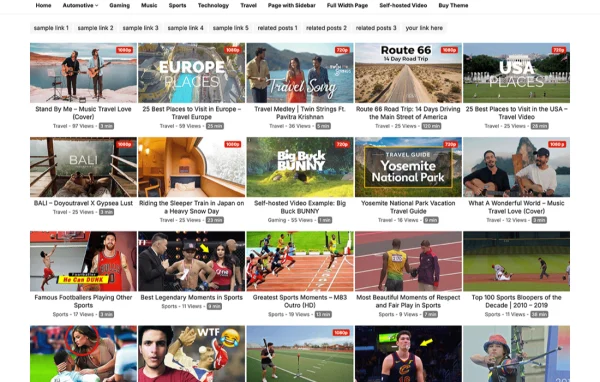

Theme
Updated
VisualBusiness Pro
VisualBusiness Pro is a WordPress block theme for businesses and professionals. It is built around the WordPress Site Editor, so you can design headers, layouts and full pages with drag and drop tools, and it includes a portfolio post type for presenting your work.
- Version
- 1.0.7
- Released
- Feb 4, 2025
- Developer
- WPEnjoy
- Type
- WordPress theme
- Licence
- GPL
- Included in
- Every plan, or $3.99 a year on its own
What’s new in VisualBusiness Pro 1.0.7
Version 1.0.7
Latest
- ImprovedUpdated theme framework.
- ImprovedPHP 8.x compatible.
- FixedBug fixes.
What it does
Many business owners want a polished site with service, team and portfolio pages but do not want to write code or wrestle with page builders. This theme works with the native WordPress Site Editor, which means every part of the site, from the header to individual templates, can be edited visually with blocks. A one click demo import gives you a starting point with sample content, so you can replace text and images instead of building every page from a blank screen.
The theme ships with more than 26 pre-designed block patterns and several custom page templates that you can mix and arrange to suit your brand. A theme options panel gathers color, typography and layout settings in one place, and you can choose from over 1000 Google Fonts. Practical touches include a sticky header, a back to top button, layout options for single posts and portfolio pages, and a custom code editor for adding your own CSS or JavaScript. It suits corporate sites, portfolios and professional blogs.
Best for
- Small businesses and corporate websites
- Freelancers and agencies presenting portfolios
- Professionals running a business blog
Features
Full site editing
Customize headers, footers, templates and page layouts through the WordPress Site Editor using drag and drop blocks, with no coding required.
Over 26 block patterns
Build pages faster by combining more than 26 ready-made block patterns, alongside multiple custom page templates you can adapt to your brand.
Portfolio post type
A dedicated portfolio post type and layout lets freelancers, agencies and creatives present projects separately from regular blog posts.
Theme options panel
Adjust colors, typography, layouts and other design settings from one central panel instead of hunting through separate screens.
Over 1000 Google Fonts
Pick from a library of more than 1000 Google Fonts to match your site's typography with your brand and keep text easy to read.
Sticky header and back to top
Keep navigation visible as visitors scroll, and give readers a back to top button for moving around longer pages.
Custom code editor
Advanced users can add their own CSS or JavaScript to fine tune the site's appearance and behavior beyond the built-in settings.
One click demo import
Import the demo content in one step to get a ready layout with sample pages that you can then edit with your own content.
VisualBusiness Pro older versions
- 1.0.5Jan 1, 2024
- 1.0.3Jul 10, 2023
- 1.0.1May 8, 2023
Members and buyers of this product can download older versions.
Questions about VisualBusiness Pro
Do I need coding skills to build a site with this theme?
No. The theme uses the WordPress Site Editor, so you edit pages and templates visually with drag and drop blocks. A custom code editor is available if you do want to add your own CSS or JavaScript, but it is optional.
Can I show my projects in a portfolio?
Yes. The theme includes a dedicated portfolio post type with its own layout, plus options for customizing portfolio and single post pages. This keeps project work organized separately from your regular blog posts.
Will my site work on phones and tablets?
The theme uses a responsive, mobile friendly design, so layouts adapt to desktops, tablets and smartphones. You can preview and adjust your pages in the Site Editor as you build them.
How much control do I have over fonts and colors?
A theme options panel lets you set colors, typography and layouts from one place. You can choose from more than 1000 Google Fonts to match your brand styling across the site.
Is VisualBusiness Pro free?
The code of VisualBusiness Pro is licensed under the GPL, so anyone may use, change and share it. GPL Feast is a paid service: a plan or a single purchase gives you the download and automatic updates. The developer's own support, licence key and online services are not included.
Which version of VisualBusiness Pro is this?
Version 1.0.7, released Feb 4, 2025. New versions appear here when the developer publishes them, and members get them as automatic updates.
How do I update VisualBusiness Pro?
Install the free GPL Feast Updater on your site and connect it with your API key. It installs new versions of VisualBusiness Pro automatically and keeps a backup, so you can roll back.
More from WPEnjoy