
Theme
Updated
VisualMag Pro
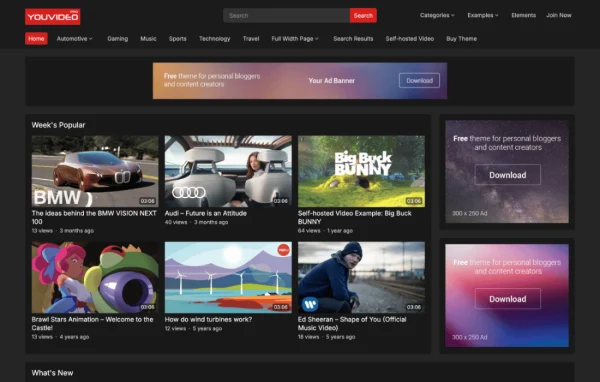
VisualMag Pro is a WordPress magazine theme by WPEnjoy, built for bloggers, online magazines and news publishers. It works with the WordPress Site Editor, so you can lay out news and magazine pages with blocks and patterns instead of writing code.
- Version
- 1.0.8
- Developer
- WPEnjoy
- Type
- WordPress theme
- Licence
- GPL
- Included in
- Every plan, or $3.99 a year on its own
What’s new in VisualMag Pro 1.0.8
Version 1.0.8
Latest
What it does
Running a magazine or news blog means arranging a lot of content on the homepage, category pages and posts, and many themes lock you into one fixed layout. This theme uses Full Site Editing, so headers, footers, templates and page layouts are all edited visually in the Site Editor with drag and drop. It ships with more than 17 pre-designed block patterns that you can mix and combine to build pages that fit your brand while keeping a consistent look.
Beyond the editor, a theme options panel keeps settings in one place, and single post options let you adjust the layout and style of individual articles. Typography draws on more than 1000 Google Fonts, and a custom code editor lets advanced users add CSS or JavaScript. A one-click demo import gives you a starting layout, and an import and export feature moves your settings between sites. The design is responsive, so pages adapt to phones and tablets.
Best for
- Online magazines and digital news publications
- Bloggers who want a magazine-style layout
- Developers building several publishing sites with shared settings
Features
Full Site Editing support
Edit every part of the site in the WordPress Site Editor with drag and drop, including templates, headers and footers, without writing any code.
Pre-designed block patterns
More than 17 ready-made block patterns can be mixed and matched to assemble magazine and news layouts quickly while keeping a cohesive style.
Google Fonts typography
Choose from more than 1000 Google Fonts to set headings and body text that suit the personality of your publication.
Custom code editor
Advanced users can add their own CSS or JavaScript directly from the theme to adjust styling or behavior beyond the built-in settings.
One-click demo import
Bring in the demo layouts with a single click, giving you a finished starting point that you can then edit to match your content.
Theme options panel
Manage the theme's settings from one central panel, so configuration and design choices are easy to find and change later.
Single post options
Adjust the layout and style of individual posts, which helps feature articles, reviews or long reads stand apart from regular entries.
Settings import and export
Save your customized theme settings and transfer them to another site, which is handy for developers and people managing several sites.
VisualMag Pro older versions
- 1.0.5Apr 18, 2023
Members and buyers of this product can download older versions.
Questions about VisualMag Pro
Do I need to know how to code to build my layout?
No. The theme is built around Full Site Editing, so you arrange pages, templates, headers and footers in the WordPress Site Editor with drag and drop. The custom code editor is there only if you want to add your own CSS or JavaScript.
How quickly can I get a magazine homepage looking finished?
You can use the one-click demo import to load the demo layouts, then swap in your own content. The more than 17 pre-designed block patterns also let you build new sections by combining ready-made blocks rather than starting from a blank page.
Will my site work well on phones and tablets?
Yes. The design is responsive and mobile friendly, so layouts adjust to different screen sizes and articles stay readable on smartphones and tablets as well as desktops.
Can I reuse my theme settings on another site?
Yes. The import and export feature lets you save your customized settings and move them to a different site, which saves time if you run several publications or build sites for clients.
Is VisualMag Pro free?
The code of VisualMag Pro is licensed under the GPL, so anyone may use, change and share it. GPL Feast is a paid service: a plan or a single purchase gives you the download and automatic updates. The developer's own support, licence key and online services are not included.
Which version of VisualMag Pro is this?
Version 1.0.8. New versions appear here when the developer publishes them, and members get them as automatic updates.
How do I update VisualMag Pro?
Install the free GPL Feast Updater on your site and connect it with your API key. It installs new versions of VisualMag Pro automatically and keeps a backup, so you can roll back.
More from WPEnjoy