Theme
Updated
Yena
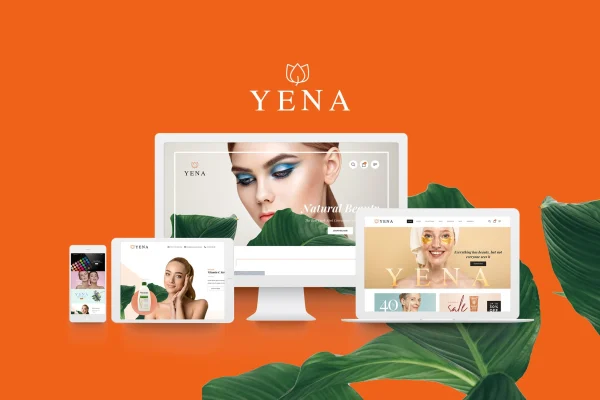
Yena is a WordPress theme built for beauty and cosmetic shops running on WooCommerce. It gives beauty brands, salons and online retailers a modern, responsive storefront with product galleries, sliders and several ways to display their catalog.
- Version
- 1.2.9
- Released
- Jan 23, 2026
- Developer
- LA-Studio
- Type
- WordPress theme
- Licence
- GPL
- Included in
- Every plan, or $3.99 on its own
What’s new in Yena 1.2.6
Version 1.2.6 · Mar 10, 2025
Latest
- ImprovedCompatibility with WordPress 6.7.x
- ImprovedCompatibility with WooCommerce 9.7.x
- ImprovedCompatibility with WooCommerce 3.27.x
- ImprovedUpdate Revolution Slider 6.7.29
What it does
Selling cosmetics online depends a lot on presentation, since shoppers want to see products clearly before they buy. This theme is designed around that need. It works with WooCommerce for product management and checkout, and it adds pre-built galleries, sliders and banner areas for product photos and promotions. Products can appear in grid, list or carousel views, so you can pick the layout that suits each collection. The design is responsive, so the store adapts to desktop, tablet and phone screens.
Setup starts with a one-click demo import that loads pre-designed demos you can then adjust. Drag-and-drop page builder support lets non-technical users change layouts, colors and fonts without writing code. The header and footer can be configured with menus, social links and contact details. A built-in blog section gives you space for beauty tips, tutorials and product reviews, and the theme is translation and RTL ready for stores serving different languages.
Best for
- Beauty and cosmetic brands selling through WooCommerce
- Salons that want an online shop and blog
- Online retailers of skincare and makeup products
Features
WooCommerce store support
Works with WooCommerce so you can manage products, run checkout and use the payment gateways WooCommerce supports from a theme styled for beauty retail.
Flexible product displays
Show cosmetics and beauty products in grid, list or carousel views, choosing the format that fits each category or collection.
Galleries, sliders and banners
Pre-built gallery, slider and banner areas give you places to feature product images and promotional content on your pages.
Drag-and-drop customization
Page builder support lets you adjust layouts, colors and fonts visually, so non-technical users can make changes without coding.
Configurable header and footer
Set up navigation menus, social media links and contact details in the header and footer to keep the site consistent with your brand.
Integrated blog section
Publish beauty tips, tutorials and product reviews from a blog section that sits alongside your shop pages.
Translation and RTL ready
The theme supports translation into multiple languages and right-to-left scripts for stores serving readers in those languages.
One-click demo import
Import a pre-designed demo in one step to get a starting layout in place, then customize it for your own store.
Yena older versions
- 1.2.6Feb 26, 2025
- 1.2.4Feb 8, 20243 improvements
- 1.2.3Oct 2, 2023
Members and buyers of this product can download older versions.
Questions about Yena
Does Yena work with WooCommerce?
Yes. The theme is built for WooCommerce stores, so you handle products, checkout and payment gateways through WooCommerce while the theme provides the beauty-focused design, product display options and promotional areas.
Can I change the design without coding?
Yes. The theme supports drag-and-drop page builders, letting you adjust layouts, colors and fonts visually. The header and footer can also be configured with menus, social links and contact details without editing code.
How can I display my products?
You can show products in grid, list or carousel views. The theme also includes pre-built galleries, sliders and banner areas, which are useful for featuring new arrivals, collections or promotions.
Will it work for a store in a right-to-left language?
The theme is translation ready and supports right-to-left scripts, so it can be used for stores in multiple languages, including those written right to left.
Is Yena free?
The code of Yena is licensed under the GPL, so anyone may use, change and share it. GPL Feast is a paid service: a plan or a single purchase gives you the download and automatic updates. The developer's own support, licence key and online services are not included.
Which version of Yena is this?
Version 1.2.9, released Jan 23, 2026. New versions appear here when the developer publishes them, and members get them as automatic updates.
How do I update Yena?
Install the free GPL Feast Updater on your site and connect it with your API key. It installs new versions of Yena automatically and keeps a backup, so you can roll back.