Theme
Updated
ZILL
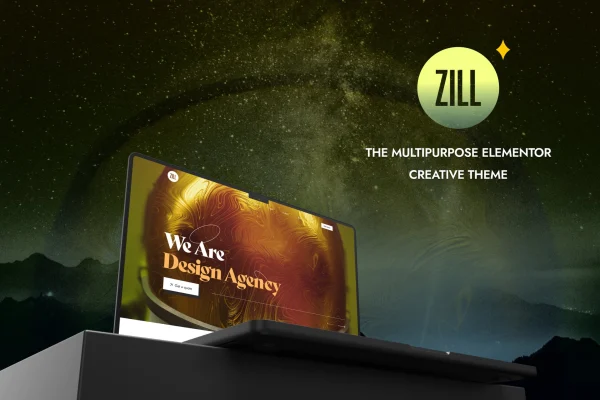
ZILL is a multipurpose WordPress theme by LA-Studio, built to work with the Elementor page builder. It comes with a collection of pre-built templates and a one-click demo import, so you can start from a finished layout and adjust fonts, colors and layouts without writing code.
- Version
- 1.0.3
- Released
- Aug 8, 2026
- Developer
- LA-Studio
- Type
- WordPress theme
- Licence
- GPL
- Included in
- Every plan, or $3.99 on its own
What’s new in ZILL 1.0.3
Version 1.0.3 · Aug 8, 2026
Latest
What it does
Building a site from a blank page takes time, especially if you do not write code. This theme gives you a starting point instead. You import demo content and templates with one click, then edit pages visually in Elementor using drag and drop with live previews. Because the design is multipurpose, the same theme can serve a creative portfolio, a startup site or a corporate business page, and you can shape it to match your brand.
The theme handles the layout and styling layer while Elementor handles page editing. You can change fonts, colors and layouts across your site so it reflects your brand identity. The design is responsive, so pages adapt to phones, tablets and desktops. It is also WooCommerce ready, which means you can add an online store to sell products or services alongside your regular pages. That makes it a practical choice for freelancers and agencies who want one theme they can adapt to different client projects.
Best for
- Creatives building a portfolio site
- Startups and small businesses needing a professional website
- Agencies adapting one theme to varied client projects
Features
Built for Elementor
Pages are edited in Elementor with drag-and-drop building and live previews, so you can change layouts and content without touching code.
Pre-built templates
A collection of ready-made templates gives you finished page designs to start from, which you can then customize to suit your project or niche.
One-click demo import
Import demo content and templates in a single step to set up a complete starting site that you can edit afterward.
Customizable fonts and colors
Adjust fonts, colors, layouts and other elements so the site matches your brand identity instead of looking like the default demo.
Responsive layouts
The design is mobile-optimized and adapts to different screen sizes, so your pages display properly on phones, tablets and desktop screens.
WooCommerce ready
The theme works with WooCommerce, letting you add an online store to sell products or services as part of the same site.
Multipurpose design
The flexible design suits many kinds of projects, from creative portfolios and startups to corporate business websites.
ZILL older versions
- 1.0.2Dec 4, 2024
- 1.0.0Jul 27, 2023
Members and buyers of this product can download older versions.
Questions about ZILL
Do I need to know how to code to customize this theme?
No. ZILL is built to work with Elementor, so you edit pages using drag and drop with live previews. Fonts, colors and layouts can all be changed through the visual tools, which makes it workable for people without coding experience.
Can I sell products with this theme?
Yes. The theme is WooCommerce ready, so you can set up an online store to sell products or services. Your shop can sit alongside portfolio, business or landing pages on the same site.
What kinds of websites is it suited for?
It has a multipurpose design meant for a wide range of projects. It suits creative portfolios, startups, entrepreneurs and corporate business sites, and its pre-built templates give you a starting layout you can adapt to your niche and brand.
Will my site work on mobile devices?
Yes. The theme is responsive and mobile-optimized, so layouts adjust to different screen sizes. Your pages should display properly on phones and tablets as well as on desktop computers.
Is ZILL free?
The code of ZILL is licensed under the GPL, so anyone may use, change and share it. GPL Feast is a paid service: a plan or a single purchase gives you the download and automatic updates. The developer's own support, licence key and online services are not included.
Which version of ZILL is this?
Version 1.0.3, released Aug 8, 2026. New versions appear here when the developer publishes them, and members get them as automatic updates.
How do I update ZILL?
Install the free GPL Feast Updater on your site and connect it with your API key. It installs new versions of ZILL automatically and keeps a backup, so you can roll back.