
Plugin
Updated
360° Panoramic Viewer
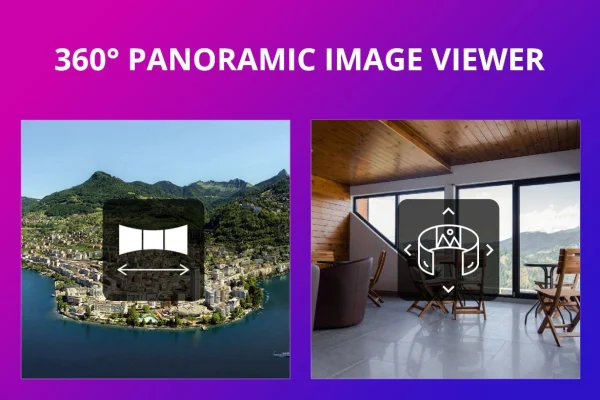
This WordPress plugin displays panoramic photos as interactive views that visitors can scroll and rotate. It works with flat rectilinear or equirectangular panoramas and lets you add hotspots, so a wide shot of a room, building or landscape becomes something people can explore.
- Version
- 3.2.2
- Released
- Mar 11, 2026
- Type
- WordPress plugin
- Requires
- Elementor
- Licence
- GPL
- Included in
- Every plan, or $3.99 on its own
What’s new in 360° Panoramic Viewer 3.2.2
Version 3.2.2 · Mar 11, 2026
Latest
What it does
A wide panorama squeezed into a normal image block loses most of its impact, because visitors only see a thin strip of the scene. This plugin solves that by presenting the image as a scrollable view with full 360° rotation. You upload your panorama, place it on a page and visitors drag or scroll to look around. It suits landscapes, architectural projects, interior design work and any other wide-view photography.
Placing a panorama does not require code. The plugin works with the WordPress block editor, and a shortcode lets you use it inside page builders. A shortcode generator in the TinyMCE editor toolbar helps you build that shortcode without typing it by hand. Hotspots can be linked through simple image maps to add information or navigation, and the viewer is responsive and retina ready so it adapts to phones, tablets and desktops. Elementor is required.
Best for
- Photographers presenting landscape and wide-view panoramas
- Real estate agents offering virtual looks at properties
- Architects and interior designers sharing project spaces
Features
Full 360° rotation
Visitors can rotate and scroll through the panorama to look around the whole scene instead of viewing a flat, cropped strip.
Hotspots through image maps
Link hotspots using simple image maps to show extra information or point visitors to other pages from within the panorama.
Rectilinear and equirectangular support
Works with both flat rectilinear panoramas and equirectangular panoramic photos, so you can use images from different cameras and stitching tools.
Block editor compatibility
Add panoramic views to pages and posts using the WordPress block editor without writing any code.
Shortcode for page builders
A shortcode lets you place panoramas inside page builders and other areas where shortcodes are accepted.
TinyMCE shortcode generator
A generator in the TinyMCE editor toolbar builds the shortcode for you, so inserting a panorama takes a few clicks.
Responsive and retina ready
Panoramas adapt to desktops, tablets and smartphones and display sharply on high-resolution screens.
360° Panoramic Viewer older versions
- 3.2Jun 1, 2023
Members and buyers of this product can download older versions.
Questions about 360° Panoramic Viewer
What kinds of panoramic images can I use?
The plugin works with flat rectilinear panoramas and equirectangular panoramic photos. That covers typical stitched wide shots as well as full spherical-style images, which it turns into a scrollable view visitors can rotate.
Can I add clickable points inside a panorama?
Yes. You can link hotspots using simple image maps. They can show additional information or send visitors to other pages, which is useful for labeling rooms, features or points of interest within the scene.
Do I need to know how to code?
No. You can add panoramas through the WordPress block editor, and a shortcode generator in the TinyMCE editor toolbar creates the shortcode for you. That shortcode also lets you place panoramas inside page builders.
Will panoramas display properly on phones?
The viewer is responsive and retina ready, so panoramas adjust to the screen size on desktops, tablets and smartphones and stay sharp on high-resolution displays. Note that the plugin requires Elementor.
Is 360° Panoramic Viewer free?
The code of 360° Panoramic Viewer is licensed under the GPL, so anyone may use, change and share it. GPL Feast is a paid service: a plan or a single purchase gives you the download and automatic updates. The developer's own support, licence key and online services are not included.
Which version of 360° Panoramic Viewer is this?
Version 3.2.2, released Mar 11, 2026. New versions appear here when the developer publishes them, and members get them as automatic updates.
How do I update 360° Panoramic Viewer?
Install the free GPL Feast Updater on your site and connect it with your API key. It installs new versions of 360° Panoramic Viewer automatically and keeps a backup, so you can roll back.
What does 360° Panoramic Viewer need?
360° Panoramic Viewer needs Elementor installed and active.
You might also like






