Plugin
Updated
360 Virtual Tour, Panorama WordPress Plugin
This WordPress plugin lets you build 360 degree panorama views and virtual tours without writing code. You add hotspots, connect scenes and place the finished tour on posts, pages or sidebars, with page builder support for Elementor and WPBakery.
- Version
- 1.2.1
- Released
- Jun 13, 2023
- Type
- WordPress plugin
- Requires
- Elementor
- Licence
- GPL
- Included in
- Every plan, or $3.99 on its own
What’s new in 360 Virtual Tour, Panorama WordPress Plugin 1.2.1
Version 1.2.1 · Jun 13, 2023
Latest
- FixedAdd error handling check
What it does
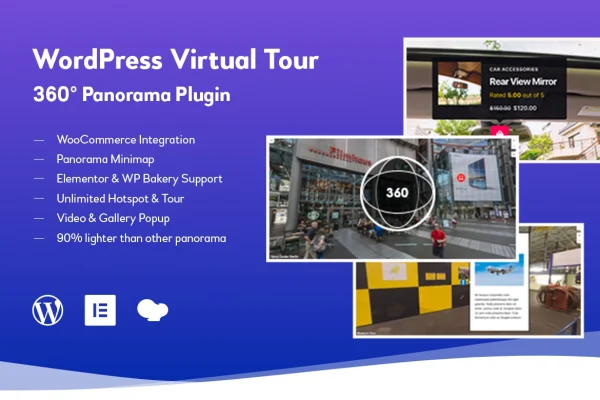
Flat photos struggle to show what a room, venue or destination feels like from the inside. 360 Virtual Tour, Panorama WordPress Plugin turns panoramic images into interactive scenes that visitors can drag around and explore. You build tours without coding, add hotspots with multimedia content to explain what people are looking at, and give larger tours a mini map so visitors can see where they are and move between views.
The plugin fits sites where showing a space matters, such as real estate listings, hotels, tourist destinations, event venues and retail stores. Tours go anywhere on your site through shortcodes, widgets and page builder integrations for Elementor and WPBakery, and Elementor is required. Shops running WooCommerce can place products inside hotspots, so a tour of a showroom can point straight to items for sale. Tours are responsive and retina ready for desktop, tablet and mobile screens.
Best for
- Real estate agents showing properties online
- Hotels, event venues and tourist destination sites
- WooCommerce stores presenting showrooms or products in context
Features
No-code tour building
Create 360 degree panoramas and full virtual tours through the plugin's tools, with no programming needed, so site owners at any skill level can put tours together.
Customizable hotspots
Place hotspots inside a panorama and fill them with multimedia content, giving visitors details about the rooms, objects or features they are looking at.
WooCommerce products in hotspots
Embed WooCommerce products directly within tour hotspots, so visitors exploring a space can see and reach the products shown in it.
Panorama mini map
A mini map helps visitors stay oriented and move between scenes in larger tours that contain many panoramic views.
Elementor and WPBakery support
Page builder integrations for Elementor and WPBakery let you drop tours into layouts you build with either tool.
Shortcodes and widgets
Insert virtual tours into posts, pages or sidebars using shortcodes and widgets, which gives you flexible placement across the site.
Responsive and retina ready
Panoramas adapt to desktop, tablet and mobile screens and display sharply on high resolution displays.
Questions about 360 Virtual Tour, Panorama WordPress Plugin
Do I need coding skills to build a virtual tour?
No. The plugin is built so you can create 360 degree panoramas and virtual tours without programming. You set up scenes, add hotspots and then place the tour on your site with a shortcode, widget or page builder element.
Can I link products from my WooCommerce store inside a tour?
Yes. The plugin integrates with WooCommerce and lets you embed products directly within hotspots. A visitor exploring a showroom or retail space can open a hotspot and see the product it relates to.
Does it work with Elementor?
Yes, and Elementor is required. The plugin also offers integration with WPBakery, plus shortcodes and widgets, so you can place tours in posts, pages and sidebars however your site is built.
How do visitors find their way around a large tour?
The Panorama Mini Map shows visitors where they are and helps them move between scenes. Combined with hotspots and interactive navigation, it keeps tours with many panoramas easy to explore.
Is 360 Virtual Tour, Panorama WordPress Plugin free?
The code of 360 Virtual Tour, Panorama WordPress Plugin is licensed under the GPL, so anyone may use, change and share it. GPL Feast is a paid service: a plan or a single purchase gives you the download and automatic updates. The developer's own support, licence key and online services are not included.
Which version of 360 Virtual Tour, Panorama WordPress Plugin is this?
Version 1.2.1, released Jun 13, 2023. New versions appear here when the developer publishes them, and members get them as automatic updates.
How do I update 360 Virtual Tour, Panorama WordPress Plugin?
Install the free GPL Feast Updater on your site and connect it with your API key. It installs new versions of 360 Virtual Tour, Panorama WordPress Plugin automatically and keeps a backup, so you can roll back.
What does 360 Virtual Tour, Panorama WordPress Plugin need?
360 Virtual Tour, Panorama WordPress Plugin needs Elementor installed and active.
You might also like






