
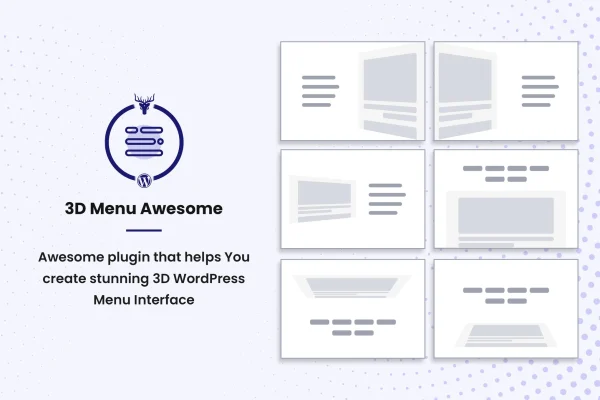
Plugin
Updated
3D Menu Awesome Pro
3D Menu Awesome Pro is a WordPress plugin that builds off canvas navigation menus with a 3D effect. The menu slides into view when a visitor opens it, and you shape its layout, background, colors and fonts from an options panel.
- Version
- 1.0.5
- Released
- Oct 1, 2021
- Type
- WordPress plugin
- Licence
- GPL
- Included in
- Every plan, or $3.99 on its own
What’s new in 3D Menu Awesome Pro 1.0.5
Version 1.0.5 · Oct 1, 2021
Latest
- FixedLicense verification request limit updated.
What it does
Standard header menus can feel flat, and they often get cramped on smaller screens. This plugin moves your navigation into an off canvas panel that slides in with a 3D effect, giving the page a sense of depth as the menu opens. It suits blogs, portfolios, online shops and company sites that want a more distinctive way to present their links while keeping the main layout clean.
You pick from six 3D layout styles, two menu types and several button variations, then set custom backgrounds, colors and fonts so the menu matches your brand. All of this happens in an options panel, so no coding is needed. The menu is responsive and retina ready, has been tested on modern browsers, and is built with CSS, JS and HTML meant to work alongside any WordPress theme.
Best for
- Portfolio and agency sites wanting distinctive navigation
- Blogs and corporate sites needing a tidy off canvas menu
- Designers styling menus to match a client's brand
Features
Six 3D layout styles
Choose between six distinct 3D layouts for how the off canvas menu appears and moves, so you can match the effect to your site's design.
Custom menu backgrounds
Set your own background for the menu panel to keep the navigation consistent with your brand colors and overall visual style.
Menu types and button variations
Pick from two menu types and several button styles to control how the menu behaves and how visitors open it.
Unlimited colors and fonts
Adjust menu colors and fonts without restrictions, making it simple to line the navigation up with your theme's typography and palette.
Responsive and retina ready
The menu adapts to different screen sizes and displays sharply on high resolution screens, so it works on phones, tablets and desktops.
Options panel without coding
Build and style your menu through an options panel with many settings, so you can make changes without editing code.
Works with any theme
Clean CSS, JS and HTML files let the menu fit into any WordPress theme, and it has been tested on modern browsers.
Questions about 3D Menu Awesome Pro
What does the 3D effect actually do?
When a visitor opens the menu, it slides into view as an off canvas panel with a 3D effect that adds depth to the transition. You can choose from six layout styles to decide how that effect looks on your site.
Will the menu work on mobile devices?
Yes. The plugin is fully responsive and retina ready, so the menu adjusts to different screen sizes and stays sharp on high resolution displays, including phones and tablets.
Do I need to know code to customize the menu?
No. An options panel gives you control over layouts, menu types, button styles, backgrounds, colors and fonts, so you can set everything up without writing or editing code.
Will it fit with my current theme?
The plugin uses clean CSS, JS and HTML files designed to integrate with any WordPress theme, and it has been tested on modern browsers. Color and font controls help you match your theme's look.
Is 3D Menu Awesome Pro free?
The code of 3D Menu Awesome Pro is licensed under the GPL, so anyone may use, change and share it. GPL Feast is a paid service: a plan or a single purchase gives you the download and automatic updates. The developer's own support, licence key and online services are not included.
Which version of 3D Menu Awesome Pro is this?
Version 1.0.5, released Oct 1, 2021. New versions appear here when the developer publishes them, and members get them as automatic updates.
How do I update 3D Menu Awesome Pro?
Install the free GPL Feast Updater on your site and connect it with your API key. It installs new versions of 3D Menu Awesome Pro automatically and keeps a backup, so you can roll back.
You might also like






