Plugin
Updated
aBlocks Pro
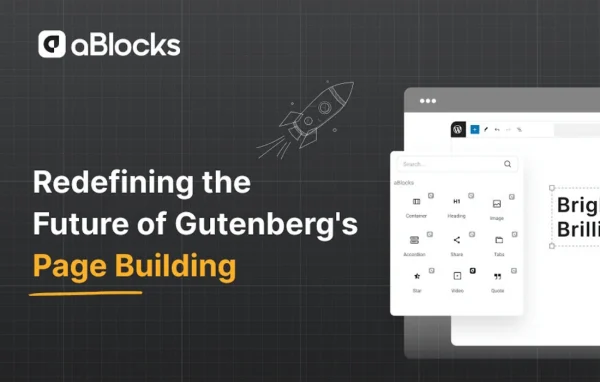
aBlocks Pro by Academy LMS is a WordPress plugin that extends the Gutenberg editor with a library of responsive blocks, templates, popups and dynamic content options. It lets you design full pages, headers, footers and archives without writing code or adding a separate page builder.
- Version
- 2.8.1
- Released
- Apr 23, 2026
- Developer
- Academy LMS
- Type
- WordPress plugin
- Requires
- Ablocks
- Licence
- GPL
- Included in
- Every plan, or $6.39 a year on its own
What’s new in aBlocks Pro 2.8.1
Version 2.8.1 · Apr 23, 2026
Latest
- NewKodezen Store License compatibility
What it does
Many site owners like the native block editor but find its default blocks limiting once they need custom layouts, popups or site-wide templates. The usual answer is a separate page builder, which adds another editing interface to learn. This plugin keeps the work inside Gutenberg instead. It adds a collection of responsive blocks, a template library and detailed layout controls for margins, padding and alignment, so you can build custom pages in the same editor you already use.
The plugin also reaches beyond single pages. Theme builder support lets you create custom headers, footers and archive pages directly in the block editor, and the popup builder handles announcements, promotions and lead capture forms without a separate popup plugin. Dynamic content options let you show conditional content based on user behavior or site data. It works as an add-on to the free aBlocks plugin, so that base plugin needs to be on your site first.
Best for
- Site owners who prefer building in the Gutenberg block editor
- Freelancers creating custom layouts without a separate page builder
- Sites needing popups and custom headers, footers or archives
Features
Responsive block library
A collection of Gutenberg blocks that adapt to different screen sizes, so your pages display properly on both mobile devices and desktop screens.
Code-free visual editing
Design and customize pages through a drag-and-drop interface inside the block editor, with no coding knowledge needed to build layouts.
Detailed layout control
Adjust page layout, margins, padding and alignment to fine-tune spacing and positioning so the design matches your brand.
Template library
Start projects from a set of pre-designed templates instead of a blank page, then customize them to suit your site.
Theme builder support
Build custom headers, footers and archive pages directly within the Gutenberg editor, giving you control over site-wide sections of your theme.
Dynamic content
Display personalized and conditional content based on user behavior or site data, so different visitors can see content relevant to them.
Popup builder
Create popups for announcements, promotions or lead capture right inside the plugin, without installing a separate popup tool.
aBlocks Pro older versions
- 2.8.0Apr 221 fix
- 2.7.5Mar 19
- 2.7.4Mar 91 fix
- 2.7.3Mar 61 new
- 2.7.2Feb 11
- 2.7.0Jan 13
- 2.6.0Dec 26, 2025
- 2.5.1Dec 12, 2025
- 2.5.0Nov 26, 2025
- 2.4.1Nov 17, 2025
Members and buyers of this product can download older versions.
14 older versions in all. If you need one that is not listed, ask support.
Questions about aBlocks Pro
Do I need the free aBlocks plugin as well?
Yes. This Pro plugin is an add-on that builds on the base aBlocks plugin, so aBlocks must be active on your site. The Pro version then adds its extra blocks, templates, popups, theme builder and dynamic content features.
Can I build headers and footers with it?
Yes. Theme builder support lets you create custom headers, footers and archive pages directly inside the Gutenberg editor, so you can design site-wide sections with the same blocks and layout controls you use on regular pages.
Does it replace a dedicated popup plugin?
It includes a popup builder for announcements, promotions and lead capture. If those are the kinds of popups you need, you can create them within the block editor instead of adding a separate popup plugin.
Do I need to know how to code?
No. Pages are built with a drag-and-drop visual editor inside Gutenberg, and spacing, alignment and layout are adjusted through settings rather than code. Ready-made templates also give you a starting point.
Is aBlocks Pro free?
The code of aBlocks Pro is licensed under the GPL, so anyone may use, change and share it. GPL Feast is a paid service: a plan or a single purchase gives you the download and automatic updates. The developer's own support, licence key and online services are not included.
Which version of aBlocks Pro is this?
Version 2.8.1, released Apr 23, 2026. New versions appear here when the developer publishes them, and members get them as automatic updates.
How do I update aBlocks Pro?
Install the free GPL Feast Updater on your site and connect it with your API key. It installs new versions of aBlocks Pro automatically and keeps a backup, so you can roll back.
What does aBlocks Pro need?
aBlocks Pro needs Ablocks installed and active.
You might also like






