
Plugin
Updated
ACPT
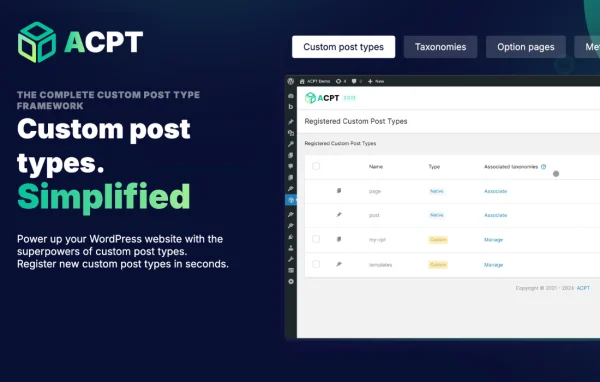
ACPT (Advanced Custom Post Types) is a WordPress plugin for building custom content structures from a visual interface. It handles custom post types, taxonomies, meta fields, option pages and dynamic Gutenberg blocks, so you can model complex, data-driven content without writing PHP, HTML or JavaScript.
- Version
- 2.1.4
- Released
- Oct 8, 2026
- Type
- WordPress plugin
- Licence
- GPL
- Included in
- Every plan, or $6.39 a year on its own
What’s new in ACPT 2.1.4
Version 2.1.4 · Oct 8, 2026
Latest
- FixedAdmin: Saving from the block editor lost every custom field value. Since 2.1.3 the second request the block editor sends to save meta boxes crashed with Call to undefined function check_admin_referer(), so the editor said Updated while ACPT fields (and other plugins' meta boxes) were not saved (Tickets #1385, #1388, #1390, #1394, #1396, #1397).
- FixedAdmin: The edit screen took 30+ seconds with the ACPT cache off. Every repeater row reloaded its parent field and every admin page reloaded each meta box once per field, adding up to over 100,000 database queries on large field groups. Each is now loaded once (Ticket #1387).
- FixedDate fields were saved in the display format. Since 2.1.0 Date, Date & time, Time and Date range values were stored as shown in the picker (e.g. 08.10.2026) instead of Y-m-d, breaking tools that read the stored value, like Bricks' {cf_...} tags and date ordering in queries. New saves use the canonical format again; existing values are converted the next time the post is saved (Ticket #1389).
- FixedDate and Time fields inside a Repeater came back empty. The read used the Repeater's date format instead of the sub-field's own, so e.g. a d/m/Y date was never recognised and dynamic tags (Bricks query loops included) returned nothing (Ticket #1393).
- FixedWYSIWYG editors could become blank and not editable in the block editor. The block editor moves the meta boxes around the page (on load, and again e.g. when toggling distraction-free mode), which reset the editors. They now recover automatically, keeping their content (Ticket #1395).
- FixedRelationship fields with a maximum number of items didn't load. With the select2 selector, a JavaScript error stopped the selector from initialising (Ticket #1395).
- FixedMalformed Repeater or Flexible Content data made a post uneditable. An unexpected value in the stored data (e.g. left by the 2.0.63-2.0.66 block-sort bug) crashed the edit screen. Such entries now show as empty rows that can be removed (Ticket #1397).
- FixedBackslashes were removed from Textarea and Text values. Every \ was stripped on save, so JSON escapes were lost and JSON values could be stored invalid (Ticket #1380).
What it does
Standard WordPress gives you posts and pages, which works until a site needs listings, events, team members, products of a particular kind or any other structured content. ACPT fills that gap. You define new post types, group them with custom taxonomies and attach meta fields such as text, image, date and select, along with repeaters, flexible content, relationship fields and WYSIWYG editors. Everything is set up through the dashboard, which makes it practical for site owners who would rather not touch code.
Beyond content modeling, the plugin lets you create option pages for site-wide settings, which is handy when clients need one place to manage global details. Dynamic Gutenberg blocks pull data from your custom post types and fields straight into the block editor. Stored field values can also be read by other tools, including dynamic tags and query loops in the Bricks builder. Developers get hooks and filters to extend ACPT further and connect it with their own themes and code.
Best for
- Agencies building structured, data-driven client websites
- Developers who want custom post types without boilerplate code
- Non-technical site owners needing custom content structures
Features
Custom post types
Create custom post types to hold specialized content beyond standard posts and pages, each with its own place in the WordPress admin.
Custom taxonomies
Define your own taxonomies to classify and filter content, giving visitors better ways to group and browse what is on the site.
Meta fields builder
Add fields such as text, textarea, image, date, time, date range, select, WYSIWYG, relationship, repeater and flexible content to your posts.
Option pages
Generate custom option pages in the dashboard for site-wide settings, so admins and clients can manage global content in one spot.
Dynamic Gutenberg blocks
Build data-driven blocks that pull content from your custom post types and fields directly into pages made with the block editor.
Visual, code-free setup
Configure post types, fields and pages through a visual interface, with no need to write PHP, HTML or JavaScript.
Hooks and filters
Developers can extend the plugin through hooks and filters and connect it with other tools and themes in custom projects.
ACPT older versions
- 2.1.3Oct 61 new, 10 fixes
- 2.1.2Oct 421 fixes
- 2.1.1Sep 2617 fixes
- 2.1.0Sep 23
- 2.0.67Aug 20
- 2.0.66Jul 25
- 2.0.65Jul 14
- 2.0.64Jun 27
- 2.0.63Jun 25
- 2.0.62May 20
Members and buyers of this product can download older versions.
39 older versions in all. If you need one that is not listed, ask support.
Questions about ACPT
What kinds of custom fields can I add?
You can add text, textarea, image, date, date and time, time, date range and select fields, plus WYSIWYG editors, relationship fields, repeaters and flexible content. These attach to your posts and custom post types so each entry can carry detailed, structured information.
Do I need to know how to code to use ACPT?
No. Post types, taxonomies, fields, option pages and dynamic blocks are all set up through a visual interface in the WordPress dashboard. Developers who want more control can still use the plugin's hooks and filters to extend it.
Does it work with the Gutenberg block editor?
Yes. ACPT fields appear in meta boxes on the block editor screen, and the plugin can create dynamic Gutenberg blocks that display content pulled from your custom post types and fields.
Can page builders read the field values?
Stored field values can be read by other tools. The plugin's data works with dynamic tags and query loops in the Bricks builder, and date values are stored in a standard format so ordering by date in queries works as expected.
Is ACPT free?
The code of ACPT is licensed under the GPL, so anyone may use, change and share it. GPL Feast is a paid service: a plan or a single purchase gives you the download and automatic updates. The developer's own support, licence key and online services are not included.
Which version of ACPT is this?
Version 2.1.4, released Oct 8, 2026. New versions appear here when the developer publishes them, and members get them as automatic updates.
How do I update ACPT?
Install the free GPL Feast Updater on your site and connect it with your API key. It installs new versions of ACPT automatically and keeps a backup, so you can roll back.
You might also like






