
Plugin
Updated
AD Gallery
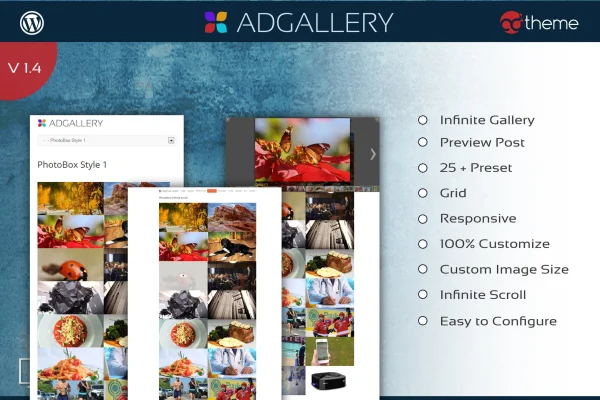
AD Gallery is a WordPress plugin for building image galleries, albums and portfolios. It gives you five gallery types, several image sources and a set of styling controls, so you can place responsive galleries anywhere on your site with a shortcode or widget.
- Version
- 1.4
- Released
- Jun 17, 2015
- Type
- WordPress plugin
- Licence
- GPL
- Included in
- Every plan, or $3.99 on its own
What’s new in AD Gallery 1.4
Version 1.4 · Jun 17, 2015
Latest
- FixedPrettyPhoto XSS fix
What it does
Putting together a good-looking gallery in WordPress often means hand-picking images and fighting with layouts. This plugin pulls images straight from content you already have, such as WordPress categories, custom post types, albums, featured images or images inside post content. Store owners can also draw from WooCommerce, WP E-Commerce and Johoshop categories, which makes it handy for presenting products visually alongside regular posts.
You pick one of five gallery types: PrettyPhoto, PhotoBox, SGallery, PhotoWall Filter or Infinite Scroll Grid Masonry. From there you adjust image size, colors, overlays, borders, border radius and wrapper elements to match your design. Galleries resize to fit desktop, tablet and mobile screens, and infinite scroll lets visitors keep browsing without page breaks. The plugin is translation ready with .po and .mo files for multilingual sites.
Best for
- Photographers and artists presenting portfolios
- WooCommerce and WP E-Commerce stores displaying product images
- Bloggers adding image galleries to posts
Features
Five gallery types
Choose between PrettyPhoto, PhotoBox, SGallery, PhotoWall Filter and Infinite Scroll Grid Masonry layouts, each with its own look and way of presenting images.
Many image sources
Build galleries from custom post types, WordPress categories, WooCommerce, WP E-Commerce or Johoshop categories, albums, featured images or images found in post content.
One-click gallery creation
Generate a custom gallery quickly from your chosen source and layout, without assembling each image by hand.
Infinite scroll browsing
Let visitors move through large galleries continuously as they scroll, with no pagination links to click through.
Styling controls
Adjust image size, colors, overlay effects, borders, border radius and wrapper elements so the gallery fits your site's design.
Responsive layouts
Galleries adapt to different screen sizes, so images display properly on desktop computers, tablets and phones.
Shortcodes and widgets
Place galleries inside posts and pages with shortcodes, or drop them into widget areas such as sidebars.
Translation ready
Includes .po and .mo files, so you can translate the plugin's text for sites that run in other languages.
Questions about AD Gallery
Can I make a gallery from my WooCommerce products?
Yes. AD Gallery can pull images from WooCommerce categories, and it also supports WP E-Commerce and Johoshop categories. That lets you present product images in any of the five gallery layouts alongside your regular content.
Which gallery layouts are included?
There are five gallery types: PrettyPhoto, PhotoBox, SGallery, PhotoWall Filter and Infinite Scroll Grid Masonry. You can then customize image size, colors, overlays, borders and border radius to match your site's style.
Will the galleries work on mobile devices?
Yes. The galleries are responsive and adjust to the screen they are viewed on, so they display on desktops, tablets and phones without separate setup for each device.
How do I add a gallery to a page or sidebar?
Galleries can be embedded with shortcodes, which you can place in posts and pages, or added through widgets for areas like sidebars. This gives you flexibility in where each gallery appears.
Is AD Gallery free?
The code of AD Gallery is licensed under the GPL, so anyone may use, change and share it. GPL Feast is a paid service: a plan or a single purchase gives you the download and automatic updates. The developer's own support, licence key and online services are not included.
Which version of AD Gallery is this?
Version 1.4, released Jun 17, 2015. New versions appear here when the developer publishes them, and members get them as automatic updates.
How do I update AD Gallery?
Install the free GPL Feast Updater on your site and connect it with your API key. It installs new versions of AD Gallery automatically and keeps a backup, so you can roll back.
You might also like






