
Plugin
Updated
Admin Theme - Material
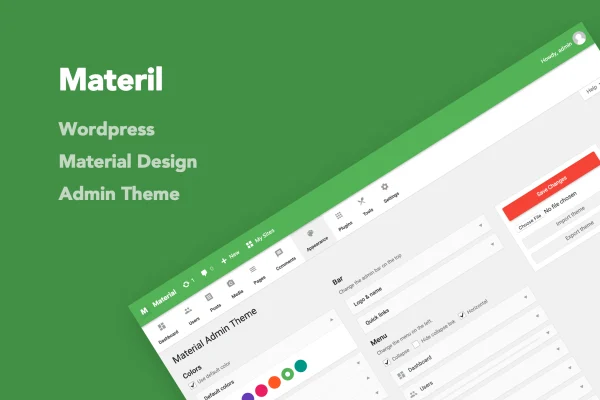
Admin Theme - Material is a WordPress plugin that restyles the default admin dashboard using Google's Material Design principles. It lets you change colors, rework the admin menu, brand the admin bar and login page, and carry your settings from one site to another.
- Version
- 3.2
- Released
- May 2, 2023
- Type
- WordPress plugin
- Licence
- GPL
- Included in
- Every plan, or $3.99 on its own
What’s new in Admin Theme - Material 3.2
Version 3.2 · May 2, 2023
Latest
What it does
The default WordPress dashboard looks the same on every site, and its menus can fill up with items that clients or editors never need. This plugin replaces that standard look with a Material Design interface and gives you control over how the backend is laid out. You can rename, remove or reorder menu and submenu items with drag and drop, which helps keep the admin area focused on the tasks people actually do.
Branding is a large part of what it handles. You can set global admin colors, menu colors and admin bar colors, add your own logo and admin name to the admin bar, adjust the footer text and version display, and design a login page with your logo, a background color or a background image. The layout is responsive and retina ready. Once a site is configured, you can export the settings and import them on another WordPress installation or keep them as a backup.
Best for
- Agencies branding client dashboards
- Developers managing several WordPress sites
- Site admins wanting a simpler, cleaner backend
Features
Admin color customization
Change the global admin colors, menu colors and admin bar colors so the dashboard matches your brand or your own preference.
Custom admin bar
Add a custom logo and admin name to the WordPress admin bar, or hide quick links you do not use to keep it tidy.
Drag and drop menu management
Rename, remove or reorder menu and submenu items using drag and drop, giving you control over how admin navigation is arranged.
Branded login page
Upload your own logo, change the background color or set a background image to give the login screen a branded look.
Editable admin footer
Adjust the footer text and version display at the bottom of the dashboard to show your own information or branding.
Local font option
Disable the Google-hosted Open Sans font and use a local version instead, which can help with privacy requirements.
Settings import and export
Move your configuration between WordPress sites or save it as a backup, so several installations can share the same admin setup.
Responsive and retina ready
The restyled interface adapts to different screen sizes and displays sharply on high-resolution screens.
Questions about Admin Theme - Material
Can I hide admin menu items my clients do not need?
Yes. You can remove, rename or reorder menu and submenu items, and the ordering works with drag and drop. This makes it easy to trim the admin menu down to the sections a client or editor actually uses.
Can I put my own logo on the dashboard and login screen?
You can. The plugin lets you add a custom logo and admin name to the admin bar, and upload a logo for the login page along with a background color or background image. The footer text can be customized too.
Do I have to redo my settings on every site?
No. The import and export feature lets you transfer your configuration from one WordPress installation to another, so you can set up the admin once and reuse it. You can also keep an exported file as a backup.
Does it work on tablets and phones?
The admin theme uses a responsive layout, so the restyled dashboard adapts to different screen sizes. It is also retina ready, which keeps the interface sharp on high-resolution displays.
Is Admin Theme - Material free?
The code of Admin Theme - Material is licensed under the GPL, so anyone may use, change and share it. GPL Feast is a paid service: a plan or a single purchase gives you the download and automatic updates. The developer's own support, licence key and online services are not included.
Which version of Admin Theme - Material is this?
Version 3.2, released May 2, 2023. New versions appear here when the developer publishes them, and members get them as automatic updates.
How do I update Admin Theme - Material?
Install the free GPL Feast Updater on your site and connect it with your API key. It installs new versions of Admin Theme - Material automatically and keeps a backup, so you can roll back.
You might also like






