
Plugin
Updated
Advanced Effective Slider
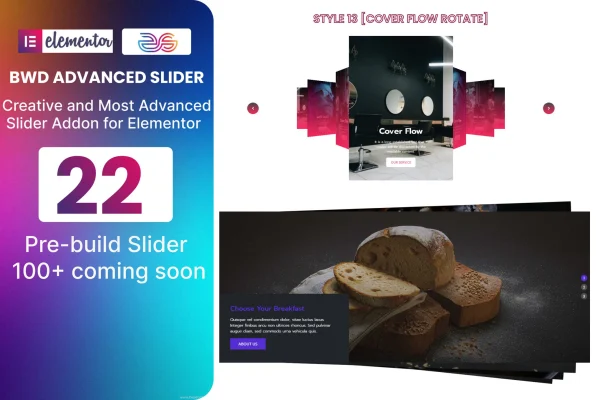
Advanced Effective Slider is a WordPress plugin that adds slider designs to the Elementor page builder. It includes 22 pre-built sliders you can import onto a page and adjust without writing code, which makes it useful for portfolios, testimonials and featured content.
- Version
- 1.4
- Released
- Aug 27, 2026
- Type
- WordPress plugin
- Requires
- Elementor
- Licence
- GPL
- Included in
- Every plan, or $3.99 on its own
What’s new in Advanced Effective Slider 1.4
Version 1.4 · Aug 27, 2026
Latest
What it does
Building a good-looking slider from scratch in Elementor can take a lot of time, especially when it also has to work on phones and tablets. This addon gives you a starting point instead. You pick one of the 22 pre-built slider designs, import it onto your Elementor page and then change its appearance and behavior to fit your brand. Transitions, animations and interactive elements are part of the customization options, so you can shape how each slider moves and responds.
The plugin requires Elementor and is built to work with Elementor-based WordPress themes. Column responsive settings let you control how sliders adapt across screen sizes, and the output is retina ready for sharp display on high-resolution screens. The code is W3C validated, it has been tested across major browsers, and POT files are included so the interface can be translated. Documentation covers setup and customization, which helps both beginners and experienced designers get a slider in place.
Best for
- Portfolio sites that need image or project sliders
- Business sites displaying testimonials or featured content
- Designers building Elementor sites for clients
Features
22 pre-built slider designs
Start from one of 22 ready-made slider designs instead of building a layout from scratch, then adjust it to fit your page.
Customizable look and behavior
Tailor each slider's appearance and behavior, including transitions, animations and interactive elements, without writing any code.
Column responsive settings
Control how slider columns adapt across different screen sizes so the layout works on desktops, tablets and phones.
Simple import into Elementor
Select a slider design and import it directly onto your Elementor page, then continue editing it with the usual page builder workflow.
Retina ready display
Sliders are prepared for high-resolution screens, so images and elements stay crisp on modern retina displays.
Cross-browser tested
The sliders have been tested on major web browsers so visitors see consistent results regardless of which browser they use.
Translation ready
POT files are included, letting you translate the plugin's text into other languages for sites that serve different audiences.
Included documentation
Documentation walks you through setup and customization, which helps if you are new to working with sliders in Elementor.
Questions about Advanced Effective Slider
Do I need Elementor to use this slider plugin?
Yes. The plugin is built specifically for Elementor and requires it. The sliders are imported onto Elementor pages and edited there, and the plugin is designed to work with Elementor-based WordPress themes.
How many slider designs come with it?
It includes 22 pre-built slider designs. You can choose one, import it onto your page and then customize its appearance and behavior, such as transitions and animations, to match your site.
Will the sliders work on mobile devices?
The plugin includes column responsive settings so you can control how sliders adapt to different screen sizes. It is also retina ready, so sliders display sharply on high-resolution phone, tablet and desktop screens.
Can I translate the slider text into another language?
Yes. The plugin is translation ready and includes POT files, which you can use with standard WordPress translation tools to present it in other languages.
Is Advanced Effective Slider free?
The code of Advanced Effective Slider is licensed under the GPL, so anyone may use, change and share it. GPL Feast is a paid service: a plan or a single purchase gives you the download and automatic updates. The developer's own support, licence key and online services are not included.
Which version of Advanced Effective Slider is this?
Version 1.4, released Aug 27, 2026. New versions appear here when the developer publishes them, and members get them as automatic updates.
How do I update Advanced Effective Slider?
Install the free GPL Feast Updater on your site and connect it with your API key. It installs new versions of Advanced Effective Slider automatically and keeps a backup, so you can roll back.
What does Advanced Effective Slider need?
Advanced Effective Slider needs Elementor installed and active.
You might also like






