
Plugin
Updated
Advanced Grid Blog Layout Design
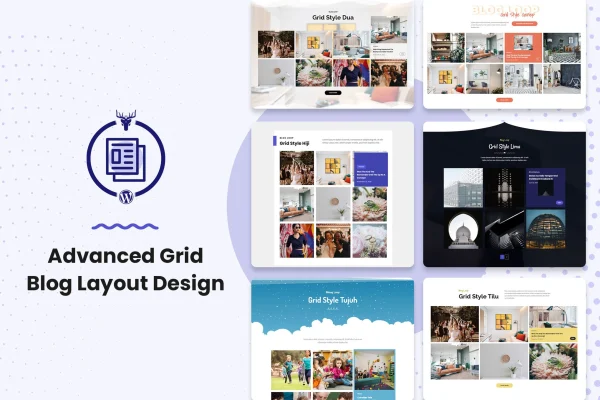
Advanced Grid Blog Layout Design is a WordPress plugin that displays your blog posts in responsive, grid-based layouts. It works as an add-on for existing blog layout builder plugins and gives you control over hover effects, preloading animations, filtering and pagination, with no coding required.
- Version
- 1.0.0
- Released
- May 2, 2023
- Type
- WordPress plugin
- Licence
- GPL
- Included in
- Every plan, or $3.99 on its own
What’s new in Advanced Grid Blog Layout Design 1.0.0
Version 1.0.0 · May 2, 2023
Latest
What it does
A default blog page often shows posts in a long single column, which can make it hard for readers to scan what you have published. This plugin arranges posts into a grid so visitors can see more articles at a glance and pick what interests them. You choose which posts appear, either by selecting categories or by picking individual posts, so a grid can focus on one topic or feature a hand-picked set of articles.
The plugin is built as an add-on for blog layout builder plugins and is compatible with Elementor and other page builders. Styling is handled through settings, including more than 200 hover options and more than 17 preload effects. Readers can move through posts with load more buttons or infinite scroll, and tags let them filter the grid. It also supports post galleries and media, which suits photo-based blogs, and the layouts adapt to desktops and phones.
Best for
- Bloggers who want posts shown in a browsable grid
- Agencies building blog pages for client sites with Elementor
- Photo-based blogs that rely on galleries and media
Features
Over 200 hover options
Pick from more than 200 hover effects that control how each post card reacts when a visitor moves the cursor over it.
More than 17 preload effects
Choose a loading animation from more than 17 preload effects to set how the blog grid appears as the page loads.
Category or post selection
Decide which content shows in the grid by choosing whole categories or selecting individual posts you want to feature.
Load more and infinite scroll
Let readers browse further posts with a load more button or infinite scroll, without a full page refresh between sets.
Tag-based filtering
Organize posts in the grid with tags so readers can filter the layout and find the topics they care about.
Responsive grid layouts
Grids adjust to different screen sizes, so your blog layout works on desktops, tablets and smartphones.
Elementor and gallery support
Works with Elementor and other page builders, and supports post galleries and media for photo-based blogs.
Questions about Advanced Grid Blog Layout Design
Does this plugin work on its own?
It is designed as an add-on for existing blog layout builder plugins, so it extends a blog layout builder rather than acting as a standalone tool. It is also compatible with Elementor and other popular WordPress page builders.
Can I choose which posts appear in the grid?
Yes. You can select posts by category or pick individual posts. That lets you build a grid for one topic, mix several categories, or feature a specific set of articles you want readers to see first.
How do readers see older posts in the grid?
You can enable a load more button or infinite scroll pagination. Both let visitors keep browsing posts without a page refresh, and tag filtering helps them narrow the grid to the topics they want.
Will the grid look right on phones?
The layouts are responsive, so the grid adapts to different screen sizes from desktops to smartphones. The plugin is also described as working across major browsers for consistent display.
Is Advanced Grid Blog Layout Design free?
The code of Advanced Grid Blog Layout Design is licensed under the GPL, so anyone may use, change and share it. GPL Feast is a paid service: a plan or a single purchase gives you the download and automatic updates. The developer's own support, licence key and online services are not included.
Which version of Advanced Grid Blog Layout Design is this?
Version 1.0.0, released May 2, 2023. New versions appear here when the developer publishes them, and members get them as automatic updates.
How do I update Advanced Grid Blog Layout Design?
Install the free GPL Feast Updater on your site and connect it with your API key. It installs new versions of Advanced Grid Blog Layout Design automatically and keeps a backup, so you can roll back.
You might also like






