
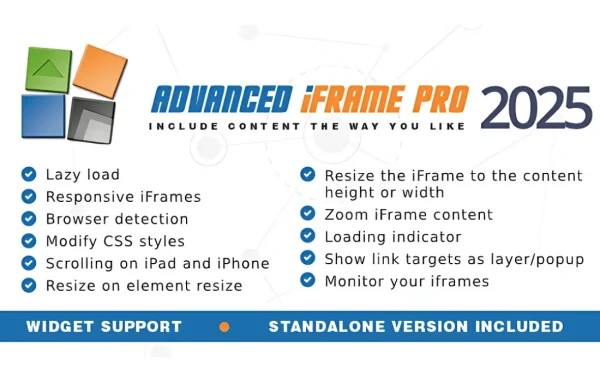
Plugin
Updated
Advanced iFrame Pro
Advanced iFrame Pro by Michael Dempfle is a WordPress plugin for embedding content from other websites inside your own pages. It gives you control over how an iframe looks, sizes itself and loads, so external pages, videos and maps fit the rest of your layout.
- Version
- 2026.4
- Released
- Oct 10, 2026
- Developer
- Michael Dempfle
- Type
- WordPress plugin
- Licence
- GPL
- Included in
- Every plan, or $2.39 on its own
What’s new in Advanced iFrame Pro 2026.4
Version 2026.4 · Oct 10, 2026
Latest
- NewA new template to include google analytics to the iframe was added for the pro version. See: js\ai_post_message_converter_google_analytics_template.js
- NewTested with WordPress 7.1.3
- NewUpdated Freemius to v2.13.5 - This release includes security patches!
What it does
A plain iframe often looks out of place. It can show double scrollbars, ignore mobile screens and load heavy content before a visitor ever scrolls to it. This plugin addresses those problems by letting you add iframes through shortcodes and then adjust their behavior. Frames can resize to match the embedded content, adapt to different screen widths and wait to load until they come into view, which helps embedded pages sit more naturally within your design.
The plugin also covers the less visible side of embedding. You can inject your own CSS into the iframe content to match your styles, set up cross-domain communication between your site and the embedded page, and apply security controls such as URL restrictions and HTTPS support. A template is included for passing Google Analytics tracking through the iframe, and there is an AI Assistant to help with configuration. It suits sites that depend on outside content such as product catalogs, booking pages or interactive maps.
Best for
- Sites embedding external product catalogs or booking pages
- Pages displaying videos, live streams or interactive maps
- Developers integrating third-party web apps into WordPress
Features
Lazy loading
Iframe content loads only when it enters the viewport, so embedded pages further down the screen do not load until a visitor reaches them.
Responsive iframes
Embedded content adapts to different screen sizes, helping frames display properly on desktops, tablets and phones without manual adjustments for each device.
Automatic height and width
Dynamic sizing adjusts the iframe dimensions based on the embedded content, which removes inner scrollbars and makes the frame look like part of the page.
Custom CSS injection
Apply your own styles directly to the iframe content so fonts, colors and spacing line up with the design of your site.
Cross-domain communication
Lets your site and the embedded page interact securely, supporting uses such as form submissions and dynamic data updates across domains.
Security controls
URL restriction and HTTPS support help you limit what gets embedded and protect visitors when you display third-party content on your pages.
Shortcode embedding
Add iframes with shortcodes, giving you a simple way to place external pages, videos, live streams or interactive maps anywhere shortcodes work.
Analytics tracking template
A bundled template enables Google Analytics tracking inside the iframe, with documentation included in the template file itself.
Advanced iFrame Pro older versions
- 2026.3Sep 225 new, 1 fix
- 2026.2Jun 21 new, 1 security fix
- 2026.1Apr 102 new
- 2026.0Mar 6
- 2025.10Dec 9, 2025
- 2025.9Nov 7, 2025
- 2025.8Aug 17, 2025
- 2025.7Aug 15, 2025
- 2025.6Jul 24, 2025
- 2025.5Jun 23, 2025
Members and buyers of this product can download older versions.
26 older versions in all. If you need one that is not listed, ask support.
Questions about Advanced iFrame Pro
Can the iframe resize itself to fit the embedded page?
Yes. The plugin includes dynamic sizing options that adjust the iframe height and width based on the content inside it. This helps remove scrollbars within the frame, and the responsive design settings help the embed adapt to different screen sizes.
Can I style the content inside the iframe?
Yes. Custom CSS injection lets you apply your own styles to the iframe content, so the embedded page can better match your fonts, colors and layout. This is useful when you want outside content to look consistent with your branding.
Will embedding many iframes slow my pages down?
The plugin offers lazy loading, which loads iframe content only when it enters the viewport. Frames lower on the page wait until a visitor scrolls to them instead of loading all at once when the page opens.
Can I track visitor activity inside an embedded page?
The plugin includes a template for enabling Google Analytics tracking in the iframe, with instructions documented inside the template file. Cross-domain communication features also allow your site and the embedded content to exchange data.
Is Advanced iFrame Pro free?
The code of Advanced iFrame Pro is licensed under the GPL, so anyone may use, change and share it. GPL Feast is a paid service: a plan or a single purchase gives you the download and automatic updates. The developer's own support, licence key and online services are not included.
Which version of Advanced iFrame Pro is this?
Version 2026.4, released Oct 10, 2026. New versions appear here when the developer publishes them, and members get them as automatic updates.
How do I update Advanced iFrame Pro?
Install the free GPL Feast Updater on your site and connect it with your API key. It installs new versions of Advanced iFrame Pro automatically and keeps a backup, so you can roll back.
You might also like






