
Plugin
Updated
Advanced Justified Blog Layout Design
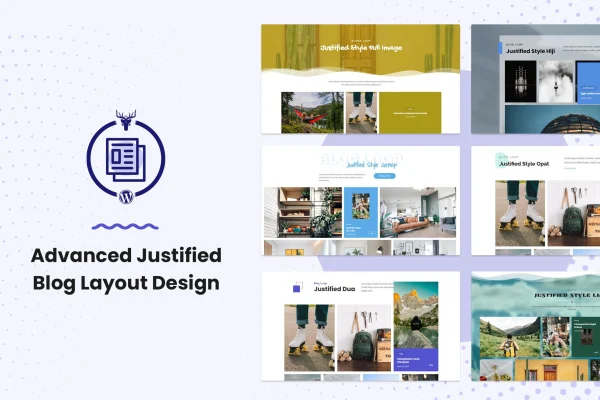
Advanced Justified Blog Layout Design is a WordPress plugin by themesawesome that works as an add-on to the Blog Layout Awesome plugin. It arranges your posts in a justified rectangular grid with a hover animation, pagination choices, category filtering and a lightbox for viewing content.
- Version
- 1.0.0
- Released
- May 2, 2023
- Type
- WordPress plugin
- Licence
- GPL
- Included in
- Every plan, or $3.99 on its own
What’s new in Advanced Justified Blog Layout Design 1.0.0
Version 1.0.0 · May 2, 2023
Latest
What it does
A standard blog archive often looks uneven, with cards of different heights leaving gaps across the page. This add-on gives Blog Layout Awesome a justified layout that lines posts up in a balanced rectangular grid. The grid adjusts to different screen sizes, so it works on desktops, tablets and phones. When a visitor hovers over a post, the information section slides up and the featured image shifts position, which gives each card a bit of motion.
Beyond the layout itself, you get several ways to control how readers move through your posts. Pagination can be Load More, Infinite Scroll, or numbered links aligned center, left or right, and the Load More button can be styled to match your site. Visitors can filter posts by category, and a lightbox opens media and blog content in a pop-up. The plugin supports Elementor and can handle custom post types and galleries.
Best for
- Bloggers wanting a tidy justified grid for their archive
- Photography and gallery sites displaying media posts
- Freelancers building Elementor blog pages for clients
Features
Justified grid layout
Arranges blog posts in a balanced rectangular grid so rows line up neatly and the archive page reads cleanly from top to bottom.
Hover animation on posts
On hover, the post information section rises to the top and the featured image repositions, adding a smooth interactive effect to each card.
Multiple pagination styles
Choose Load More, Infinite Scroll, or standard pagination aligned to the center, left or right, depending on how you want readers to browse.
Styled Load More button
Set the button text, background color, hover color and alignment so the Load More button fits your site's design and branding.
Category filtering
Visitors can sort the grid by post category, which helps them find the topics they care about without leaving the page.
Blog lightbox
Opens media and blog content in a readable pop-up, letting visitors view items without navigating away from the grid.
Elementor support
Works with the Elementor page builder, so you can place and adjust the justified blog layout on your pages without writing code.
Custom post types and galleries
Handles custom post types, photo galleries and media posts, so the justified layout can be used for more than standard blog entries.
Questions about Advanced Justified Blog Layout Design
Does this plugin work on its own?
No. Advanced Justified Blog Layout Design is an add-on for the Blog Layout Awesome plugin. It adds the justified layout and its related options to that plugin, so you need Blog Layout Awesome on your site for it to work.
Can I use it with Elementor?
Yes. The plugin supports the Elementor page builder, so you can build and adjust the justified blog layout on your pages visually without needing to write code.
What pagination options are included?
You can use a Load More button, Infinite Scroll, or standard pagination aligned center, left or right. The Load More button lets you change its text, background color, hover color and alignment.
Will the grid look right on phones?
The justified layout is responsive and adjusts to different screen sizes, so your posts display properly on desktops, tablets and mobile phones.
Is Advanced Justified Blog Layout Design free?
The code of Advanced Justified Blog Layout Design is licensed under the GPL, so anyone may use, change and share it. GPL Feast is a paid service: a plan or a single purchase gives you the download and automatic updates. The developer's own support, licence key and online services are not included.
Which version of Advanced Justified Blog Layout Design is this?
Version 1.0.0, released May 2, 2023. New versions appear here when the developer publishes them, and members get them as automatic updates.
How do I update Advanced Justified Blog Layout Design?
Install the free GPL Feast Updater on your site and connect it with your API key. It installs new versions of Advanced Justified Blog Layout Design automatically and keeps a backup, so you can roll back.
You might also like






