
Plugin
Updated
Ajax DataTable
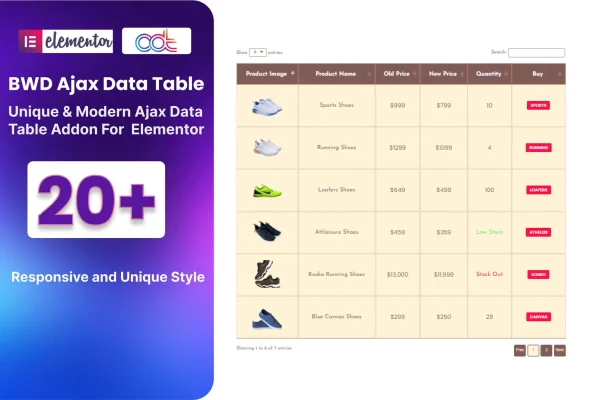
Ajax DataTable is a WordPress plugin that adds interactive data tables to the Elementor page builder. It uses AJAX to load, filter and sort table data without page reloads, so visitors can search and browse large datasets right on the page.
- Version
- 1.6
- Released
- Aug 24, 2026
- Type
- WordPress plugin
- Requires
- Elementor
- Licence
- GPL
- Included in
- Every plan, or $3.99 on its own
What’s new in Ajax DataTable 1.6
Version 1.6 · Aug 24, 2026
Latest
What it does
Long tables are hard to read when every row loads at once and visitors have to scroll to find one entry. This addon gives you tables with instant search, sorting and pagination, so people can narrow a big list down to what they need. It suits product inventories, event schedules, financial listings and other tabular content. Because data is loaded and updated through AJAX, filtering and sorting happen in place without refreshing the page.
The plugin requires Elementor and works inside the Elementor editor, so you add and adjust tables without writing code. You can define custom filters tied to specific columns and set column-specific sorting criteria. Styling options let you match the table's look to the rest of your site, and the tables are responsive and retina ready for phones, tablets and desktops. It accepts various data inputs and formats and outputs clean HTML markup.
Best for
- Elementor sites displaying product catalogs or inventories
- Event organizers publishing schedules and listings
- Sites presenting financial reports or other large datasets
Features
AJAX data loading
Table data loads and updates dynamically through AJAX, so searching, sorting and filtering happen without a full page refresh.
Instant search and pagination
Visitors can search table contents as they type and move through long datasets page by page instead of scrolling one huge list.
Column-based custom filters
Create filters tied to specific table columns and set sorting criteria per column, helping visitors find the rows that matter to them.
Built for Elementor
Add and customize data tables directly within the Elementor page builder, with no coding needed to set them up.
Customizable table design
Styling options let you adjust the appearance of your tables so they stay consistent with your site's branding and design.
Responsive and retina ready
Tables adapt to desktops, tablets and smartphones, and display crisp visuals on high-resolution screens.
Flexible data sources
Works with various data inputs and formats, giving you room to display many types of tabular content, from catalogs to schedules.
Ajax DataTable older versions
- 1.0Jun 25, 2023
Members and buyers of this product can download older versions.
Questions about Ajax DataTable
Do I need Elementor to use this plugin?
Yes. The plugin is an addon for Elementor and requires it. You build and customize your data tables inside the Elementor page builder, which means you can set them up visually without writing code.
Can visitors filter and sort the table themselves?
Yes. Visitors get instant search, sorting and pagination. You can also define custom filters based on specific columns and set column-specific sorting criteria, and all of this runs through AJAX so the page does not reload.
Will the tables work on mobile devices?
The tables are fully responsive and retina ready, so they adjust to different screen sizes, from desktop monitors to smartphones, and display sharp visuals on high-resolution screens.
Can I change how the tables look?
Yes. The plugin includes styling options for customizing the appearance of your tables, so you can match colors and design details to the rest of your website's branding.
Is Ajax DataTable free?
The code of Ajax DataTable is licensed under the GPL, so anyone may use, change and share it. GPL Feast is a paid service: a plan or a single purchase gives you the download and automatic updates. The developer's own support, licence key and online services are not included.
Which version of Ajax DataTable is this?
Version 1.6, released Aug 24, 2026. New versions appear here when the developer publishes them, and members get them as automatic updates.
How do I update Ajax DataTable?
Install the free GPL Feast Updater on your site and connect it with your API key. It installs new versions of Ajax DataTable automatically and keeps a backup, so you can roll back.
What does Ajax DataTable need?
Ajax DataTable needs Elementor installed and active.
You might also like






