
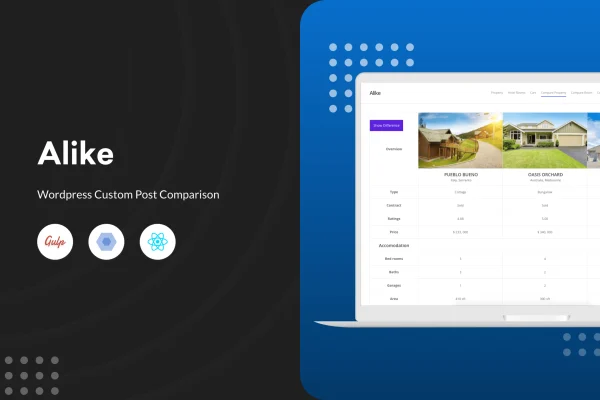
Plugin
Updated
Alike - WordPress Custom Post Comparison
Alike - WordPress Custom Post Comparison is a WordPress plugin that adds side-by-side comparison tables to your site. Visitors can compare posts, products or any custom post type, and you decide which taxonomies, terms and metadata appear in each table.
- Version
- 3.0.3
- Released
- Aug 25, 2026
- Type
- WordPress plugin
- Requires
- WooCommerce
- Licence
- GPL
- Included in
- Every plan, or $3.99 on its own
What’s new in Alike - WordPress Custom Post Comparison 3.0.3
Version 3.0.3 · Aug 25, 2026
Latest
What it does
Sites with many similar items, such as property listings, car inventories or product catalogs, often leave visitors flipping between pages to spot the differences. This plugin puts those items next to each other in a single comparison table, so shared details and differences are easy to read at a glance. It works with standard posts as well as custom post types, which means it can follow the structure your site already uses.
You set up the comparison through a logic builder in the settings panel, picking the custom taxonomies, terms and metadata that each table should display. No coding is needed to configure the logic, the design or the display options. There are two table layouts to choose from, and you can set exact image dimensions so pictures look consistent across rows. The plugin lists WooCommerce as a requirement, so it fits stores and catalogs built on it.
Best for
- Real estate sites comparing property listings
- Car dealership and automotive directory websites
- WooCommerce stores with large product catalogs
Features
Works with any post type
Compare regular posts, products or custom post types such as properties and cars, using the content structure your site already has.
Flexible logic builder
Build dynamic comparison tables by choosing which custom taxonomies, terms and metadata appear, so each table matches your niche and content.
Two table designs
Pick between two comparison table layouts to match the look of your theme and the way you want visitors to read the data.
Custom image sizing
Set exact image dimensions for comparison tables so product or listing photos stay consistent and line up neatly across columns.
No-code settings panel
Configure comparison logic, design choices and display options from a settings panel without writing any code or editing template files.
Suited to directory listings
Fits real estate, automotive, ecommerce and other directory-style sites where visitors weigh several similar items before choosing one.
Questions about Alike - WordPress Custom Post Comparison
Can I compare custom post types, or only products?
You can compare any post type, including standard posts, products and custom post types. That makes it usable for properties, vehicles, services or any other content you have set up as its own post type on your WordPress site.
How do I choose what information shows up in the comparison table?
A logic builder lets you select custom taxonomies, terms and metadata for each comparison. The table then pulls those values from the posts being compared, so the columns reflect the details that matter for your type of content.
Do I need WooCommerce to use it?
Yes, WooCommerce is listed as a required plugin. Once it is active, you can build comparison tables for products as well as other post types on the same site.
Can I change how the comparison tables look?
There are two table design styles to choose from, and you can set the exact image size used in the tables. Both options are handled in the settings panel without any coding.
Is Alike - WordPress Custom Post Comparison free?
The code of Alike - WordPress Custom Post Comparison is licensed under the GPL, so anyone may use, change and share it. GPL Feast is a paid service: a plan or a single purchase gives you the download and automatic updates. The developer's own support, licence key and online services are not included.
Which version of Alike - WordPress Custom Post Comparison is this?
Version 3.0.3, released Aug 25, 2026. New versions appear here when the developer publishes them, and members get them as automatic updates.
How do I update Alike - WordPress Custom Post Comparison?
Install the free GPL Feast Updater on your site and connect it with your API key. It installs new versions of Alike - WordPress Custom Post Comparison automatically and keeps a backup, so you can roll back.
What does Alike - WordPress Custom Post Comparison need?
Alike - WordPress Custom Post Comparison needs WooCommerce installed and active.
You might also like






