
Plugin
Updated
Archive Master Pro
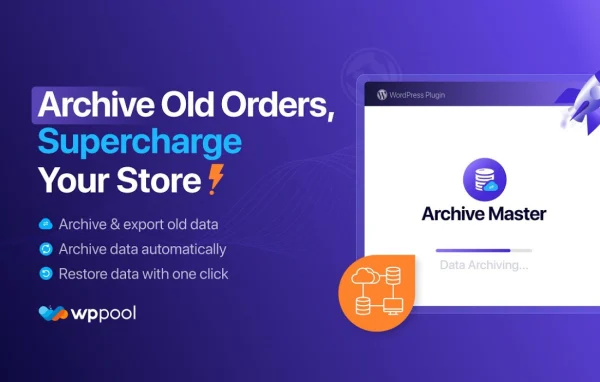
Archive Master Pro is a WooCommerce plugin that archives older orders so your store database stays smaller and easier to manage. It moves past orders to local or remote storage, can run on a schedule, and lets you restore or export them when you need the records again.
- Version
- 1.13.3
- Released
- Oct 14, 2026
- Type
- WordPress plugin
- Requires
- Archive Master and WooCommerce
- Licence
- GPL
- Included in
- Every plan, or $4.79 a year on its own
What’s new in Archive Master Pro 1.13.3
Version 1.13.3 · Oct 14, 2026
Latest
What it does
Every WooCommerce store collects orders over time, and completed or inactive ones keep piling up in the database long after they stop being useful day to day. For stores with thousands of past orders, that growth makes the order list harder to work with. This plugin gives you a way to move those older orders out of the live database while keeping the data available, so you can tidy things up without deleting anything you might need later.
You can archive orders by hand, in bulk, or on an automatic schedule based on order age or status. Archived orders go to storage on your own server or to a remote location such as FTP or SFTP. When a past order needs attention, you restore it. You can also export archived orders in CSV, JSON or XML for backups, analysis or use in other systems. It runs alongside WooCommerce and the base Archive Master plugin, managed from a dashboard inside your admin area.
Best for
- Large WooCommerce stores with thousands of old orders
- Store owners wanting a smaller, tidier order database
- Agencies maintaining busy WooCommerce sites for clients
Features
Scheduled automatic archiving
Set rules based on order age or status, and the plugin archives matching orders on a schedule so you do not have to clean up manually.
Local or remote storage
Keep archived orders on your own server or send them to a remote location such as FTP or SFTP, depending on your setup.
Restore archived orders
Bring an archived order back whenever you need to view or process it again, so historical records stay within reach.
Export in CSV, JSON or XML
Export archived orders in the format that suits you, whether for backups, spreadsheet analysis or importing into a third-party application.
Bulk archiving
Select and archive many orders at once, which helps stores dealing with thousands of past transactions clear them out faster.
Admin dashboard controls
Handle archiving and restoration from a dashboard built for WooCommerce store administrators, keeping the related tasks together in one place.
Careful data handling
Archived data is stored and transferred with attention to protecting the customer and order details contained in each record.
Archive Master Pro older versions
- 1.3.1Oct 4
- 1.3.0Aug 17
Members and buyers of this product can download older versions.
Questions about Archive Master Pro
Does archiving delete my old orders?
No. Orders are moved out of the live database into local or remote storage, and you can restore any archived order later when you need to view or process it. You can also export them as CSV, JSON or XML for an extra copy.
Where can archived orders be stored?
You can keep them in storage on your own server or send them to a remote location such as FTP or SFTP. That lets you pick whichever option fits your hosting and backup arrangements.
Can archiving run on its own?
Yes. You can schedule automatic archiving using rules based on how old orders are or what status they have. Bulk archiving is also available if you prefer to select a large batch of orders yourself.
What do I need for it to work?
It is built for WooCommerce, so you need a WooCommerce store. It also works alongside the base Archive Master plugin, which should be in place on your site.
Is Archive Master Pro free?
The code of Archive Master Pro is licensed under the GPL, so anyone may use, change and share it. GPL Feast is a paid service: a plan or a single purchase gives you the download and automatic updates. The developer's own support, licence key and online services are not included.
Which version of Archive Master Pro is this?
Version 1.13.3, released Oct 14, 2026. New versions appear here when the developer publishes them, and members get them as automatic updates.
How do I update Archive Master Pro?
Install the free GPL Feast Updater on your site and connect it with your API key. It installs new versions of Archive Master Pro automatically and keeps a backup, so you can roll back.
What does Archive Master Pro need?
Archive Master Pro needs Archive Master and WooCommerce installed and active.
You might also like






