
Plugin
Updated
Asgard Facebook Alerts Builder
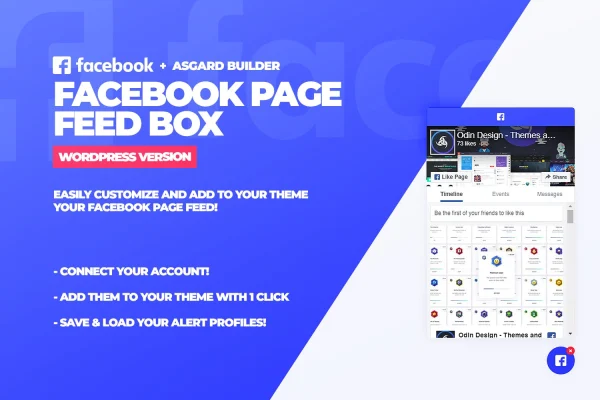
Asgard Facebook Alerts Builder is a WordPress plugin that displays the feed of any public Facebook page inside a floating box on your site. You set it up by entering the page URL, then style the box with a drag and drop builder so it fits your design.
- Version
- 1.0.0
- Released
- May 2, 2023
- Type
- WordPress plugin
- Licence
- GPL
- Included in
- Every plan, or $3.99 on its own
What’s new in Asgard Facebook Alerts Builder 1.0.0
Version 1.0.0 · May 2, 2023
Latest
What it does
Many site owners post updates on Facebook first and want visitors to see that activity without leaving the website. This plugin pulls posts from a public Facebook page and places them in a floating alert box that stays available as people browse. The same box can also carry alert notifications or promotional messages, so it works for event announcements, reviews or general social activity you want visitors to notice.
Setup centers on the Asgard builder, where you change colors, fonts, icons and text styles with drag and drop controls, including Google Fonts and Font Awesome. You can save several alert profiles and switch between them for different campaigns, and a management tab lets you add or remove feed boxes and alerts with one click. No coding is needed, and the layout is responsive across devices.
Best for
- Businesses that post regular updates on a Facebook page
- Event organizers promoting upcoming events from Facebook
- Marketers running site-wide promotional alerts
Features
Feed from a page URL
Enter the URL of any public Facebook page and the plugin displays its latest updates on your WordPress site, so visitors can follow along without leaving.
Floating alert box
A floating element stays accessible while visitors browse, showing your Facebook posts, alert notifications or promotional messages without blocking the page.
Drag and drop styling
The Asgard builder lets you change colors, fonts, icons and text styles with drag and drop controls to match the box to your branding.
Google Fonts and Font Awesome
Pick typefaces from Google Fonts and icons from Font Awesome inside the builder for more control over how the feed box looks.
Multiple saved alert profiles
Create and save different alert configurations, then switch between them to suit separate campaigns or audiences without rebuilding each one from scratch.
One-click management tab
Add or remove feed boxes and alerts from your theme through a simple management tab, with a single click for each change.
Responsive layout
The feed box adjusts to different screen sizes so it displays properly on desktops, tablets and phones.
Questions about Asgard Facebook Alerts Builder
Can I show any Facebook page, or only my own?
The plugin works with any public Facebook page. You enter the page URL and it displays that page's feed in the floating box, so you could show your own business page or another public page you want to feature.
Do I need to know how to code to customize the look?
No. The Asgard builder uses drag and drop controls for colors, fonts, icons and text styles, with Google Fonts and Font Awesome available. It is designed so people at any skill level can style the box without writing code.
Can the box show messages other than Facebook posts?
Yes. Besides Facebook page posts, the floating alert box can display alert notifications or promotional messages. Saved alert profiles let you keep different setups ready and switch between them for different campaigns.
Will the feed box work on mobile devices?
The plugin uses a responsive design, so the feed box adapts to the screen it appears on, including phones and tablets as well as desktop browsers.
Is Asgard Facebook Alerts Builder free?
The code of Asgard Facebook Alerts Builder is licensed under the GPL, so anyone may use, change and share it. GPL Feast is a paid service: a plan or a single purchase gives you the download and automatic updates. The developer's own support, licence key and online services are not included.
Which version of Asgard Facebook Alerts Builder is this?
Version 1.0.0, released May 2, 2023. New versions appear here when the developer publishes them, and members get them as automatic updates.
How do I update Asgard Facebook Alerts Builder?
Install the free GPL Feast Updater on your site and connect it with your API key. It installs new versions of Asgard Facebook Alerts Builder automatically and keeps a backup, so you can roll back.
You might also like






