
Plugin
Updated
Asgard Patreon Alerts Builder
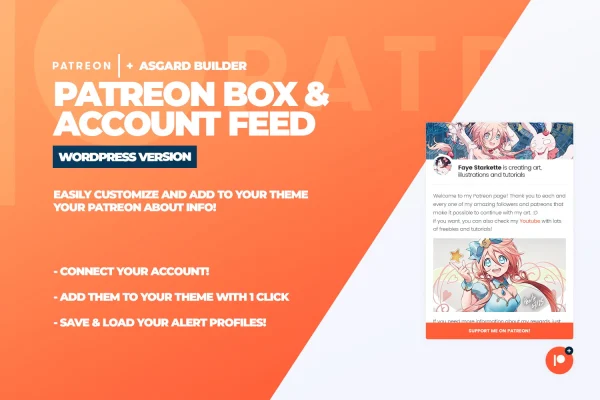
Asgard Patreon Alerts Builder is a WordPress plugin for creators who run a Patreon page. It connects to your Patreon account, pulls in your about content and account details, and shows them in a floating box on your site. You can also build custom alert boxes for supporter goals, new tiers or other messages.
- Version
- 1.0.0
- Released
- May 2, 2023
- Type
- WordPress plugin
- Licence
- GPL
- Included in
- Every plan, or $3.99 on its own
What’s new in Asgard Patreon Alerts Builder 1.0.0
Version 1.0.0 · May 2, 2023
Latest
What it does
Many creators send visitors to Patreon with a single link buried in a menu or footer. This plugin brings that information onto your own pages instead. Once your Patreon account is connected, it fetches your about section and account info automatically, so the box on your site reflects what you have on Patreon without you copying text over by hand. The box floats on the page, which keeps it within reach on any screen size while people browse your posts.
Design work happens in the Asgard builder, where you set colors, fonts, icons, text and layout without writing code. Google Fonts and Font Awesome icons are supported, so the box can match your existing branding. Alongside the Patreon box, you can create floating alerts for things like new tiers or goal updates. Alert setups can be saved, loaded and edited as groups, and you choose whether the box starts open or stays closed until a visitor clicks it.
Best for
- Artists, writers and podcasters with an active Patreon page
- Creator blogs that want to gain more Patreon supporters
- Sites announcing new tiers or funding goals to visitors
Features
Automatic Patreon content
Connect your Patreon account and the plugin pulls in your about content and account info, so your site shows current details without manual copying.
Visual Asgard builder
Change colors, fonts, icons, text and layout in a visual builder, with no code needed to match the box to your site.
Google Fonts and Font Awesome
Pick typefaces from Google Fonts and icons from Font Awesome to give the Patreon box and alerts a style that fits your brand.
Floating alert boxes
Create floating alerts that stay visible as visitors browse, useful for announcing new tiers, supporter goals or special messages.
Saved alert configurations
Save and load different alert groups, then edit them later, so you can switch setups as your Patreon campaign changes.
Open or closed display
Decide whether the Patreon box starts open on page load or stays tucked away until a visitor chooses to open it.
Multiple alerts and boxes
Create and turn on several alerts and profile boxes with a click, rather than rebuilding each one from scratch.
Questions about Asgard Patreon Alerts Builder
Does the box update when I change my Patreon page?
The plugin connects to your Patreon account and fetches your about content and account information automatically. That means the box on your site draws from Patreon directly instead of relying on text you paste in and have to keep up to date yourself.
Can I make the Patreon box match my site's design?
Yes. The Asgard builder lets you adjust colors, fonts, icons, text and layout without code. It supports Google Fonts and Font Awesome icons, so you can bring the box in line with the typography and icon style you already use.
Will the box get in the way of my content?
You control that. The box can start open or closed, so you can keep it out of the way until a visitor clicks to open it. It floats on the page, which keeps it reachable on phones, tablets and desktops.
Can I keep different alert setups for different campaigns?
Yes. Alert configurations can be saved as groups and loaded again later. You can edit them as your campaign changes, for example swapping in a message about a new tier or an updated supporter goal.
Is Asgard Patreon Alerts Builder free?
The code of Asgard Patreon Alerts Builder is licensed under the GPL, so anyone may use, change and share it. GPL Feast is a paid service: a plan or a single purchase gives you the download and automatic updates. The developer's own support, licence key and online services are not included.
Which version of Asgard Patreon Alerts Builder is this?
Version 1.0.0, released May 2, 2023. New versions appear here when the developer publishes them, and members get them as automatic updates.
How do I update Asgard Patreon Alerts Builder?
Install the free GPL Feast Updater on your site and connect it with your API key. It installs new versions of Asgard Patreon Alerts Builder automatically and keeps a backup, so you can roll back.
You might also like






