
Plugin
Updated
Asset CleanUp Pro
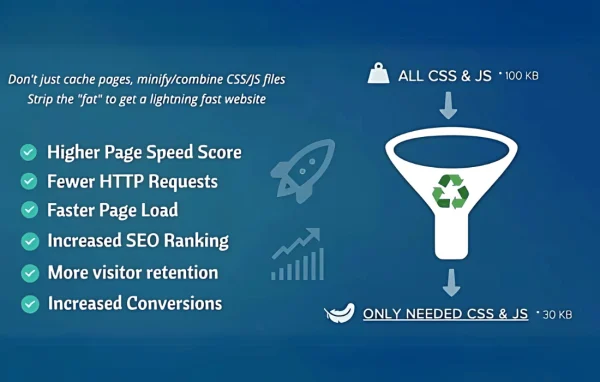
Asset CleanUp Pro by Gabriel Livan is a WordPress plugin that gives you control over which CSS and JavaScript files load on each page. It helps you trim unneeded assets, defer scripts and combine files so your pages carry less weight.
- Version
- 1.2.8.3
- Released
- Oct 5, 2026
- Developer
- Gabriel Livan
- Type
- WordPress plugin
- Licence
- GPL
- Included in
- Every plan, or $4.79 a year on its own
What’s new in Asset CleanUp Pro 1.2.8.3
Version 1.2.8.3 · Oct 5, 2026
Latest
- NewAdded "Alternative Assets" to the CSS/JS Manager. Create and edit lighter alternatives for CSS and JavaScript assets that still need to load, choose where the alternatives are used, and compare their sizes without modifying the original source.
- ImprovedReduced redundant processing during Combine CSS/JS cache validation and avoided unnecessary cache rebuilds when separate inline JavaScript, JSON content, or CSP nonce values change.
- ImprovedImport/Export preserves Pro settings and rules when transferred through Lite, ready for use after upgrading to Pro.
- FixedImproved Combine CSS/JS reliability, including asset ordering, cache invalidation, regeneration of missing combined files, and homepage cache cleanup.
- FixedImproved JavaScript combining and BODY defer handling to preserve script execution order and existing defer behavior while safely applying defer to eligible BODY scripts.
What it does
Many WordPress sites load stylesheets and scripts on every page, even when a page never uses them. A contact form plugin might add its files to your blog posts, or a slider script might load on pages with no slider. This plugin looks at each page individually and lets you unload the CSS and JavaScript files that page does not need, which cuts down the number of HTTP requests the browser has to make.
Beyond unloading, the plugin can minify and combine CSS and JS files, defer non-critical JavaScript, generate critical CSS for above-the-fold content and preload assets you want fetched early. The CSS/JS Manager also lets you create lighter alternative versions of assets that still need to load, without touching the original source. You can manage rules per page or site-wide from a dashboard, with no coding required, and Import/Export lets you move settings between sites.
Best for
- Site owners trimming unused scripts and styles from pages
- Developers fine-tuning asset loading on client sites
- Blogs, online stores and business sites with many plugins
Features
Per-page asset unloading
Choose which CSS and JavaScript files to unload on each page, so pages only request the files they actually use.
Minify and combine files
Automatically minify CSS and JS files and combine them to reduce file sizes and the number of requests a page makes.
Defer JavaScript
Delay non-critical JavaScript, including eligible scripts in the page body, while keeping script execution order and existing defer behavior intact.
Critical CSS generation
Extract the CSS needed for above-the-fold content and load it inline so the first visible part of the page can render sooner.
Preload selected assets
Mark important resources for preloading so the browser fetches them early in the page load.
Alternative assets
Create and edit lighter versions of CSS and JavaScript assets that still need to load, choose where they apply and compare sizes with the originals.
Page or site-wide rules
Manage unloading and optimization settings for single pages or across the whole site from a dashboard that needs no coding knowledge.
Settings import and export
Move your settings and rules between sites with Import/Export, which keeps Pro rules even when transferred through the Lite version.
Asset CleanUp Pro older versions
- 1.2.8.2Sep 2915 changes
- 1.2.8.1Sep 15
- 1.2.8.0Sep 102 improvements, 1 fix
- 1.2.7.9Sep 72 new
- 1.2.7.7Aug 22
- 1.2.7.5Aug 5
- 1.2.7.4Jul 24
- 1.2.7.2Jun 25
- 1.2.7.1May 9
- 1.2.7.0Nov 2, 2025
Members and buyers of this product can download older versions.
51 older versions in all. If you need one that is not listed, ask support.
Questions about Asset CleanUp Pro
How is this different from a caching plugin?
Caching stores ready-made copies of pages. This plugin works on the assets themselves: it unloads unused CSS and JavaScript per page, defers scripts, minifies and combines files, generates critical CSS and preloads selected resources.
Do I need to know how to code to use it?
No. Asset unloading and optimization are handled from a dashboard where you set rules per page or site-wide. Knowing which plugins add which files helps, but you do not need to edit code.
Can I make an asset lighter instead of removing it?
Yes. The Alternative Assets option in the CSS/JS Manager lets you create and edit lighter versions of CSS or JavaScript files that still need to load, pick where they are used and compare sizes, all without changing the original source.
Can I copy my setup to another site?
Yes. The Import/Export option lets you transfer your settings and rules. Pro settings are preserved even when passed through the Lite version, so they are ready to use once Pro is in place.
Is Asset CleanUp Pro free?
The code of Asset CleanUp Pro is licensed under the GPL, so anyone may use, change and share it. GPL Feast is a paid service: a plan or a single purchase gives you the download and automatic updates. The developer's own support, licence key and online services are not included.
Which version of Asset CleanUp Pro is this?
Version 1.2.8.3, released Oct 5, 2026. New versions appear here when the developer publishes them, and members get them as automatic updates.
How do I update Asset CleanUp Pro?
Install the free GPL Feast Updater on your site and connect it with your API key. It installs new versions of Asset CleanUp Pro automatically and keeps a backup, so you can roll back.
You might also like






