Plugin
Updated
AutoPoly - AI Translation For Polylang (Pro)
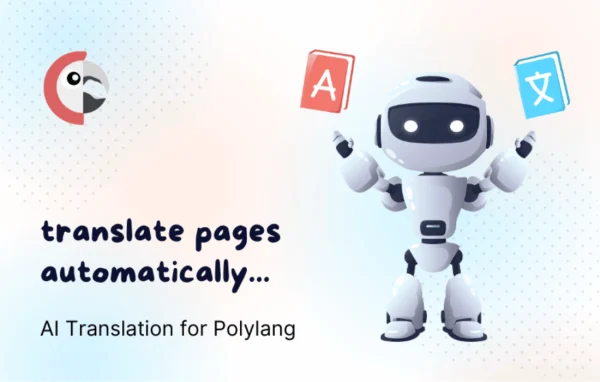
AutoPoly - AI Translation For Polylang (Pro) is a WordPress plugin that adds AI-driven automatic translation to sites built with Polylang. It takes content you have written in one language and produces translated versions for the other languages on your site, so you spend less time copying and translating by hand.
- Version
- 1.6.1
- Released
- Apr 14, 2026
- Developer
- Cool Plugins
- Type
- WordPress plugin
- Requires
- Polylang
- Licence
- GPL
- Included in
- Every plan, or $4.79 on its own
What’s new in AutoPoly - AI Translation For Polylang (Pro) 1.6.1
Version 1.6.1 · Apr 14, 2026
Latest
- NewAdded wp 7.0 AI connectors compatibility.
- NewAdded provider enable disable option in dashboard.
- NewAdded Hindi(hi) language support in DeepL translation.
- NewChrome built-in AI configuration setting in AutoPoly dashboard setting tab.
- FixedFixed title removed issue in post re-translation.
- FixedFixed ACF group field translation issue in classic editor single page translation.
- ImprovedOptimized and improve bulk translation request.
- ImprovedDashbaord and translation modal UI Improvements.
What it does
Running a multilingual site with Polylang means every post, page and menu needs a version in each language. Doing that by hand is slow, and keeping translations in step with new content is easy to fall behind on. This plugin works on top of Polylang and fills in translations automatically using AI services, including DeepL and Chrome built-in AI. The translated content lands in your existing Polylang setup, so the language structure you already have stays in place.
Beyond posts and pages, it handles menus, widgets and custom post types, and it can work with ACF field groups. You can translate a single page or send many items through bulk translation. A dashboard lets you see translation status, the queue and progress, turn individual AI providers on or off, and configure Chrome built-in AI. You can also set rules, exclude certain pages and edit translations manually when a phrase needs a human touch. It suits blogs, shops and company sites that already rely on Polylang.
Best for
- WordPress sites already running Polylang
- Blogs publishing content in several languages
- Agencies managing multilingual client sites
Features
Automatic AI translation
Generates translations of your content using AI providers, so new posts and pages can be made available in other languages without manual rewriting.
Works with Polylang
Translations sync with your existing Polylang languages and structure, keeping your current multilingual setup in place rather than replacing it.
Translates more than posts
Covers menus, widgets and custom post types along with posts and pages, and can translate ACF group fields too.
Bulk and single page translation
Translate one page at a time or send many items through a bulk translation request when you need to catch up on a larger library.
Multiple AI providers
Supports services such as DeepL and Chrome built-in AI, with an option in the dashboard to enable or disable each provider.
Custom rules and manual edits
Set translation rules, exclude specific pages and adjust any translation by hand inside the interface when wording needs a correction.
Translation dashboard
Monitor translation status, the queue and overall progress from an admin panel designed to be usable at any technical level.
AutoPoly - AI Translation For Polylang (Pro) older versions
- 1.6.0Apr 143 new, 5 fixes
- 1.3.2Dec 7, 20252 new, 1 improvement, 2 fixes
Members and buyers of this product can download older versions.
Questions about AutoPoly - AI Translation For Polylang (Pro)
Do I need Polylang to use this plugin?
Yes. AutoPoly - AI Translation For Polylang (Pro) is built as an add-on for Polylang and relies on it for managing languages. The plugin supplies the AI translations, and Polylang keeps handling the language setup, switching and structure of your multilingual site.
Which translation services can it use?
It works with AI translation providers including DeepL and Chrome built-in AI. DeepL support covers a range of languages, including Hindi. From the dashboard you can enable or disable individual providers and configure the Chrome built-in AI settings.
Can I review or change the translations it produces?
Yes. You can edit translations manually within the interface, set rules for how translation behaves and exclude certain pages entirely. That lets you rely on automatic translation for most content while correcting terms or phrases that need specific wording.
Will it translate menus and custom fields as well as posts?
It translates posts and pages along with menus, widgets and custom post types. It also handles ACF group fields, including in single page translation with the classic editor, which helps keep the whole site localized rather than only the main content.
Is AutoPoly - AI Translation For Polylang (Pro) free?
The code of AutoPoly - AI Translation For Polylang (Pro) is licensed under the GPL, so anyone may use, change and share it. GPL Feast is a paid service: a plan or a single purchase gives you the download and automatic updates. The developer's own support, licence key and online services are not included.
Which version of AutoPoly - AI Translation For Polylang (Pro) is this?
Version 1.6.1, released Apr 14, 2026. New versions appear here when the developer publishes them, and members get them as automatic updates.
How do I update AutoPoly - AI Translation For Polylang (Pro)?
Install the free GPL Feast Updater on your site and connect it with your API key. It installs new versions of AutoPoly - AI Translation For Polylang (Pro) automatically and keeps a backup, so you can roll back.
What does AutoPoly - AI Translation For Polylang (Pro) need?
AutoPoly - AI Translation For Polylang (Pro) needs Polylang installed and active.
More from Cool Plugins