Plugin
Updated
Timeline Widget Pro For Elementor
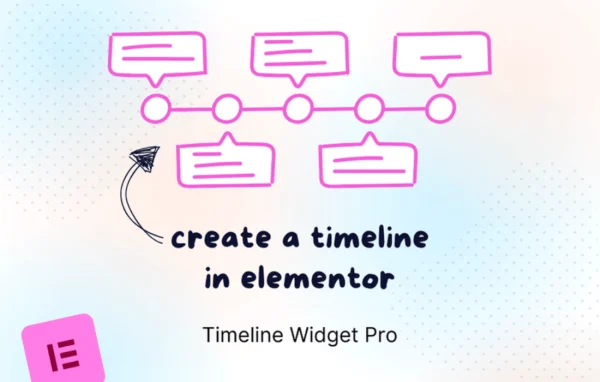
Timeline Widget Pro For Elementor is a WordPress plugin that adds a timeline widget to the Elementor page builder. It lets you present chronological content such as company histories, project milestones and event schedules in vertical, horizontal, carousel or grid layouts, with animations and design controls.
- Version
- 2.5.3
- Released
- May 11, 2026
- Developer
- Cool Plugins
- Type
- WordPress plugin
- Requires
- Elementor
- Licence
- GPL
- Included in
- Every plan, or $4.79 on its own
What’s new in Timeline Widget Pro For Elementor 2.5.3
Version 2.5.3 · May 11, 2026
Latest
- ImprovedUpdated and improved license handling.
What it does
Chronological information is hard to read as a block of text or a long list. A timeline breaks it into clear steps that visitors can follow in order. This plugin requires Elementor and works inside the editor you already use, so you build timelines by dragging the widget onto a page and filling in the entries. No coding is needed, and each entry can hold images, videos, links and tooltips alongside its text.
You can choose a vertical, horizontal, carousel or grid layout depending on how much content you have and how the page is designed. Animation effects such as fade-ins, slide-ins and zoom effects add motion as entries come into view. Colors, fonts, icons and spacing are adjustable, so the timeline can match your brand. The output is responsive for desktop and mobile screens and uses structured markup for the timeline content.
Best for
- Company websites presenting their history or milestones
- Event sites publishing schedules and agendas
- Agencies building Elementor sites with project timelines
Features
Four layout styles
Build timelines in vertical, horizontal, carousel or grid layouts, picking the format that suits the amount of content and the design of the page.
Animation effects
Apply fade-ins, slide-ins, zoom effects and other animations to timeline entries so they appear with motion as visitors move through the page.
Design controls
Adjust colors, fonts, icons and spacing for the timeline so it stays consistent with the rest of your site and your brand styling.
Rich media in entries
Add images, videos, links and tooltips inside individual timeline entries to give each step more context than a date and a line of text.
Drag and drop building
Create and customize timelines inside Elementor by dragging and editing the widget, with no code required for people of any skill level.
Responsive display
Timelines adapt to different screen sizes so they display and respond properly for visitors on both desktop computers and mobile devices.
Structured markup
The plugin outputs timeline content with structured markup and clean code, giving search engines a clearer picture of the chronological information.
Timeline Widget Pro For Elementor older versions
- 2.5.2Apr 281 new
- 2.5.1Apr 12 changes
- 2.5.0Mar 131 improvement, 1 fix
- 2.4.5Feb 17
- 2.4.4Jan 4
- 2.4.3Dec 20, 2025
- 2.4.1Dec 7, 2025
Members and buyers of this product can download older versions.
Questions about Timeline Widget Pro For Elementor
Do I need Elementor to use this timeline plugin?
Yes. The plugin requires Elementor and adds its timeline widget to the Elementor editor. You build and style timelines there by dragging the widget onto a page and editing the entries and design settings.
What timeline layouts can I create?
You can choose from vertical, horizontal, carousel and grid layouts. Vertical suits long histories read top to bottom, while horizontal and carousel formats fit wider sections, and grid works well for presenting several entries side by side.
Can I put images or videos in timeline entries?
Yes. Each timeline entry can include images, videos, links and tooltips. This lets you add photos for milestones, embed a video for an event, or link out to related pages for more detail.
Will the timelines look right on phones?
The timelines are responsive and built to display and work on all screen sizes, so visitors on mobile devices and desktop computers can both read and interact with the entries.
Is Timeline Widget Pro For Elementor free?
The code of Timeline Widget Pro For Elementor is licensed under the GPL, so anyone may use, change and share it. GPL Feast is a paid service: a plan or a single purchase gives you the download and automatic updates. The developer's own support, licence key and online services are not included.
Which version of Timeline Widget Pro For Elementor is this?
Version 2.5.3, released May 11, 2026. New versions appear here when the developer publishes them, and members get them as automatic updates.
How do I update Timeline Widget Pro For Elementor?
Install the free GPL Feast Updater on your site and connect it with your API key. It installs new versions of Timeline Widget Pro For Elementor automatically and keeps a backup, so you can roll back.
What does Timeline Widget Pro For Elementor need?
Timeline Widget Pro For Elementor needs Elementor installed and active.
More from Cool Plugins