
Plugin
Updated
Background Switcher
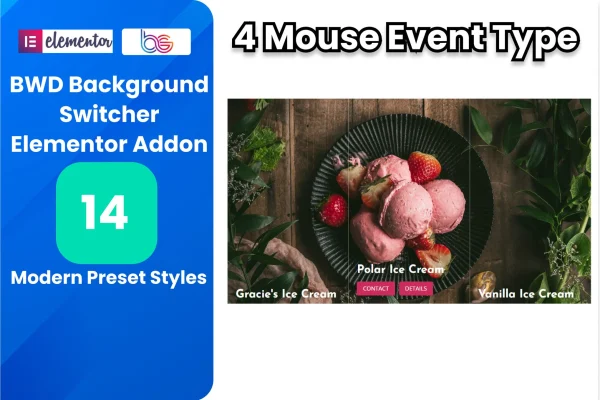
Background Switcher Addon For Elementor is a WordPress plugin that adds switching backgrounds to pages built with Elementor. It rotates between images, videos and solid colors using transition effects such as fade, slide and zoom, with timing you control.
- Version
- 1.6
- Released
- Aug 27, 2026
- Type
- WordPress plugin
- Requires
- Elementor
- Licence
- GPL
- Included in
- Every plan, or $3.99 on its own
What’s new in Background Switcher 1.6
Version 1.6 · Aug 27, 2026
Latest
What it does
A single static background can feel flat on a hero section or landing page, especially when you have several photos or clips worth displaying. This addon lets one Elementor area cycle through multiple backgrounds, so visitors see a sequence of images, videos or colors without you building a slider or writing custom scripts. It requires Elementor and works inside the page builder you already use.
Setup happens through a simple interface. You pick the backgrounds, choose a transition style and set how long each one stays on screen and how fast the change happens. Backgrounds are responsive and retina ready, so they adapt to different devices and screen resolutions. Developers who want more control can extend the behavior with their own HTML, CSS and JavaScript.
Best for
- Elementor sites wanting rotating hero or section backgrounds
- Designers presenting several photos or video clips in one area
- Developers who customize Elementor layouts with their own code
Features
Image, video and color backgrounds
Mix background images, videos and solid colors in one rotating sequence to give a section more visual variety than a single fixed background.
Several transition effects
Switch between backgrounds using fade, slide, zoom and other transition styles, so you can pick the motion that suits the tone of each page.
Adjustable timing
Set the duration each background stays visible and the speed of every transition to match the pacing you want for the section.
Simple configuration
The settings interface is built for straightforward setup, so designers without advanced technical skills can configure switching backgrounds inside Elementor.
Responsive and retina ready
Backgrounds adapt across devices and screen resolutions, keeping images sharp on high density displays and sized properly on phones and tablets.
Custom code support
Developers can use HTML, CSS and JavaScript to customize and extend how the addon behaves for specific project needs.
Built for Elementor
The addon works within the Elementor page builder and is designed to fit alongside Elementor themes and other addons in your existing workflow.
Background Switcher older versions
- 1.0Apr 27, 2025
Members and buyers of this product can download older versions.
Questions about Background Switcher
Do I need Elementor to use this addon?
Yes. It is an addon for Elementor and requires the Elementor page builder. The background switching options are added to pages you build with Elementor, so you work in the same editor you already use.
What kinds of backgrounds can I rotate?
You can rotate between images, videos and solid colors. These can be combined in one sequence, which is useful for hero sections or landing pages where you want to present several visuals in the same space.
Can I control how fast backgrounds change?
Yes. You can set how long each background stays on screen and how quickly each transition runs. Combined with a choice of effects such as fade, slide and zoom, this lets you match the motion to the feel of your page.
Will the backgrounds work on mobile devices?
The addon is responsive and retina ready, so backgrounds adjust to different devices and screen resolutions. That covers desktops, tablets and phones, including high density displays where image sharpness matters.
Is Background Switcher free?
The code of Background Switcher is licensed under the GPL, so anyone may use, change and share it. GPL Feast is a paid service: a plan or a single purchase gives you the download and automatic updates. The developer's own support, licence key and online services are not included.
Which version of Background Switcher is this?
Version 1.6, released Aug 27, 2026. New versions appear here when the developer publishes them, and members get them as automatic updates.
How do I update Background Switcher?
Install the free GPL Feast Updater on your site and connect it with your API key. It installs new versions of Background Switcher automatically and keeps a backup, so you can roll back.
What does Background Switcher need?
Background Switcher needs Elementor installed and active.
You might also like






