
Plugin
Updated
bbPress Style
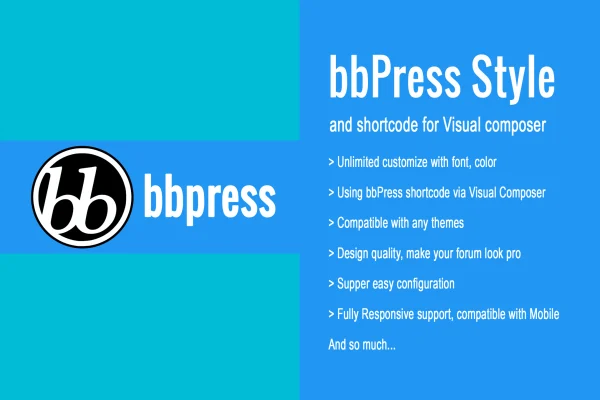
bbPress Style is a WordPress plugin that changes how your bbPress forums look. It gives you settings for fonts, colors and layouts, works with Visual Composer, and lets you style a forum to match your site without writing code.
- Version
- 1.2
- Released
- Dec 19, 2019
- Type
- WordPress plugin
- Requires
- bbPress
- Licence
- GPL
- Included in
- Every plan, or $3.99 on its own
What’s new in bbPress Style 1.2
Version 1.2 · Dec 19, 2019
Latest
- ImprovedSupport WordPress 5.3++
- ImprovedSupport bbPress 2.6++
- FixedFix some css bug
What it does
The default bbPress forum layout is plain, and making it match the rest of your site usually means writing custom CSS. This plugin gives you a settings-based way to change fonts, colors and styles so your forum fits your branding. It is built for bbPress, which must be active on your site, and it keeps the forum's normal functionality in place while changing its appearance.
If you build pages with Visual Composer, you can place bbPress shortcodes inside your layouts and arrange forum sections with drag and drop. Google Fonts support gives you more typography choices, and the responsive layout adjusts for phones, tablets and desktops. Sample data is included, so you can set up a demo forum and see your style changes before working on live content. It suits community sites, support forums and discussion boards.
Best for
- Community sites running bbPress discussion forums
- Product or service support forums
- Site owners building pages with Visual Composer
Features
Font, color and style controls
Adjust fonts, colors and styles across your bbPress forum so it matches your brand and the rest of your site's design.
Visual Composer integration
Use bbPress shortcodes within Visual Composer to build and arrange forum layouts with drag and drop instead of editing templates by hand.
Google Fonts support
Choose typefaces from Google Fonts to set the typography of forum titles, topics and replies for better readability.
Responsive forum layout
The styled forum adapts to different screen sizes, so topics and replies display properly on mobile phones, tablets and desktops.
Works alongside your theme
The plugin is designed to work with WordPress themes, keeping your forum styling consistent with the rest of your site.
Sample data included
Import the included sample data to set up a demo forum, preview your design choices and work out a style before going live.
No coding required
Simple configuration settings let you make styling changes without writing CSS or PHP, which helps beginners and busy site owners.
Questions about bbPress Style
Do I need bbPress for this plugin to work?
Yes. bbPress Style is built specifically for bbPress forums, so bbPress needs to be active on your site. The plugin changes the look of your forums while keeping bbPress's normal forum functionality intact.
Can I use it if I don't know CSS?
Yes. The plugin is configured through simple settings, so you can change fonts, colors, styles and layouts without writing code. The included sample data also lets you test your design on a demo forum first.
Does it work with Visual Composer?
It does. You can place bbPress shortcodes inside Visual Composer and manage forum layouts with drag and drop, which makes it easier to fit forum sections into the pages you already build there.
Will my forum look right on mobile devices?
The plugin uses a responsive layout, so your styled forum adjusts to mobile phones, tablets and desktops. Visitors can read and browse topics comfortably on smaller screens.
Is bbPress Style free?
The code of bbPress Style is licensed under the GPL, so anyone may use, change and share it. GPL Feast is a paid service: a plan or a single purchase gives you the download and automatic updates. The developer's own support, licence key and online services are not included.
Which version of bbPress Style is this?
Version 1.2, released Dec 19, 2019. New versions appear here when the developer publishes them, and members get them as automatic updates.
How do I update bbPress Style?
Install the free GPL Feast Updater on your site and connect it with your API key. It installs new versions of bbPress Style automatically and keeps a backup, so you can roll back.
What does bbPress Style need?
bbPress Style needs bbPress installed and active.
You might also like






