
Plugin
Updated
Beehive Pro
Beehive Pro by WPMU DEV is a WordPress analytics plugin that connects your site to Google Analytics 4. It shows traffic, top content and visitor locations right inside your WordPress admin, and it also handles Google Tag Manager setup.
- Version
- 3.5.3
- Released
- Oct 5, 2026
- Developer
- WPMU DEV
- Type
- WordPress plugin
- Licence
- GPL
- Included in
- Every plan, or $4.79 a year on its own
What’s new in Beehive Pro 3.5.3
Version 3.5.3 · Oct 5, 2026
Latest
- ImprovedUpdated WPMU DEV Dashboard notification submodule.
- FixedBeehive connection issue when multiple Google accounts are available.
- FixedDashboard widget and Statistics page now respect role permissions.
- FixedGTM Variables count on Dashboard now includes custom variables.
- FixedPopular posts widget now handles page paths and post types correctly.
- FixedStatistics tiles now show data for the correct date range.
- FixedDate picker presets no longer select a date range that is off by one day.
What it does
Checking site traffic usually means leaving WordPress, logging into Google Analytics and digging through menus to find the numbers you care about. This plugin pulls your GA4 data through the API and displays it on your WordPress dashboard and on a dedicated statistics page. You get real-time visitor activity, customizable reports with graphs and trend views, popular posts, and a world map of where visitors come from. A setup wizard walks you through connecting your Google account, so you can start viewing reports without manual configuration.
The plugin also suits people who manage more than one site. On a multisite network, it supports analytics for individual subsites from a single setup, which keeps reporting tidy for network admins. Access control by user role lets you decide who can see or manage reports, and IP anonymization helps with privacy requirements such as GDPR. Google Tag Manager management covers tracking of user interactions, events and variables, and ad and referral tracking shows how display ads and referring sites bring in traffic.
Best for
- Site owners who want GA4 reports inside WordPress
- Agencies and freelancers managing client analytics
- Multisite network admins tracking many subsites
Features
GA4 API connection
Connects to Google Analytics 4 through its API so your traffic and engagement data appears inside the WordPress admin area.
Multisite subsite analytics
Tracks performance across the sites in a WordPress multisite network with one setup, so network admins can review subsite data in one place.
Google Tag Manager management
Manages Google Tag Manager from WordPress to track user interactions and events, including custom variables that are counted on the dashboard.
Real-time and custom reports
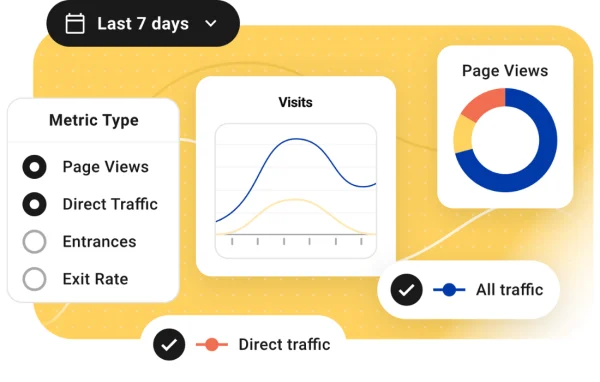
Shows live visitor activity alongside customizable reports with graphs, trend analysis and date range presets for picking the period you want to review.
Role-based report access
Limits who can view the dashboard widget and statistics page, or manage analytics settings, based on WordPress user roles.
IP anonymization
Masks visitor IP addresses to help your site meet privacy rules such as GDPR while still collecting useful analytics data.
Top content and geo tracking
Lists your most visited pages and posts, and displays visitor locations on an interactive world map.
Ad and referral tracking
Reports on display ad performance and referral traffic so you can see which sources send visitors to your site.
Beehive Pro older versions
- 3.5.2Apr 2
- 3.5.1Mar 61 fix
- 3.5.0Mar 41 new, 6 improvements, 15 fixes
- 3.4.18Aug 26, 20251 improvement, 3 fixes
- 3.4.17Apr 26, 2025
- 3.4.16Feb 25, 2025
- 3.4.15Dec 20, 2024
- 3.4.14Dec 10, 2024
- 3.4.13Nov 28, 2024
- 3.4.12Apr 18, 2024
Members and buyers of this product can download older versions.
17 older versions in all. If you need one that is not listed, ask support.
Questions about Beehive Pro
Does Beehive Pro work with Google Analytics 4?
Yes. It connects to Google Analytics 4 through the GA4 API and displays your traffic, engagement, top content and visitor location data in the WordPress admin. A guided setup wizard helps you link your Google account, and it handles cases where more than one Google account is available.
Can I use it on a WordPress multisite network?
Yes. The plugin is built for multisite and supports analytics for individual subsites from a single setup. Network admins can monitor how each site in the network performs without configuring analytics separately on every subsite.
Can I control which users see the analytics reports?
You can. Access is based on WordPress user roles, so you can choose which roles may view reports or manage settings. Both the dashboard widget and the statistics page follow these role permissions.
Does it help with privacy requirements like GDPR?
It includes IP anonymization, which masks visitor IP addresses before data is collected. This helps you work toward GDPR compliance while still gathering traffic and engagement information for your reports.
Is Beehive Pro free?
The code of Beehive Pro is licensed under the GPL, so anyone may use, change and share it. GPL Feast is a paid service: a plan or a single purchase gives you the download and automatic updates. The developer's own support, licence key and online services are not included.
Which version of Beehive Pro is this?
Version 3.5.3, released Oct 5, 2026. New versions appear here when the developer publishes them, and members get them as automatic updates.
How do I update Beehive Pro?
Install the free GPL Feast Updater on your site and connect it with your API key. It installs new versions of Beehive Pro automatically and keeps a backup, so you can roll back.
More from WPMU DEV