
Plugin
Updated
Blocker. Plugin
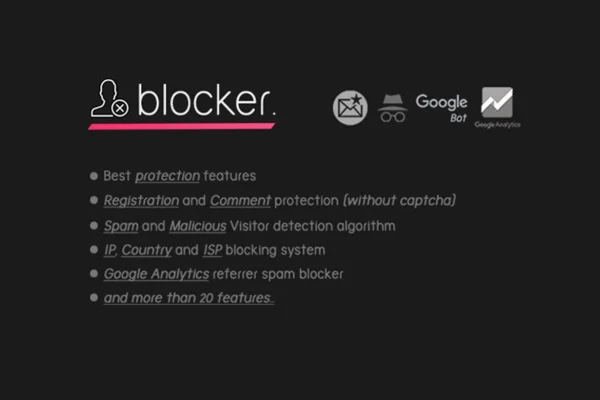
Blocker Firewall is a WordPress security plugin that filters the traffic reaching your site. It checks whether bots are who they claim to be, blocks known malicious tools and spam activity, and keeps a log of suspicious visits so you can see what has been stopped.
- Version
- 1.6.0
- Released
- May 2, 2023
- Type
- WordPress plugin
- Licence
- GPL
- Included in
- Every plan, or $3.99 on its own
- Topics
- Security Plugins
What’s new in Blocker. Plugin 1.6.0
Version 1.6.0 · May 2, 2023
Latest
What it does
Many WordPress sites get a steady stream of fake visitors: bots pretending to be search engine crawlers, scanners probing for weak spots, scrapers copying content and spammers filling comment forms and registration pages. This plugin sits in front of that traffic and decides who gets through. It verifies search engine crawlers by validating their IP addresses, so a bot that only claims to be a search engine is turned away while genuine crawlers can keep indexing your pages.
Beyond bot checks, it blocks tools commonly used by hackers and scrapers, such as WPScan and HTTrack, and it stops spam referrals, spam comments and malicious email registrations. Suspicious and malicious activity is recorded in a data log, and a statistics view shows blocked users and bots so you can follow security trends over time. The interface is responsive, and the plugin is translation ready with WPML support, which suits bloggers, site owners and developers running single or multilingual sites.
Best for
- Bloggers dealing with spam comments and fake registrations
- Site owners wanting to block scrapers and scanning tools
- Developers managing multilingual WordPress sites
Features
Web bot verification
A verification algorithm checks incoming bots and lets genuine web bots through while blocking counterfeit or malicious bot traffic before it reaches your content.
Search engine crawler checks
Confirms that visitors claiming to be search engine crawlers are real by validating their IP addresses, so spoofed crawlers are kept out.
Blocking of malicious tools
Automatically blocks tools like WPScan and HTTrack, which are commonly used by hackers to probe sites and by scrapers to copy them.
Spam protection
Stops spam referrals, spam comments and malicious email registrations, helping keep your comment sections and user lists free of junk entries.
Activity logging
Records suspicious and malicious activity in a data log, giving you a record you can review when you want to understand the threats your site faces.
Blocking statistics
A statistics system shows blocked users and bots, so you can track security trends and spot recurring issues on your site.
Translation ready
The plugin is ready for translation and works with WPML and other translation plugins, which helps on sites that run in more than one language.
Responsive interface
The settings interface is responsive and retina ready, so it stays readable and usable on phones, tablets and desktop screens.
Questions about Blocker. Plugin
Will this block real search engines from crawling my site?
It is designed to avoid that. The plugin validates the IP addresses of visitors that claim to be search engine crawlers, so genuine crawlers are allowed in while bots that only pretend to be search engines are blocked.
What kinds of spam does it stop?
It covers spam referrals, spam comments and malicious email registrations. That makes it useful for sites with open comment sections or user sign up forms that attract automated junk submissions.
Can I see what the firewall has blocked?
Yes. Blocker. Plugin keeps a data log of suspicious and malicious activity, and its statistics system shows blocked users and bots so you can review what was stopped and watch for patterns over time.
Does it work on a multilingual site?
The plugin is translation ready and compatible with WPML and other translation plugins, so its interface can be localized for sites that run in several languages.
Is Blocker. Plugin free?
The code of Blocker. Plugin is licensed under the GPL, so anyone may use, change and share it. GPL Feast is a paid service: a plan or a single purchase gives you the download and automatic updates. The developer's own support, licence key and online services are not included.
Which version of Blocker. Plugin is this?
Version 1.6.0, released May 2, 2023. New versions appear here when the developer publishes them, and members get them as automatic updates.
How do I update Blocker. Plugin?
Install the free GPL Feast Updater on your site and connect it with your API key. It installs new versions of Blocker. Plugin automatically and keeps a backup, so you can roll back.
You might also like






