
Plugin
Updated
Blog Layouts for Elementor
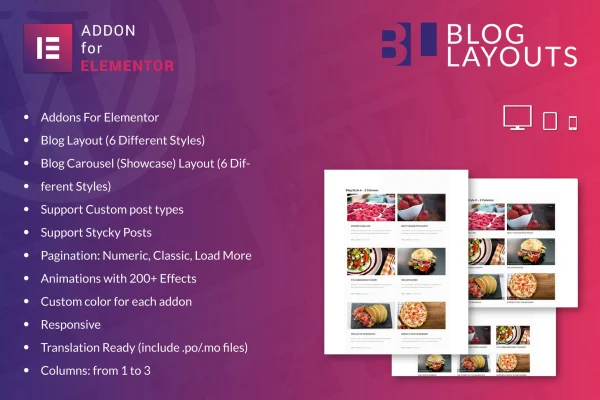
This is a WordPress plugin that adds two blog widgets to the Elementor page builder. It lets you build post grids and post carousels by dragging widgets onto a page, with six styles per widget and settings for columns, colors, sorting and pagination.
- Version
- 1.0
- Released
- May 2, 2023
- Type
- WordPress plugin
- Requires
- Elementor
- Licence
- GPL
- Included in
- Every plan, or $3.99 on its own
What’s new in Blog Layouts for Elementor 1.0
Version 1.0 · May 2, 2023
Latest
What it does
Elementor sites often need a clean way to list blog posts on a homepage, archive or landing page. This plugin handles that job with two widgets: a Classic layout for standard post listings and a Carousel layout for sliding post displays. Each widget comes with six distinct styles, so you can pick a look that fits your theme and adjust it from the Elementor editor. Because everything works through drag and drop, you can set up a blog section without writing code. Elementor is required.
Beyond the basic layout, you get control over what shows up and how readers move through it. The widgets can pull from custom post types and respect sticky posts, and you can sort by latest, popular, random or recently updated. Pagination can be numeric, classic or a load more button. You can set one to three columns, apply custom colors per addon and add animation effects from a library of over 200. The layouts are responsive and retina ready, and translation files are included for multilingual sites.
Best for
- Bloggers building their site with Elementor
- Business sites adding a news or articles section
- Freelancers designing Elementor blog pages for clients
Features
Classic and carousel widgets
Two Elementor widgets let you display posts as a standard listing or as a sliding carousel, which suits recent posts or featured articles.
Six styles per widget
Each widget includes six distinct blog styles, giving you a range of designs to match different themes and brand looks.
Custom post types and sticky posts
Display content from custom post types as well as regular posts, and keep sticky posts pinned so they stay visible at the top.
Flexible post sorting
Choose to show the latest, popular, random or recently updated posts, depending on what you want readers to see first.
Three pagination styles
Let visitors browse more posts with numeric pagination, classic next and previous links, or a load more button.
Over 200 animation effects
Apply animation effects to blog elements from a library of more than 200 options to add motion to your post listings.
Column and color controls
Set layouts from one to three columns and adjust color settings for each addon so the blog section fits your brand.
Responsive and translation ready
Layouts adapt to different screens and are retina ready, and included .po and .mo files support translating the plugin.
Questions about Blog Layouts for Elementor
Do I need Elementor to use this plugin?
Yes. Blog Layouts for Elementor works as an addon for the Elementor page builder, and its two widgets appear inside the Elementor editor, where you drag them onto your pages and adjust their settings.
Can it show posts from custom post types?
Yes. The widgets support custom post types, so you can list content beyond standard blog posts. They also support sticky posts, which keeps pinned posts visible in your listings.
What pagination options are available?
You can choose numeric pagination, classic pagination or a load more button. This lets you decide how readers move through longer lists of posts on the page.
Will the layouts work on a multilingual site?
The plugin is translation ready and includes .po and .mo files, so its text can be translated. The layouts are also responsive and retina ready for different devices and screens.
Is Blog Layouts for Elementor free?
The code of Blog Layouts for Elementor is licensed under the GPL, so anyone may use, change and share it. GPL Feast is a paid service: a plan or a single purchase gives you the download and automatic updates. The developer's own support, licence key and online services are not included.
Which version of Blog Layouts for Elementor is this?
Version 1.0, released May 2, 2023. New versions appear here when the developer publishes them, and members get them as automatic updates.
How do I update Blog Layouts for Elementor?
Install the free GPL Feast Updater on your site and connect it with your API key. It installs new versions of Blog Layouts for Elementor automatically and keeps a backup, so you can roll back.
What does Blog Layouts for Elementor need?
Blog Layouts for Elementor needs Elementor installed and active.
You might also like






