
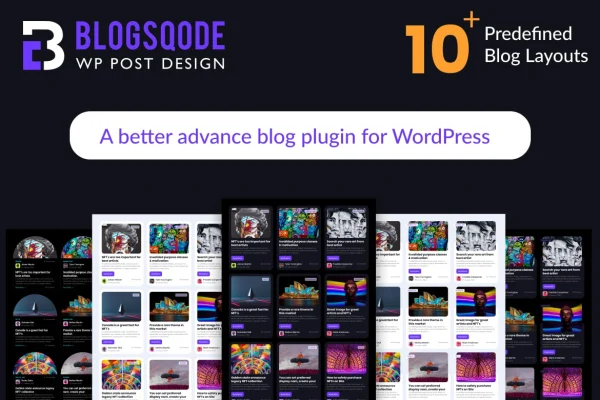
Plugin
Updated
BlogSqode WP Post Design
BlogSqode WP Post Design is a WordPress plugin for styling your blog pages without writing code. It gives you a set of blog list layouts, single post designs, pagination styles and read more buttons, plus a shortcode generator so you can place a blog design anywhere on your site.
- Version
- 2.0.0
- Released
- May 2, 2023
- Type
- WordPress plugin
- Requires
- Elementor
- Licence
- GPL
- Included in
- Every plan, or $3.99 on its own
What’s new in BlogSqode WP Post Design 2.0
Version 2.0 · Oct 14, 2022
Latest
- Improved7 Blog Layout Update
- Improved10 Pagination Layout Update
- Improved5 Button Layout Update
- Improved1 Single Blog Layout Update
What it does
The default blog page in many WordPress themes is a plain list of posts, and changing it usually means editing templates or hiring a developer. This plugin gives you ready-made designs instead. You pick from more than 10 blog list page layouts and a range of single blog page designs, then adjust the look with options for pagination and read more buttons. The layouts are responsive and retina ready, so posts display cleanly on desktops, tablets and phones.
Once you have a design you like, the shortcode generator creates a shortcode you can drop into any page or post. The plugin also supports custom post types, which helps if your site lists portfolio items, case studies or other content beyond standard posts. Social share buttons with custom icons let readers pass articles along. It works alongside Elementor, which the plugin requires, and documentation is included to walk you through the settings.
Best for
- Bloggers who want a custom blog design without coding
- Elementor sites needing better blog list and post pages
- Sites displaying custom post types like portfolios or case studies
Features
Blog list page layouts
Choose from more than 10 blog list page layouts to change how your posts are arranged and presented on archive and blog pages.
Single blog page designs
Apply creative, customizable layouts to individual post pages so each article has a more polished, consistent presentation.
Pagination styles
Pick from more than 15 pagination styles to match the navigation between blog pages to the rest of your layout.
Read more button styles
Select from more than 10 read more button styles to control how post excerpts link through to the full article.
Shortcode generator
Build a blog design and generate a shortcode for it, then place that shortcode on any page or post where you want the listing to appear.
Custom post type support
Display content from custom post types using the same layouts, so listings are not limited to standard WordPress blog posts.
Social sharing with custom icons
Add social share buttons to your posts and style them with custom icons so readers can share articles easily.
Responsive, retina-ready designs
Layouts adapt to desktops, tablets and smartphones, and they are retina ready for sharp display on high-resolution screens.
Questions about BlogSqode WP Post Design
Do I need to know how to code to use this plugin?
No. The plugin is built so you can create blog layouts without writing code. You choose from the included list layouts, single post designs, pagination styles and read more buttons, then use the shortcode generator to place the result on your pages.
Does it need Elementor?
Yes. Elementor is listed as a requirement, so you will need it active on your site. The blog designs themselves are added through shortcodes created with the built-in shortcode generator.
Can I use it to display content other than regular blog posts?
Yes. The plugin supports custom post types, so you can apply its layouts to content such as portfolio entries or other custom listings, in addition to standard WordPress posts.
Will the blog layouts look right on phones and tablets?
The designs are fully responsive and retina ready, so they adjust to desktops, tablets and smartphones and display clearly on high-resolution screens.
Is BlogSqode WP Post Design free?
The code of BlogSqode WP Post Design is licensed under the GPL, so anyone may use, change and share it. GPL Feast is a paid service: a plan or a single purchase gives you the download and automatic updates. The developer's own support, licence key and online services are not included.
Which version of BlogSqode WP Post Design is this?
Version 2.0.0, released May 2, 2023. New versions appear here when the developer publishes them, and members get them as automatic updates.
How do I update BlogSqode WP Post Design?
Install the free GPL Feast Updater on your site and connect it with your API key. It installs new versions of BlogSqode WP Post Design automatically and keeps a backup, so you can roll back.
What does BlogSqode WP Post Design need?
BlogSqode WP Post Design needs Elementor installed and active.
You might also like






