
Plugin
Updated
Box Message for Elementor
Box Message for Elementor is a WordPress plugin that adds styled message boxes to pages built with Elementor. You can use these boxes to point out announcements, tips, promotional offers or user alerts, and you can adjust colors and backgrounds to match your site without writing code.
- Version
- 1.0
- Released
- May 2, 2023
- Type
- WordPress plugin
- Requires
- Elementor
- Licence
- GPL
- Included in
- Every plan, or $3.99 on its own
What’s new in Box Message for Elementor 1.0
Version 1.0 · May 2, 2023
Latest
What it does
Most sites need a way to set certain information apart from the surrounding content. That might be a shipping notice, a helpful tip in a tutorial or a short announcement at the top of a page. Building these boxes by hand often means custom CSS or repeated styling work. This addon gives Elementor users a dedicated message box element, so you can drop a box onto a page, write your message and style it from the editor.
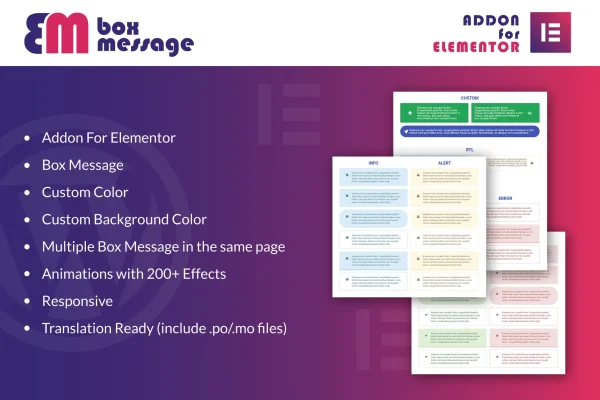
Because it works as an Elementor addon, it fits into the page building workflow you already use. You can place several message boxes on the same page, each with its own colors and background. More than 200 animation effects let you choose how a box appears, from subtle to more noticeable. The boxes are responsive and retina ready, and the plugin includes .po and .mo files for translating it into other languages.
Best for
- Elementor sites that post announcements or alerts
- Blogs and tutorial sites sharing tips and notes
- Multilingual sites needing translatable message boxes
Features
Built for Elementor
Works as a dedicated Elementor addon, so you add and edit message boxes inside the Elementor editor without touching any code.
Custom colors and backgrounds
Set the colors and background of each message box so it matches your brand style and the design of the rest of your site.
Multiple boxes per page
Place several message boxes on a single page to highlight different announcements, tips or alerts in separate sections of your content.
Over 200 animation effects
Choose from more than 200 animation effects to control how each message box appears, keeping it subtle or making it stand out more.
Responsive and retina ready
Message boxes adapt to different screen sizes and display crisp visuals on high resolution screens, so they look right on phones, tablets and desktops.
Translation ready
Includes .po and .mo files, making it possible to localize the plugin for sites that publish content in languages other than English.
Quick setup
Adding a message box takes minimal setup, which helps when you need to put a notice on a page during regular content editing.
Questions about Box Message for Elementor
Do I need Elementor to use this plugin?
Yes. Box Message for Elementor is built as an Elementor addon, so Elementor must be active on your WordPress site. The message boxes are added and styled from within the Elementor editor.
Can I show more than one message box on the same page?
Yes. The plugin supports multiple message boxes on one page. You can use separate boxes for different announcements, tips or alerts, and style each one with its own colors and background.
Will the message boxes look good on mobile devices?
The boxes are fully responsive and retina ready. They adjust to different screen sizes and display sharp visuals on high resolution screens, so they work on phones, tablets and desktop monitors.
Can I translate the plugin for a non-English site?
Yes. The plugin is translation ready and includes .po and .mo files. You can use these files to localize it for sites that publish content in other languages.
Is Box Message for Elementor free?
The code of Box Message for Elementor is licensed under the GPL, so anyone may use, change and share it. GPL Feast is a paid service: a plan or a single purchase gives you the download and automatic updates. The developer's own support, licence key and online services are not included.
Which version of Box Message for Elementor is this?
Version 1.0, released May 2, 2023. New versions appear here when the developer publishes them, and members get them as automatic updates.
How do I update Box Message for Elementor?
Install the free GPL Feast Updater on your site and connect it with your API key. It installs new versions of Box Message for Elementor automatically and keeps a backup, so you can roll back.
What does Box Message for Elementor need?
Box Message for Elementor needs Elementor installed and active.
You might also like






