
Plugin
Updated
Box message for WPBakery
Box message for WPBakery is a WordPress plugin that adds a message box element to WPBakery Page Builder. You can place styled boxes for notifications, alerts or announcements on any page, then set their colors and pick an animation without writing code.
- Version
- 1.0
- Released
- May 2, 2023
- Type
- WordPress plugin
- Licence
- GPL
- Included in
- Every plan, or $3.99 on its own
What’s new in Box message for WPBakery 1.0
Version 1.0 · May 2, 2023
Latest
What it does
Many sites need a clear way to call out a notice, a promotion or a short piece of important information inside regular page content. Plain text blocks blend in, and custom styled boxes usually mean writing CSS. This addon gives WPBakery users a dedicated message box element they can drop into a layout, so callouts look consistent and stand apart from the surrounding content.
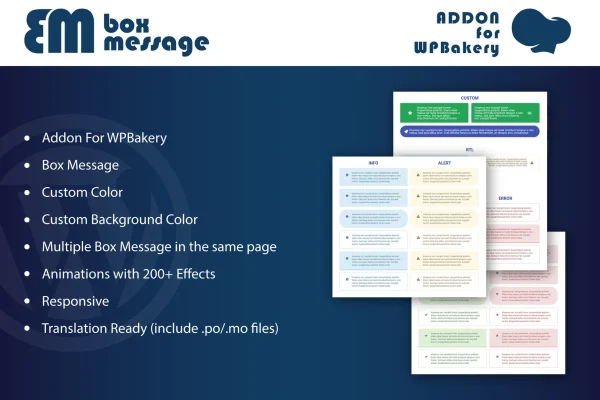
The element works inside the WPBakery interface, using the same drag and drop workflow you already use for other content. Each box gets its own text and background colors, and you can add as many boxes as a page needs. More than 200 animation effects are available, the boxes are responsive and retina ready, and the plugin includes .po and .mo files for translation.
Best for
- WordPress sites built with WPBakery Page Builder
- Freelancers adding styled notices to client pages
- Sites that post alerts, promotions or announcements
Features
One-click message boxes
Insert a styled message box into a WPBakery layout with a single click, with no coding needed to build notices, alerts or announcement blocks.
Custom text colors
Set the text color of each message so it matches your brand colors and stays readable against the box background.
Per-box background colors
Give every box its own background color, which helps you separate warnings, tips and promotions visually on the same page.
Multiple boxes per page
Place several message boxes on one page, so you can mix different notices and callouts throughout longer content.
Over 200 animation effects
Choose from more than 200 animation effects to control how each message box appears when visitors reach it on the page.
Responsive and retina ready
Message boxes adapt to different screen sizes and display cleanly on high-resolution screens, from desktops down to phones.
Translation ready
Includes .po and .mo files, so the plugin can be translated for sites that serve visitors in other languages.
Questions about Box message for WPBakery
Do I need WPBakery Page Builder to use this?
Yes. The plugin is an addon for WPBakery Page Builder and works inside its interface. The message box element is added to your layouts through the builder's drag and drop workflow, so you need WPBakery on your site.
Can I match the message boxes to my site colors?
You can. Each box has settings for text color and background color, so you can align the boxes with your brand palette or use different colors for different kinds of messages, such as warnings and tips.
Can I use more than one message box on a page?
Yes. You can add multiple message boxes to a single page, each with its own colors and animation, which suits pages that need several separate notices or callouts.
Will the message boxes look right on phones?
The boxes are responsive and retina ready, so they adjust to different screen sizes and display clearly on high-resolution screens across desktops, tablets and smartphones.
Is Box message for WPBakery free?
The code of Box message for WPBakery is licensed under the GPL, so anyone may use, change and share it. GPL Feast is a paid service: a plan or a single purchase gives you the download and automatic updates. The developer's own support, licence key and online services are not included.
Which version of Box message for WPBakery is this?
Version 1.0, released May 2, 2023. New versions appear here when the developer publishes them, and members get them as automatic updates.
How do I update Box message for WPBakery?
Install the free GPL Feast Updater on your site and connect it with your API key. It installs new versions of Box message for WPBakery automatically and keeps a backup, so you can roll back.
You might also like






