
Plugin
Updated
Breadcrumbs for Elementor
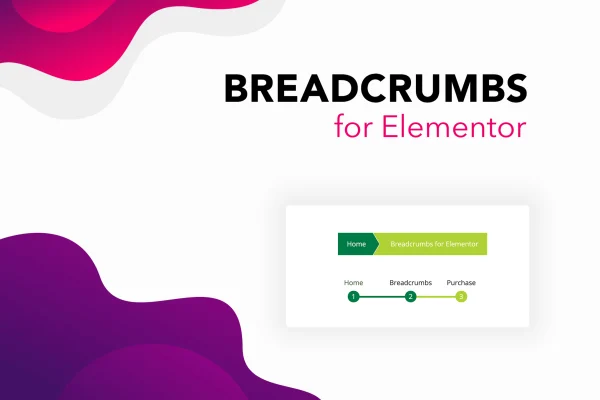
This plugin is an add-on for the Elementor page builder that places breadcrumb navigation on your WordPress pages. It shows visitors where they are within your site's structure, and you can build automatic or hand-made trails, pick a layout and style it without writing code.
- Version
- 1.1
- Released
- Jul 13, 2019
- Type
- WordPress plugin
- Requires
- Elementor
- Licence
- GPL
- Included in
- Every plan, or $3.99 on its own
What’s new in Breadcrumbs for Elementor 1.1
Version 1.1 · Jul 13, 2019
Latest
- NewOption to show or hide the custom post type parent archive
What it does
On a site with many pages, visitors can lose track of where they are and how to get back to a parent section. Breadcrumb trails solve that by showing the path from the home page to the current page as a row of clickable links. This add-on brings that navigation into Elementor, so you can drop breadcrumbs into your designs the same way you place other elements, using drag and drop and the styling controls you already know.
You can choose between two approaches. Dynamic breadcrumbs build the trail automatically from your page hierarchy, while static breadcrumbs let you add or remove items by hand for full control over the path. There are 8 layouts to start from, plus options for colors, font sizes and styles. Schema markup can be switched on or off, which helps search engines read your site structure. Displays are responsive and retina ready across desktops, tablets and phones.
Best for
- Elementor sites with deep page hierarchies
- Blogs and content sites with many sections
- Freelancers building client sites in Elementor
Features
Dynamic breadcrumbs
Generates breadcrumb trails automatically from your website's page hierarchy, so the path updates to match your structure without manual work on each page.
Static breadcrumbs
Build a custom breadcrumb path by adding or removing items yourself, giving you direct control over exactly which links appear in the trail.
Eight layout choices
Pick from 8 breadcrumb layouts as a starting point, then match the one that fits your site's style and interface best.
Style controls
Adjust colors, font sizes and styles so the breadcrumbs sit comfortably alongside your existing design and branding.
Optional schema markup
Turn Google schema markup for breadcrumbs on or off, helping search engines understand how the pages on your site relate to each other.
Responsive and retina ready
Breadcrumbs display clearly on high-resolution screens and adapt to different screen sizes, from desktop monitors to tablets and smartphones.
Works inside Elementor
Add and customize breadcrumbs with Elementor's drag and drop editor, with no code needed for setup or styling.
Questions about Breadcrumbs for Elementor
Do I need Elementor to use this plugin?
Yes. Breadcrumbs for Elementor is built as an add-on for the Elementor page builder, so Elementor needs to be active on your WordPress site. You place and style the breadcrumbs from within the Elementor editor.
Can I set breadcrumbs manually instead of using my page structure?
Yes. Alongside dynamic breadcrumbs, which follow your page hierarchy automatically, there is a static option. With static breadcrumbs you add or remove items yourself to create the exact trail you want shown.
Does it add schema markup for search engines?
It includes Google schema markup for breadcrumbs, and you can enable or disable it. When enabled, it gives search engines structured information about how your pages fit into your site's hierarchy.
How much control do I have over the look?
You can start from 8 layouts and then adjust colors, font sizes and styles. The breadcrumbs are responsive and retina ready, so they stay clear on phones, tablets and desktop screens.
Is Breadcrumbs for Elementor free?
The code of Breadcrumbs for Elementor is licensed under the GPL, so anyone may use, change and share it. GPL Feast is a paid service: a plan or a single purchase gives you the download and automatic updates. The developer's own support, licence key and online services are not included.
Which version of Breadcrumbs for Elementor is this?
Version 1.1, released Jul 13, 2019. New versions appear here when the developer publishes them, and members get them as automatic updates.
How do I update Breadcrumbs for Elementor?
Install the free GPL Feast Updater on your site and connect it with your API key. It installs new versions of Breadcrumbs for Elementor automatically and keeps a backup, so you can roll back.
What does Breadcrumbs for Elementor need?
Breadcrumbs for Elementor needs Elementor installed and active.
You might also like






