
Plugin
Updated
Buttoner for Elementor
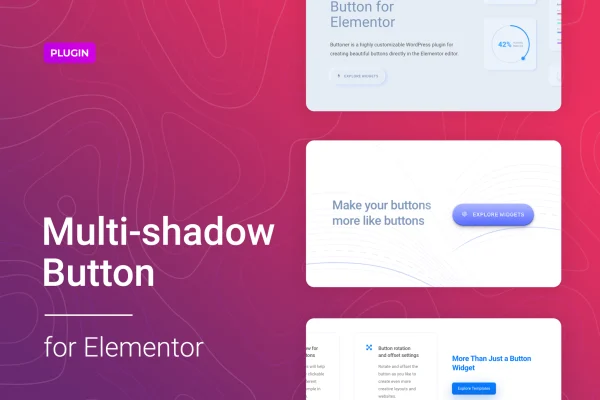
Buttoner for Elementor is a WordPress plugin that adds a customizable button element to the Elementor editor. It focuses on layered shadow effects, 3D styling and neumorphism, so you can build call-to-action buttons that stand apart from the default look without writing code.
- Version
- 1.0.7
- Released
- Feb 24, 2026
- Type
- WordPress plugin
- Requires
- Elementor
- Licence
- GPL
- Included in
- Every plan, or $3.99 on its own
What’s new in Buttoner for Elementor 1.0.7
Version 1.0.7 · Feb 24, 2026
Latest
- SecurityFixed plugin security issues
What it does
Default buttons in many themes look flat and similar from site to site. This plugin gives you a button you style directly inside Elementor, with stacked shadows and 3D effects that add depth. Since it works within the page builder, you design and edit buttons on the same screen as the rest of your layout, and you can see the result as you adjust settings. It requires Elementor to be active on your site.
Beyond shadows, you get controls for custom cursors, icons, rotation, positioning and hover animations. You can pick from an icon library or upload your own icons, and swap the mouse cursor for one of several cursor types or a PNG image. Buttons are responsive and retina ready, so they stay sharp on phones and tablets. For developers, the plugin includes CSS, SASS and JS files that can be used to customize it further.
Best for
- Elementor sites wanting distinctive call-to-action buttons
- Designers building landing pages with neumorphic or 3D styles
- Developers who want editable CSS, SASS and JS files
Features
Multi-shadow button styles
Layer several shadows on a single button to create depth, with styling options that let you match the effect to your site's colors and design.
3D and neumorphism effects
Apply 3D styling, including neumorphism, to give buttons a raised or soft, embossed look that differs from standard flat buttons.
Works inside Elementor
Create and edit buttons directly in the Elementor editor, alongside the rest of your page content, with no separate settings screen to manage.
Custom cursor options
Choose from a range of cursor types or upload a PNG image to use as the cursor when visitors hover over a button.
Icon library and uploads
Add icons from the included library or upload your own icons so buttons can reflect your brand's visual style.
Rotation and positioning controls
Position, rotate and shift buttons to place them exactly where you want within a section or layout.
Hover animations
Add animated effects that play when visitors hover over a button, giving calls to action more visible motion.
Developer source files
Includes CSS, SASS and JS files so developers can adjust or extend the button styles beyond the built-in controls.
Questions about Buttoner for Elementor
Do I need Elementor to use this plugin?
Yes. The plugin works as part of the Elementor editor, where you create and edit the buttons. Elementor must be installed and active on your WordPress site for the button element to be available.
Can I style buttons without writing any code?
Yes. Shadows, 3D effects, neumorphism, icons, cursors, rotation, positioning and hover animations are all set through controls in Elementor. Coding is optional, and developers can use the included CSS, SASS and JS files for deeper changes.
Will the buttons look good on mobile devices?
The buttons are responsive and retina ready, so they adapt to different screen sizes and display crisply on high-resolution screens such as modern smartphones and tablets.
Can I use my own icons and cursors?
Yes. You can upload your own icons in addition to using the built-in icon library, and you can upload a PNG image as a custom cursor or pick from the available cursor types.
Is Buttoner for Elementor free?
The code of Buttoner for Elementor is licensed under the GPL, so anyone may use, change and share it. GPL Feast is a paid service: a plan or a single purchase gives you the download and automatic updates. The developer's own support, licence key and online services are not included.
Which version of Buttoner for Elementor is this?
Version 1.0.7, released Feb 24, 2026. New versions appear here when the developer publishes them, and members get them as automatic updates.
How do I update Buttoner for Elementor?
Install the free GPL Feast Updater on your site and connect it with your API key. It installs new versions of Buttoner for Elementor automatically and keeps a backup, so you can roll back.
What does Buttoner for Elementor need?
Buttoner for Elementor needs Elementor installed and active.
You might also like






