
Plugin
Updated
BWD Advanced Post Block
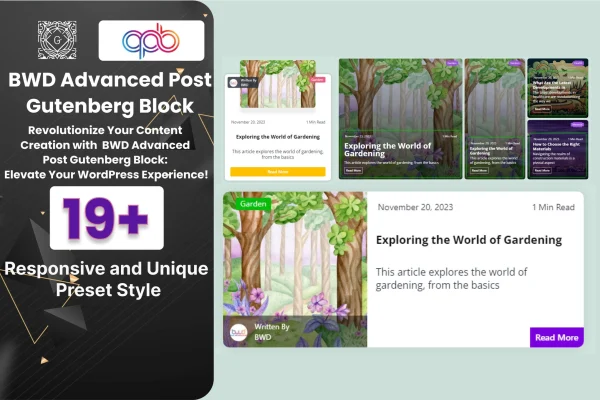
This is a WordPress plugin that adds a post block to the Gutenberg editor. It gives you 20 preset styles in grid, list and tile layouts, so you can arrange and style your blog posts on any page without writing code.
- Version
- 1.3
- Released
- Aug 24, 2026
- Type
- WordPress plugin
- Licence
- GPL
- Included in
- Every plan, or $3.99 on its own
What’s new in BWD Advanced Post Block 1.3
Version 1.3 · Aug 24, 2026
Latest
What it does
The default ways of listing posts in WordPress can look plain, and changing them often means custom code or a separate page builder. This plugin works inside the native block editor instead. You add the block to a page, pick one of the preset styles and adjust it from the block settings. That keeps the whole job in the editor you already use for writing and building pages.
The 20 presets cover grid, list and tile layouts, so you can show several articles side by side, keep a classic list for easy reading or use a tile display. From there you can change the layout, styling, colors and fonts to match your brand. The block is responsive and retina ready, which means posts adapt to different screen sizes and visual elements stay sharp on high-resolution displays. It suits blogs, business sites and marketing pages that list articles.
Best for
- Bloggers using the Gutenberg editor
- Business sites with a news or articles section
- Freelancers building client blogs without page builders
Features
Twenty preset styles
Start from 20 ready-made designs covering grid, list and tile layouts, then pick the one that best matches your site's look and content.
Built for the block editor
The plugin works as a native Gutenberg block, so you set up and edit post layouts without a separate page builder or any coding.
Grid, list and tile layouts
Show several posts at once in a grid, use a classic list view for reading, or arrange articles as tiles depending on the page.
Styling controls in the block
Adjust layouts, styling, colors and fonts directly in the block settings to keep your post sections consistent with your brand.
Responsive display
Post layouts adapt to different screen sizes, so your listings work on desktops, tablets and smartphones without separate versions.
Retina ready elements
Icons and other visual elements are designed to stay sharp on devices with high-resolution retina displays.
Documentation included
Written instructions come with the plugin to help you understand the block settings and get your first layouts in place.
BWD Advanced Post Block older versions
- 1.0.0Dec 20, 2023
Members and buyers of this product can download older versions.
Questions about BWD Advanced Post Block
Do I need Elementor or another page builder to use this?
No. BWD Advanced Post Block is built for the Gutenberg block editor that comes with WordPress. You add it as a block and customize it there, with no extra page builder or coding needed.
What kinds of post layouts can I create?
The block includes 20 preset styles across grid, list and tile layouts. You can use a grid to show several articles together, a list for a classic reading view or tiles for a more modern display.
Can I match the post block to my site's design?
Yes. The block settings let you change the layout, styling, colors and fonts, so you can bring the post listings in line with your brand and the rest of your pages.
Will the layouts work on phones and tablets?
The block is responsive, so layouts adjust to different screen sizes. It is also retina ready, which keeps icons and visual elements looking sharp on high-resolution screens.
Is BWD Advanced Post Block free?
The code of BWD Advanced Post Block is licensed under the GPL, so anyone may use, change and share it. GPL Feast is a paid service: a plan or a single purchase gives you the download and automatic updates. The developer's own support, licence key and online services are not included.
Which version of BWD Advanced Post Block is this?
Version 1.3, released Aug 24, 2026. New versions appear here when the developer publishes them, and members get them as automatic updates.
How do I update BWD Advanced Post Block?
Install the free GPL Feast Updater on your site and connect it with your API key. It installs new versions of BWD Advanced Post Block automatically and keeps a backup, so you can roll back.
You might also like






