
Plugin
Updated
BWD Awesome Step
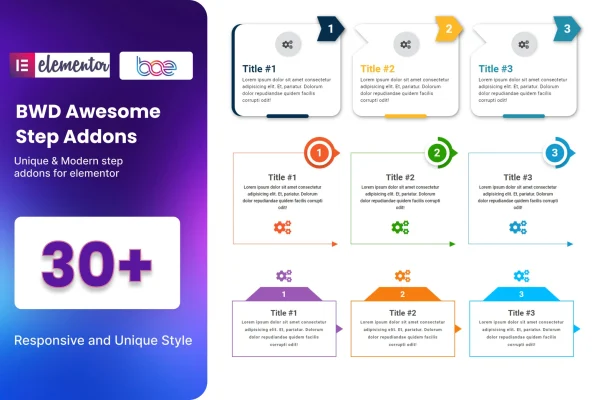
BWD Awesome Step is an Elementor addon plugin for building step-by-step sections on WordPress pages. It gives you preset step layouts that you can adjust with icons, colors and arrows, so you can lay out a tutorial, onboarding flow or process explanation without writing code.
- Version
- 1.6
- Released
- Aug 26, 2026
- Type
- WordPress plugin
- Requires
- Elementor
- Licence
- GPL
- Included in
- Every plan, or $3.99 on its own
What’s new in BWD Awesome Step 1.6
Version 1.6 · Aug 26, 2026
Latest
What it does
Explaining a process in plain paragraphs often leaves visitors scrolling back and forth to find where they are. A step section breaks the same information into numbered stages that people can follow at a glance. This addon brings that layout into Elementor, so you can show how an order works, how a service is delivered or how to complete a setup without building the design by hand. It requires Elementor and works with themes built on it.
You start by picking one of more than 30 preset designs, then adjust the icon and color for each step to match your branding. Arrows between steps can be shown or hidden depending on how clean you want the layout to look. The sections are responsive, so they adapt to different screen sizes, and the plugin is translation ready with a .pot file for multilingual sites. Documentation is included to walk you through each option.
Best for
- Sites publishing tutorials or how-to guides
- Businesses explaining an order or service process
- Designers building onboarding flows in Elementor
Features
More than 30 preset designs
Choose from over 30 unique step layouts as a starting point, so you can match the section to your site's look without designing it from scratch.
Custom icons per step
Set a different icon for each step so visitors can quickly recognize what each stage of the process involves.
Color controls
Adjust the color scheme of your step sections so they fit your brand palette and sit comfortably alongside the rest of the page.
Arrow show and hide option
Toggle the arrow indicators between steps on or off, depending on whether you want visible direction cues or a cleaner, simpler layout.
No-code drag and drop building
Add and arrange step sections inside the Elementor editor using drag and drop, with no custom code needed to get a finished layout.
Responsive layouts
Step sections adapt to different screen sizes, so your process displays properly for visitors on phones, tablets and desktop computers.
Translation ready
A .pot file is included so the plugin's text can be localized, which helps when you build sites in languages other than English.
Works with Elementor themes
The addon is built to run with WordPress themes based on Elementor, so you can add it to existing Elementor sites.
Questions about BWD Awesome Step
Do I need Elementor to use this plugin?
Yes. This is an addon for Elementor, so Elementor must be active on your site. The step sections are built and edited inside the Elementor editor, and the plugin works with WordPress themes built on Elementor.
Can I change how each step looks?
Yes. You can start from one of more than 30 preset designs, then customize the icon and color of each step. You can also show or hide the arrows between steps to suit the layout you want.
Will the step sections work on mobile devices?
The step sections are responsive, so they adjust to different screen sizes. The plugin is also described as cross-browser compatible, which means your layouts should look consistent for visitors using the major browsers.
Can I use it on a site in another language?
Yes. BWD Awesome Step is translation ready and includes a .pot file, so you can translate its text for your language or use it as part of a multilingual site.
Is BWD Awesome Step free?
The code of BWD Awesome Step is licensed under the GPL, so anyone may use, change and share it. GPL Feast is a paid service: a plan or a single purchase gives you the download and automatic updates. The developer's own support, licence key and online services are not included.
Which version of BWD Awesome Step is this?
Version 1.6, released Aug 26, 2026. New versions appear here when the developer publishes them, and members get them as automatic updates.
How do I update BWD Awesome Step?
Install the free GPL Feast Updater on your site and connect it with your API key. It installs new versions of BWD Awesome Step automatically and keeps a backup, so you can roll back.
What does BWD Awesome Step need?
BWD Awesome Step needs Elementor installed and active.
You might also like






